
Managing a long list of tasks without a system tends to end in missed deadlines and forgotten commitments. GTD, short for Getting Things Done, has become a standard part of how professionals across industries organize their work, and the apps built around it are now a regular part of the digital toolkit people rely on to stay on top of things.
This post covers the top 10 GTD apps that can turn a messy to-do list into a workable system, with a look at what each one does well.
Key Takeaways
- GTD apps help manage tasks and stay organized, making work faster and more efficient.
- Popular GTD apps like OmniFocus, Toodledo, and Todoist offer user – friendly interfaces and customizable features for easy task management.
- Cross – platform compatibility allows users to access their tasks and projects on various devices, ensuring productivity wherever they are.
- Factors to consider when choosing a GTD app include a user – friendly interface, integration with other apps, and team collaboration capabilities.
Understanding GTD (Getting Things Done)
GTD, or Getting Things Done, is a productivity methodology developed by David Allen that helps individuals manage their tasks and priorities. The core idea is to move tasks out of your head and into a trusted system, so you can focus on doing the work instead of trying to remember what needs doing.
What is GTD?
GTD stands for “Getting Things Done.” It’s a way to manage your tasks by keeping track of everything you need to do in one place, so you can stay focused and finish work faster instead of holding it all in your head. The method breaks work down into clear next actions, which makes even a large project easier to start.
Apps and software built around GTD make the method easier to apply. OmniFocus 3 is a well-liked iPhone app for busy people who need help with task management. Others, like Todoist and Toodledo, are favorites for how simply they let you plan your day. Each one takes a slightly different approach to the same basic idea: capture everything, then work through it in order.
Benefits of using GTD
Using GTD can improve your daily routine in several ways:
- GTD helps you stay on top of tasks, acting like a reminder of what to do next, so you spend less time deciding where to start.
- The system speeds up your work by keeping your attention on what matters most instead of scattering it across everything at once.
- With GTD, nothing slips through the cracks. The software stores your notes and ideas for later, so a stray thought doesn’t get lost.
- Apps such as Toodledo make planning your day more enjoyable rather than a chore, since you can shape your lists the way you want.
- These apps sync across devices, so switching from an iPhone to a Windows computer doesn’t break your workflow or leave a task behind.
- For teamwork, apps like Todoist make sure everyone knows what they’re responsible for, which cuts down on repeated status check-ins.
- GTD systems reduce stress by keeping the work area under control, which makes it easier to switch off at the end of the day.
- GTD apps also make it easier to see progress toward your goals, since completed tasks and open ones are laid out clearly.
Choosing the right GTD app
Picking the right tool for your task list comes down to a few questions. Is it easy to use? Does it work on both your phone and computer? Can you customize it or connect it to other apps? Do you need it to support teamwork?
It’s worth trying a few different apps before settling on one. OmniFocus 3 suits busy iPhone users. Toodledo is built around helping you get more done. Todoist keeps track of tasks big and small with reminders and due dates. The right GTD app is the one that fits how you actually work, not necessarily the one with the most features on paper.
Top 10 GTD Apps & Software for Productivity in 2023
Here are the top 10 GTD apps and software worth considering in 2023.
ClickUp
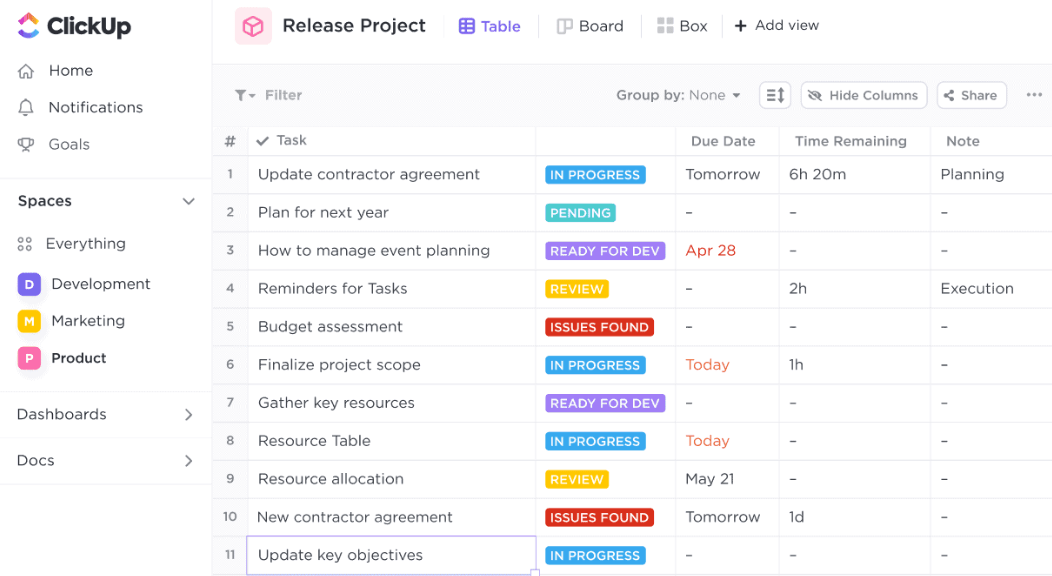
ClickUp is a versatile GTD app that can meaningfully improve how you manage work. It has a user-friendly interface with customizable features for staying organized.
With ClickUp, you can build to-do lists, set reminders, prioritize tasks, and collaborate with teammates on projects. It integrates with Google Calendar, Slack, and Trello, which cuts down on switching between apps throughout the day.
Whether you work solo or as part of a team, ClickUp gives you the tools to streamline your workflow, and its breadth of features makes it a fit for people who want one app to cover most of their task management needs.
OmniFocus
OmniFocus is built specifically for iPhone users with busy schedules. It packs in features for staying organized and managing tasks effectively.
You can create to-do lists, set reminders, prioritize tasks, and track progress on projects. The app makes it simple to capture an idea or task the moment it comes up, so nothing gets forgotten between meetings or while you’re away from your desk.
It also lets you customize your workflow and connect with other apps. OmniFocus is a solid choice for anyone looking for a dependable GTD app to sharpen their personal productivity, particularly if most of your work already happens inside Apple’s ecosystem.
Toodledo
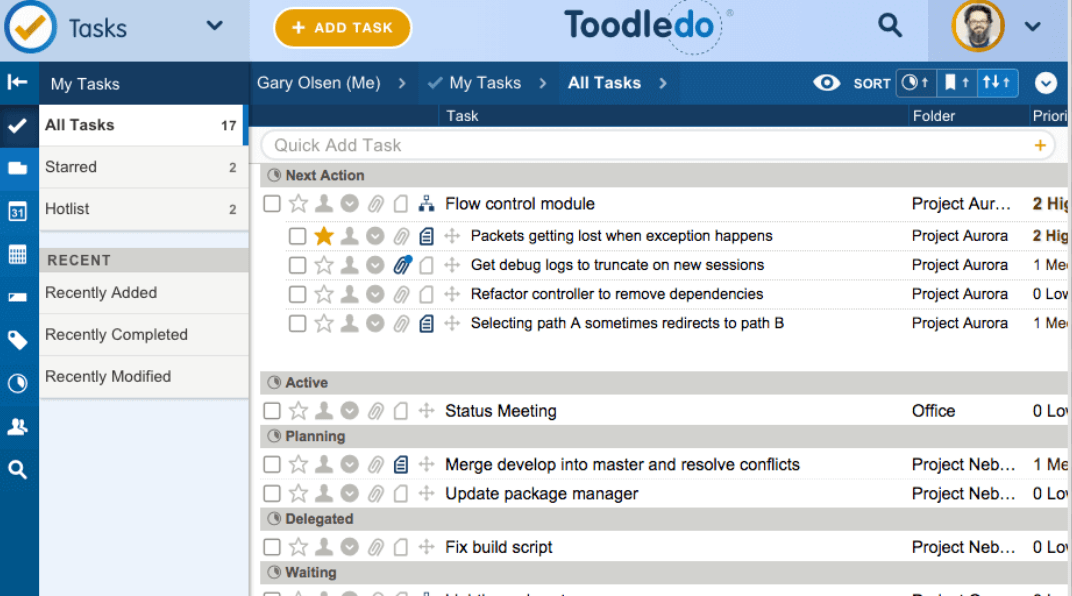
Toodledo is a flexible GTD tool for task management and organization. It lets you build to-do lists, set due dates, prioritize tasks, and collaborate with others.
Whether you work alone or with a team, Toodledo helps keep your workflow on track. Its interface and cross-platform support make it worth a look if you want a reliable GTD app in 2023 that doesn’t lock you into one device.
Custom features and app integrations round out the package, useful for both personal organization and project management, whether that’s a solo to-do list or a shared project timeline.
SimpleTask
SimpleTask helps you manage tasks and stay organized with an easy-to-use interface. Its customizable features let you tailor it to your specific needs.
It also integrates with other apps, so your tasks stay synced across platforms. Whether you work individually or as part of a team, SimpleTask can help raise efficiency and productivity without adding a lot of setup overhead.
Goal-setting and reminder features let you prioritize tasks and stay on track. If you want a straightforward, effective GTD app without a steep learning curve, SimpleTask is worth considering.
GTD Simple
GTD Simple keeps users organized with a user-friendly interface built for managing tasks and projects efficiently.
Prioritization, reminders, and due dates make sure important tasks don’t get forgotten, and customization lets you tailor the app to your specific needs rather than adapting to a rigid template.
It works across various platforms and devices, which is convenient for users on the go. If you want a straightforward, effective GTD app that doesn’t try to do everything at once, GTD Simple is worth a try.
Evernote
Evernote is a note-taking app that doubles as a GTD tool. It lets you jot down ideas, build to-do lists, and store important information in one place, with separate notebooks for different projects or categories.
You can tag notes for easier searching later, and everything syncs across devices so you can pick up your notes and tasks from anywhere, whether that’s a work laptop or a phone on the train.
It’s available on Mac, iOS, Windows, Android, and as a web app, and many users like it for its versatility, especially if note-taking and task tracking already tend to blur together in how you work.
Nirvana for GTD
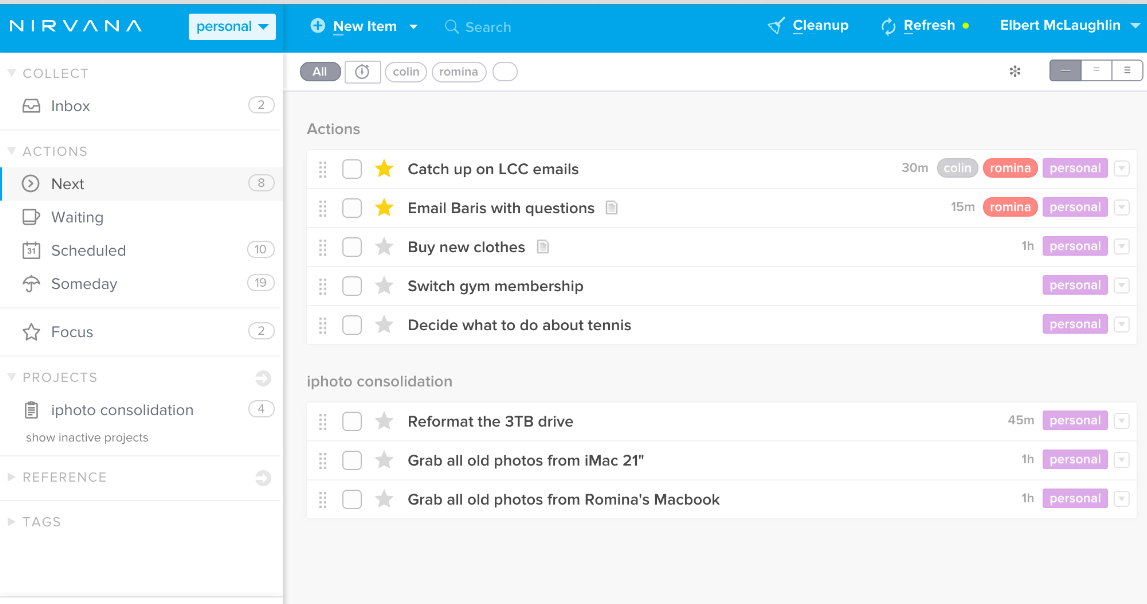
Nirvana for GTD is built around a user-friendly interface with customizable features to help you stay organized and increase productivity.
Cross-platform compatibility means you can access your tasks from any device, and Nirvana integrates with other apps to keep your workflow in sync. It works whether you’re on your own or collaborating with a team on a shared set of projects.
It’s often mentioned in discussions about the best GTD apps on platforms like Reddit, which says something about how it’s held up over time among people who take task management seriously.
Remember the Milk
Remember the Milk helps you stay organized and manage tasks with prioritization, due dates, reminders, and syncing with apps like Google Calendar.
You can build to-do lists, set deadlines, and get timely reminders so nothing slips through the cracks. It’s available on web browsers, iOS, Android phones and tablets, and it integrates with Gmail, which is handy if most of your tasks arrive as emails in the first place.
Whether you’re at home or on the go, Remember the Milk keeps your tasks in check throughout the day, and the Gmail integration in particular saves a step for anyone who lives in their inbox and turns emails into tasks constantly.
Todoist
Todoist is a personal to-do list app with prioritization, reminders, and due dates that make it easy to keep track of your workload.
It runs on iOS, Android, Windows, and Mac, and many users find it intuitive enough to manage their daily tasks without much of a learning curve to get started.
If you want a reliable GTD app packed with useful features and available on nearly every platform you might use, Todoist is worth considering.
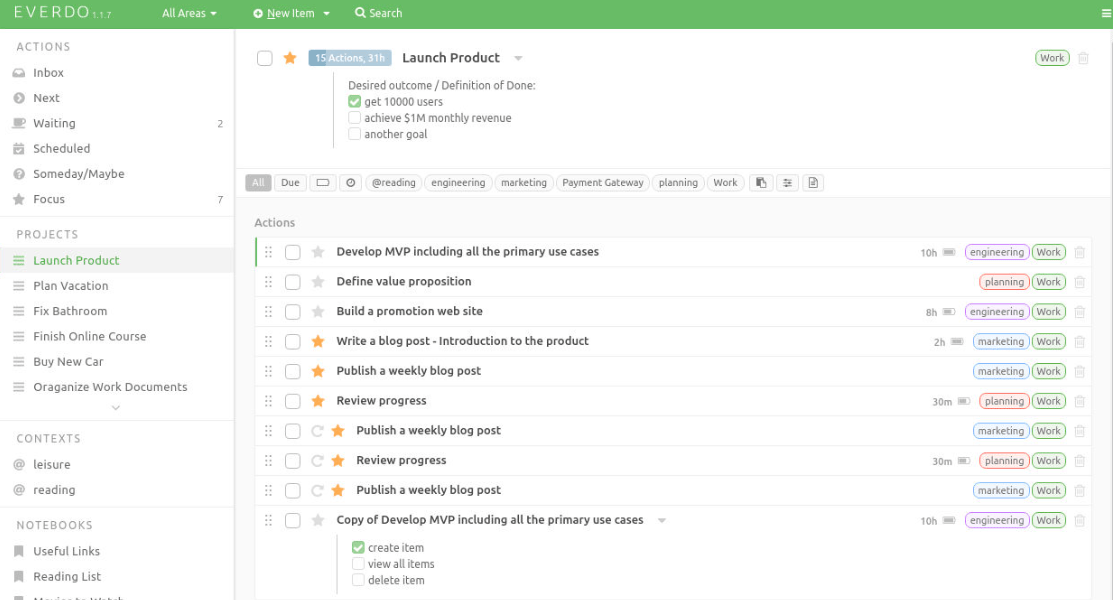
Everdo
Everdo has a user-friendly interface that lets you manage tasks and prioritize them by importance.
You can set reminders and due dates so nothing falls through the cracks, and its customizable features let you adapt the app to your own workflow and preferences.
It also integrates with other apps to keep tasks synced across platforms, and offers collaboration features for teams that need to coordinate task management without switching to a separate project tool.
Factors to Consider When Choosing a GTD App
When choosing a GTD app, weigh factors such as ease of use, cross-platform compatibility, customizable features, integration with other apps, and team collaboration capabilities.
User-friendly interface
A user-friendly interface matters because it determines whether the app is easy to navigate, even for beginners. A good GTD app has clear, intuitive features for creating tasks, setting deadlines, and organizing information.
With a clean interface, you can get to your to-do list and prioritize tasks quickly. ClickUp, Toodledo, Evernote, Remember the Milk, and Todoist are all known for interfaces that don’t get in the way.
That matters most for anyone new to task management, since a confusing interface undermines the whole point of switching to a GTD system in the first place. A tool you have to fight with every day is a tool you’ll eventually stop using.
Cross-platform compatibility
Most people want their GTD app to work the same way across devices and operating systems. Cross-platform compatibility means you can reach your tasks, projects, and notes whether you’re on a Windows computer, an iPhone, or an Android tablet.
Toodledo, OmniFocus 3, Nozbe, Todoist, and Evernote all support multiple devices without extra hassle, which keeps your productivity consistent no matter where you’re working from. That’s especially useful if your day moves between a work laptop, a personal phone, and a tablet at home.
Customizable features
Customization lets you shape the app around your own needs rather than the other way around, which makes it more efficient for your specific workflow.
Common options include changing the layout, color themes, and organizing tasks into categories or folders. Some apps also let you customize notifications and reminders so you stay on top of tasks without feeling overwhelmed.
Tailoring the app to your requirements tends to make it more enjoyable to use day to day, and it means you spend less time working around limitations the app wasn’t built to handle.
Integration with other apps
GTD apps that connect with other tools add convenience. Toodledo, for instance, integrates with Google Calendar, Evernote, and Outlook.
That lets users sync tasks and schedules across platforms. OmniFocus 3 offers integration with other Apple apps like Siri, Reminders, and Calendar, making it easier to manage tasks on an iPhone.
Integration features matter most for teams, since they connect task management with communication tools like Slack or Microsoft Teams, cutting down on the back-and-forth of updating people manually.
Team collaboration capabilities
Many GTD apps also support team collaboration. Team Compass, ProofHub, Nifty, nTask, Todoist, Notion, and Focuster are among the ones that let multiple users work together on projects and tasks.
These apps offer task assignment, shared project boards or lists, and commenting or messaging so teams can coordinate.
With those features in place, teams can work together more efficiently, since it’s clear at a glance who owns what and where a project stands.
Conclusion
Choosing the right GTD app or software is central to getting things done more efficiently and staying organized. The 10 options covered here, including ClickUp, OmniFocus, and Toodledo, each offer different features for task management and productivity, so the best pick depends on how you personally like to work.
Weigh ease of use and integrations with other apps when making your choice. With the right GTD tool, you can prioritize tasks, set goals, manage projects, and increase your personal productivity, without spending more time managing the tool than doing the actual work.
Frequently Asked Questions
What are GTD apps and software?
GTD apps and software are tools designed to help people manage their tasks, projects, and priorities using the Getting Things Done (GTD) method developed by David Allen.
How can GTD apps and software help me get things done?
GTD apps and software provide features like task lists, reminders, project management tools, and prioritization techniques to help you stay organized, focused, and productive in completing your tasks.
Are GTD apps and software free or do they require payment?
There are both free and paid options available for GTD apps and software. The availability of features may vary between free and paid versions.
Can I use GTD apps on my smartphone or tablet?
Yes, many GTD apps have mobile versions that can be downloaded on smartphones or tablets for convenient access to your tasks while on the go.
Which are the best GTD Apps and Software available?
Some popular examples of best-rated GTD apps and software include Todoist, Evernote, Trello, Microsoft To Do, Asana among others. It ultimately depends on personal preference as different individuals find different applications more suitable for their needs.
