
Managing emails and scheduling looks simple on paper, but the back-and-forth eats up your day fast. For busy professionals, that constant shuffling adds up, which is why tools that handle these tasks efficiently have become useful rather than optional.
Bottr AI is a smart assistant built for 2026, designed to simplify how you manage your inbox and calendar. With AI-powered scheduling and email drafting, Bottr helps you save time, stay organized, and communicate more efficiently, cutting out most of the manual effort.
Below is how Bottr AI works, what sets it apart, and why it might change how you manage your workday.
Key Takeaways
- Bottr AI is a smart assistant designed to simplify email and calendar tasks.
- It helps professionals save hours weekly through AI-powered scheduling and email drafting.
- The tool adapts to your tone, syncs with calendars, and handles follow-ups automatically.
- Bottr AI combines multiple features into one user-friendly platform instead of several separate apps.
- With real results and flexible pricing, Bottr AI is built for modern workflows in 2026.
What Is Bottr AI?
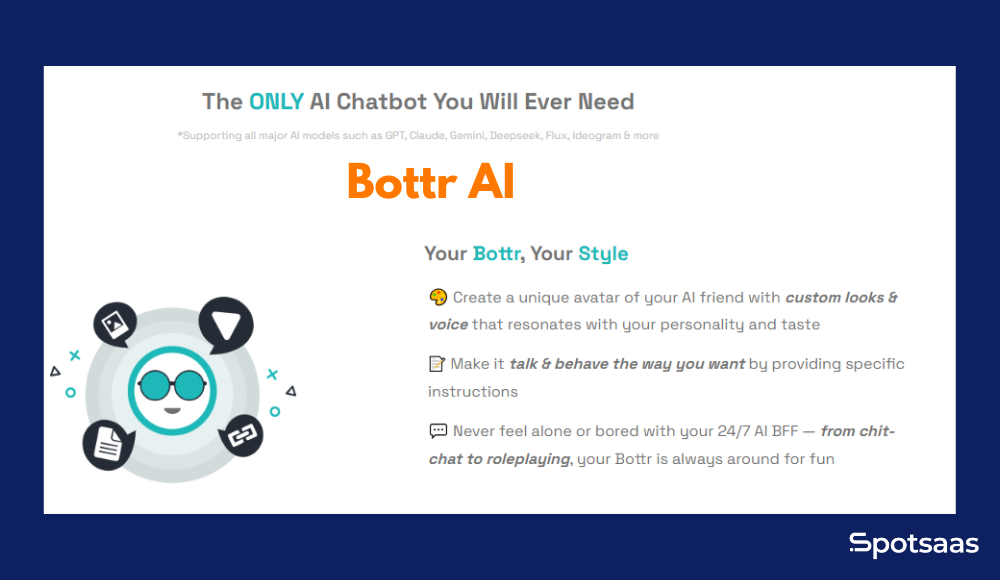
Bottr AI is a smart personal assistant that takes care of two major time drains in a workday: scheduling meetings and writing emails. It connects with your calendar, understands your availability, and helps you write emails that sound like you, not a machine.
Whether you’re setting up a client call, sending an update, or following up with a lead, Bottr AI steps in to make the process faster. You’re still in control; Bottr just handles the routine parts so you can focus on the work that actually matters.
What makes Bottr AI different is how naturally it fits into your workflow. You don’t need to learn a new system or change how you work. You type what you need, and Bottr takes it from there.
In practice, that means Bottr sits between your calendar and your inbox rather than replacing either one. It reads your availability, drafts around conversations already in progress, and works within the preferences you’ve set, such as buffer times, working hours, and the tone you write in, so what comes out the other end still sounds like something you’d send yourself.
Problems Bottr AI Solves
Every professional deals with small tasks that quietly consume a large part of the workday. Emailing, scheduling, and following up aren’t complicated on their own, but they’re constant. Bottr AI is built to remove that daily friction so you can focus on higher-impact work instead of repetitive busywork.
Common challenges professionals face
- Manually checking calendars and sending multiple messages to find a meeting time that works
- Rewriting the same types of emails for introductions, updates, or follow-ups
- Forgetting to follow up on emails when replies don’t come through
- Managing time zones when scheduling with clients, teammates, or partners across regions
- Switching between tools and tabs to stay on top of email threads and calendars
How Bottr AI makes work easier
- Automatically suggests the best meeting times and sends invites without back-and-forth
- Drafts emails in your preferred tone using just a short input or natural language prompt
- Tracks conversations and reminds you to follow up when someone hasn’t responded
- 1Syncs with your Google or Outlook calendar to avoid conflicts and overlaps
- Keeps your communication organized so you don’t miss important follow-ups or updates
Bottr AI doesn’t ask you to change how you work. It fits into your routine quietly, making everyday tasks faster and less scattered.
None of these problems are dramatic on their own: a missed follow-up here, a scheduling email there. But add them up across a week, and they’re often the difference between a calendar that runs itself and one that needs constant babysitting. That’s the gap Bottr AI is built to close.
Bottr AI Pricing Plans
Bottr AI offers flexible pricing to match different needs, whether you’re trying it out for the first time, using it as a solo professional, or rolling it out across a team. Each plan is built to provide real value without added complexity.
No hidden fees, no long onboarding. Just pick the plan that fits how you work.
| Plan | Best For | Key Features | Price |
|---|---|---|---|
| Free | New users exploring the platform | Basic email drafting, limited scheduling, access to core AI features | $0/month |
| Pro | Solo professionals and freelancers | Full access to scheduling, unlimited email drafts, smart follow-ups, calendar sync | $15/month |
| Team | Teams and growing businesses | Shared access, team management, advanced workflows, admin controls | Custom pricing |
Pricing shown is approximate; check vendor websites for current rates.
The Free Plan is good for getting a feel for how Bottr works. The Pro Plan makes sense once you’re ready to make it part of your daily workflow, and if you’re rolling it out to a team, the Team Plan adds more control and collaboration features.
The core difference between the three tiers comes down to scope and limits: Free gives you basic email drafting and limited scheduling to see how the assistant behaves, Pro removes those limits and adds smart follow-ups and calendar sync for a single professional, and Team layers shared access and admin controls on top so an organization can manage the assistant across multiple people rather than one inbox at a time.
Key Features of Bottr AI
Bottr AI is more than an automation tool. It behaves like a real assistant that understands your work habits, adapts to your communication style, and helps you move faster without cutting corners.
Each feature is built to solve specific problems that professionals run into daily, especially those managing multiple meetings, emails, and ongoing conversations.
Taken individually, meeting scheduling, email drafting, follow-up tracking, and workflow integration each solve a narrow problem. Combined into one assistant that shares context across all four, they add up to something closer to having an extra set of hands on the parts of your day that rarely need real judgment, just consistency.
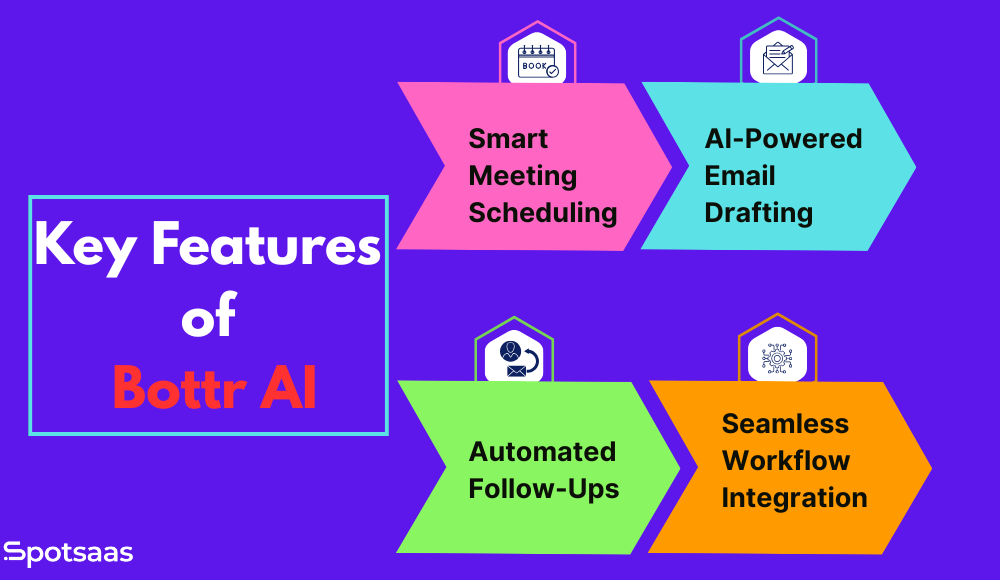
Smart Meeting Scheduling
One of the biggest time-wasters in a workday is the back-and-forth of setting up meetings. Bottr AI removes that step entirely.
It reviews your calendar in real time to find the best available slots and automatically avoids overlaps while respecting personal preferences like buffer times or working hours. It’s especially useful when coordinating with multiple participants or scheduling across time zones. You can send a direct scheduling link or let Bottr draft a personalized invite on your behalf.
This feature works well for people who regularly book client calls, team check-ins, or interviews. You don’t need to scroll through dates or switch tabs; Bottr handles the back-and-forth for you.
AI-Powered Email Drafting
Email takes up a large part of the workday, especially when you’re trying to be clear, professional, and personal at the same time. Bottr AI helps you draft better emails without starting from scratch every time.
Give it a short prompt like “send a thank you email after the product demo,” and it generates a complete draft. It learns your tone over time, so the emails sound like you wrote them. Whether you want to be formal, casual, friendly, or concise, Bottr adjusts accordingly, and you can easily tweak the message before sending it so it’s always accurate and on-brand.
This is genuinely useful for anyone who regularly handles outreach, client communication, or status updates.
Automated Follow-Ups and Reminders
Following up is essential, but it’s easy to lose track when your inbox is packed. Bottr AI helps make sure nothing slips through the cracks.
It keeps an eye on conversations and alerts you when someone hasn’t replied, suggests well-timed follow-up messages so you stay on top of your relationships, and handles reminder emails for meetings, proposals, or open tasks automatically. That means you stay consistent in your communication without setting manual reminders.
This builds reliability with clients, teammates, and prospects, and takes away the stress of trying to remember everything.
Integration With Your Workflow
You don’t need to change how you work. Bottr AI is built to fit into the tools and systems you already use.
It works with Google Workspace, Microsoft Outlook, and other major email providers, and syncs with your calendar and inbox so it always has the most current information. It’s accessible from desktop or mobile, which suits hybrid or remote work setups, and there’s no complex setup or learning curve — you can get started in a few clicks.
By integrating directly into your daily tools, Bottr AI saves you time without adding extra work to manage it.
Benefits of Using Bottr AI
Bottr AI is built for professionals who want to work smarter, communicate better, and save time without juggling multiple tools. Here’s a closer look at what you gain from using it.
Below are some of the key benefits professionals experience when using Bottr AI in their daily routines.
| Benefit | Description |
|---|---|
| Time-saving automation | Handles repetitive tasks like scheduling and email writing, freeing up hours each week for focused work. |
| Smarter communication | Helps you write professional, personalized emails quickly, with the right tone and clear intent. |
| Calendar coordination | Automatically finds available time slots, avoids conflicts, and supports scheduling across time zones. |
| Better follow-up consistency | Tracks who’s responded and reminds you when it’s time to follow up, so nothing gets missed or delayed. |
| Personalized assistance | Learns your tone, preferences, and habits to provide suggestions that feel natural and tailored to you. |
| All-in-one tool | Combines scheduling, drafting, and follow-ups into one assistant instead of three separate apps. |
| Easy to integrate and use | Works with your existing tools like Gmail, Outlook, and Google Calendar with minimal setup required. |
| Reliable workflow support | Keeps your day running smoothly by helping you stay organized, responsive, and focused on higher-value tasks. |
How Bottr AI Works as a Personal AI Chatbot
Bottr AI acts like a virtual assistant that communicates with you in plain language. Instead of navigating complex settings or menus, you type what you need. Whether that’s “schedule a meeting with Priya next week” or “draft a follow-up email for today’s call,” Bottr understands and responds with the right action.
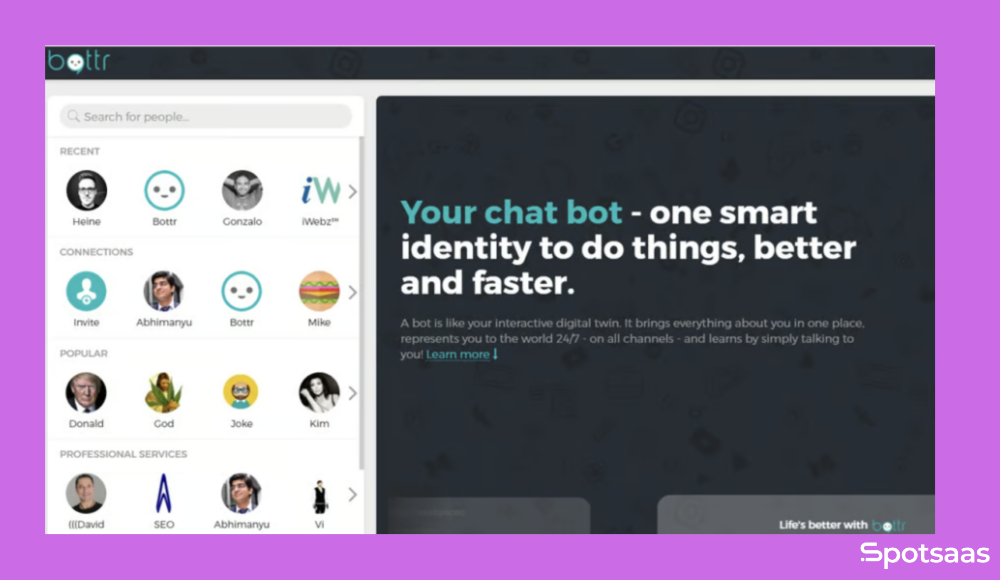
It connects with your email and calendar platforms, reads your preferences, and generates suggestions accordingly. That means it can propose meeting times automatically, draft messages based on your tone, and remind you to follow up when someone hasn’t replied.
The chatbot interface makes the experience feel conversational. You’re not filling out forms or toggling settings — you’re having a quick, efficient back-and-forth with an assistant that keeps learning from your work.
Who Is Bottr AI For
Bottr AI is built for professionals who spend a large part of their day managing communication, coordinating meetings, and following up on conversations. If your workflow relies heavily on your inbox and calendar, Bottr AI reduces the manual load without asking you to change how you work.
It’s built to support a range of roles and industries, from individual freelancers to busy executive teams, by handling the behind-the-scenes admin that often slows momentum.
Startup Founders
Founders are often stretched across product, operations, fundraising, and external outreach. Bottr AI helps them stay organized by scheduling investor calls, managing stakeholder communication, and automating follow-ups, all while keeping messaging consistent and professional.
Sales Teams
For sales professionals, timing matters. Bottr AI helps by sending timely follow-ups, drafting personalized outreach emails, and making it easier to schedule demos and discovery calls. The result is more touchpoints, less friction, and a smoother sales pipeline.
Recruiters and HR Teams
Coordinating interviews, onboarding calls, and follow-ups with candidates or hiring managers takes time. Bottr AI makes this process more efficient by syncing with calendars, avoiding scheduling conflicts, and drafting professional messages to keep communication moving.
Freelancers and Consultants
Independent professionals often handle their own outreach, client communication, and scheduling. Bottr AI supports them by writing updates, booking calls, and reminding them of key follow-ups, which helps them stay polished and responsive without getting overwhelmed.
Executives and Operations Teams
Leaders and ops teams need to stay in constant sync with both internal teams and external partners. Bottr AI keeps their days structured and communications flowing by handling routine email and meeting coordination, which would otherwise interrupt focused hours.
Alternatives to Bottr AI
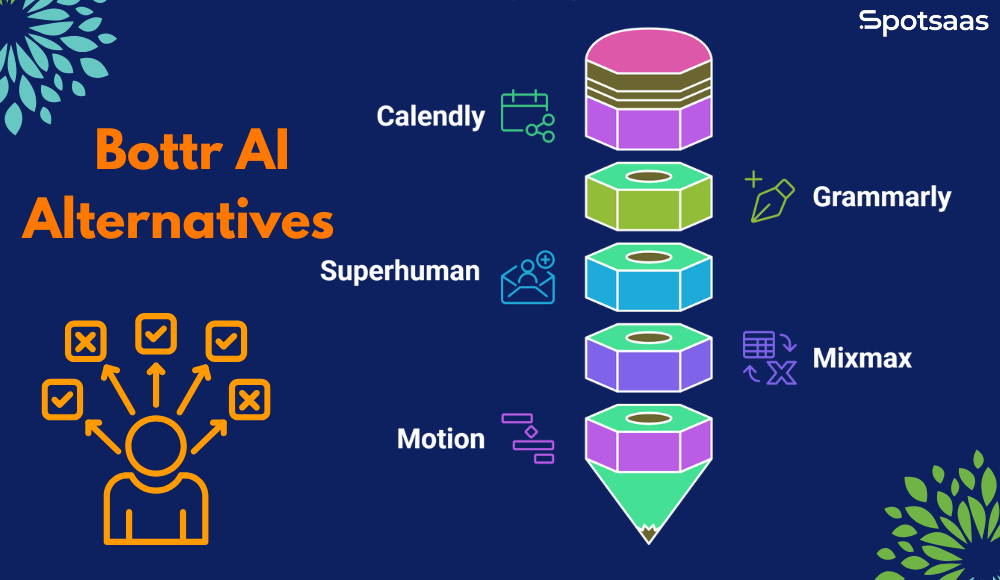
Bottr AI combines scheduling, email drafting, and follow-up features in one platform, but other tools serve specific needs just as well. Some focus on calendar coordination, others on email writing or outreach.
Here’s a breakdown of popular alternatives, what they’re best at, and how they compare in functionality.
Calendly
Calendly is a user-friendly meeting scheduling tool that removes the friction of finding time to connect. It syncs with your calendar automatically, lets others book based on your availability, and handles time zones without manual setup.
It’s widely used across industries and works well for solo users, small teams, and client-facing roles.
Best for: professionals or teams that need a simple and effective way to manage meeting bookings.
- Shareable scheduling links that let others pick a time that fits your calendar
- Calendar sync to keep all your events and availability updated in real time
- Time zone detection so invitees see accurate options regardless of location
- Buffer time settings to avoid back-to-back meetings and create breathing room
- Team booking options to support round-robin or group scheduling
Grammarly
Grammarly is a popular AI writing assistant that helps users write with clarity, correctness, and confidence. It works across browsers, email platforms, and document editors, offering real-time suggestions for grammar, tone, and style. It’s a good fit for anyone who writes professionally, from emails to content.
Best for: writers, marketers, and professionals who want polished, error-free communication.
- Real-time grammar and spelling suggestions while you type
- Tone analysis to ensure your message sounds right for the audience
- Clarity improvements to make writing more direct and readable
- Style guidance that adjusts to goals like formal, academic, or conversational
- Works across platforms like Gmail, Google Docs, Word, and web browsers
Superhuman
Superhuman is a premium email client built for speed. It offers advanced shortcuts, read tracking, and a distraction-free design for people who spend significant time in their inbox. It’s fast, minimal, and built for quick email workflows.
Best for: high-volume email users who want speed, efficiency, and smart inbox tools.
- Read receipts to track when emails are opened without follow-up guesswork
- Keyboard shortcuts that let you fly through inbox tasks without using a mouse
- Split inbox views to separate priorities and manage multiple workflows
- Follow-up reminders so you don’t miss a response or deadline
- Clean and responsive design that keeps the interface fast and focused
Mixmax
Mixmax is a sales productivity tool built around Gmail. It speeds up outreach through automation, tracking, templates, and built-in scheduling. It’s especially useful for sales, recruiting, and customer-facing roles that rely on repeated email sequences.
Best for: sales teams, recruiters, and Gmail users managing frequent outreach and follow-ups.
- Email tracking with insights on opens, clicks, and engagement metrics
- Scheduling inside emails with embedded calendar options recipients can click
- Reusable templates for emails that need quick personalization
- Automated sequences to send follow-ups when there’s no response
- CRM integrations for syncing activity with Salesforce, HubSpot, and others
Motion
Motion is an AI-powered calendar and task manager that builds your daily schedule automatically. It rearranges tasks, books focus time, and adjusts for meeting changes so you don’t have to manage your time by hand. It’s built for busy professionals who want structure without the manual effort.
Best for: executives, founders, and individuals juggling meetings and task deadlines daily.
- An AI daily planner that organizes your day for better productivity
- Auto-scheduling of tasks based on priority, deadlines, and calendar availability
- Smart time blocking to protect deep work time and avoid overload
- Calendar integration to keep meetings and task plans in one place
- Built-in task manager to track and update your to-dos alongside your events
This comparison shows how Bottr AI combines features from multiple tools, helping professionals simplify their work without relying on a stack of separate apps.
| Tool | Scheduling | Email Drafting | Follow-Up Reminders | AI Personalization | Best For |
|---|---|---|---|---|---|
| Bottr AI | Yes | Yes | Yes | Yes | All-in-one productivity and AI help |
| Calendly | Yes | No | No | No | Simple, standalone scheduling |
| Grammarly | No | Yes | No | Limited | Writing clarity and grammar support |
| Superhuman | Partial | No | Yes | No | Speed-focused email client |
| Mixmax | Yes | Templates | Yes | No | Sales outreach and email automation |
| Motion | Smart Tasks | No | No | For scheduling | Calendar and task management |
Latest Trends in Bottr AI
In 2026, Bottr AI is growing from a smart assistant into a fuller productivity platform, supporting professionals, teams, and businesses with more tools than before.
The platform is focused on deeper personalization, broader integrations, and flexible use across different industries. These recent updates reflect Bottr’s push to become an assistant that anticipates the next step and helps you get it done, instead of just responding to whatever you ask it directly.

AI-Powered Content Calendar and Planner
One of the newest features is a smart content calendar built for creators and marketers. It lets users plan blog posts, manage deadlines, and organize social campaigns in one place.
Bottr goes further than scheduling tasks: it can suggest topics, draft outlines, and recommend publishing times based on past performance or audience habits. This is especially useful for teams managing content pipelines across multiple platforms.
Expanded App Integrations
Bottr AI now integrates with widely used platforms like Trello, Gmail, and Slack, so you can connect your Bottr workspace with your existing tools instead of switching between tabs or apps.
For example, you can create a Trello task from an email conversation, have Bottr send scheduled updates to a Slack channel, or let it auto-scan your inbox for meeting requests and add them to your calendar.
Mobile App Upgrades
The mobile version of Bottr AI now supports voice-based interaction and real-time notifications. Whether you’re commuting, between meetings, or away from your desk, you can use voice commands to draft messages, set reminders, or schedule meetings.
This makes the assistant more accessible and responsive for professionals who are frequently on the go.
More Advanced Workflow Automation
Beyond drafting emails and booking meetings, Bottr AI now supports more advanced, multi-step workflows.
For example, it can guide a new employee through onboarding tasks, coordinate a full email campaign, or set up client communication sequences with automated follow-ups.
Bottr is moving from reactive to proactive, anticipating needs based on user behavior and context rather than only responding to direct requests.
Growing Adoption Across Industries
Bottr AI started as a tool for tech professionals and startups, but it’s now gaining traction in industries like education, consulting, and healthcare.
Educators use it to manage class schedules and communication with students. Consultants use it for client tasks and updates, and service-based professionals rely on it to keep operations running smoothly. Its flexibility makes it adaptable to different workflows, regardless of industry or team size, which is part of why adoption keeps spreading beyond its original tech-startup base.
What ties these industries together isn’t the type of work each does, but the shape of the admin overhead behind it: recurring appointments, repeated client or student communication, and follow-ups that are easy to lose track of during a busy week. Wherever that particular pattern shows up, Bottr AI’s core feature set applies with very little adjustment needed.
Conclusion
Managing your inbox and calendar doesn’t have to be a daily grind. With Bottr AI, you get an assistant that handles scheduling, drafts emails in your tone, and keeps your workflow moving. Whether you’re a solo professional or part of a growing team, Bottr AI takes repetitive tasks off your plate so you can focus on what matters.
With useful features and real-time integrations, Bottr AI functions less like a single tool and more like a day-to-day work partner. If you’re ready to simplify your schedule and communicate more efficiently, it’s worth trying.
Try Bottr AI today and take the busywork out of your workflow.
Frequently Asked Questions
What exactly does Bottr AI help with?
Bottr AI helps you schedule meetings, draft emails, and manage follow-ups through a single AI assistant that works across your calendar and inbox.
Do I need technical skills to use Bottr AI?
No. Bottr AI is designed for everyday users. You can use simple prompts, like asking it to schedule a call with Alex next week or send a follow-up email, and no setup or coding is required.
Can Bottr AI integrate with my current tools?
Yes. Bottr AI integrates with popular platforms like Google Calendar, Outlook, Gmail, Trello, and Slack, so your workflow stays in one place without switching tools.
Is my information secure with Bottr AI?
Yes. Bottr AI follows strong security protocols to keep your data, communication, and calendar information private and protected.
Who should use Bottr AI?
Bottr AI is ideal for founders, freelancers, sales teams, recruiters, and anyone who manages a lot of communication and coordination during the day.
