
Faxing may feel like a relic, but in many industries it’s still a required method of communication. FaxZero is a web-based tool that lets users send faxes without needing a physical machine.
This guide covers how FaxZero works and what it takes off your plate administratively, so you can decide whether it fits your faxing needs in 2024. We’ll walk through its features, pricing, and how it stacks up against other online fax services, along with what users say after actually putting it to use.
Key Takeaways
- FaxZero is an online faxing service that lets you send documents over the internet, with both free and paid options. The free version allows up to five faxes a day, each with three pages plus a cover sheet.
- Premium FaxZero service removes branding from the cover page and allows up to 25 pages per document for $1.99 per fax. This suits people who need more professional-looking documents.
- International fax lets users reach recipients in many countries, but it requires a $1.99 payment per international fax sent.
- The platform doesn’t offer faxing receiving or a mobile app, but its straightforward interface makes it accessible even for users who aren’t especially tech-savvy.
- User reviews point to FaxZero’s easy web interface and low cost for occasional use, while noting the lack of fax-receiving and the absence of more advanced features that some competitors offer.
Overview of FaxZero
FaxZero gives users a way to send documents without a physical fax machine. It’s built mainly for occasional fax senders, with a web-based platform where you can upload PDFs, Word documents, and image files (PNG, JPG) to send as faxes directly from a PC or laptop. There’s nothing to install and nothing to configure beyond choosing the file you want to send.
Its main appeal is simplicity, which makes it usable even for people who aren’t comfortable with newer technology. There’s no account setup to wade through and no software to learn — you land on the page, fill in a short form, and send.
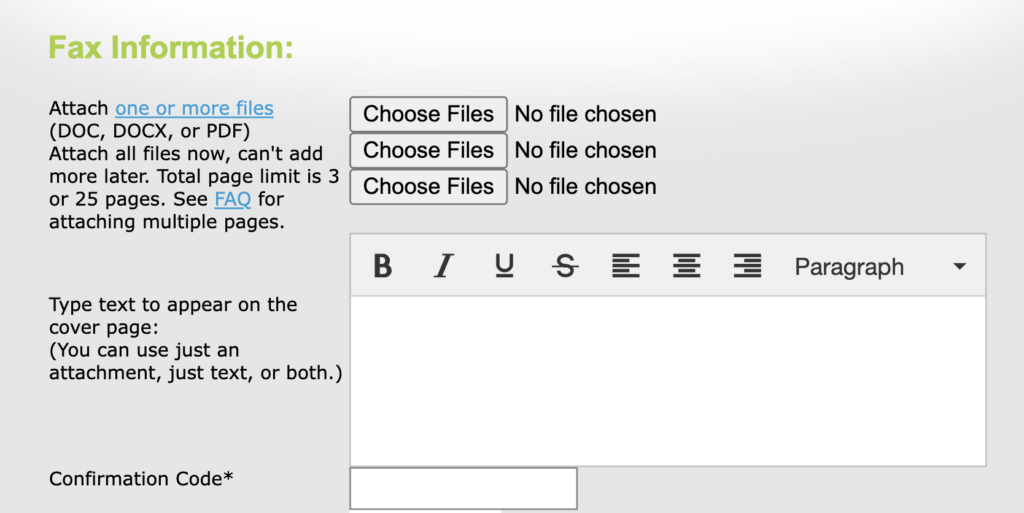
The online interface asks for minimal input: fill in the sender’s and recipient’s details, attach the document, and hit send. Because the site is mobile-responsive, users can access it from any internet-connected device — no dedicated app or software install required. This keeps the whole process contained to a browser tab, which is part of why the platform is popular with people who send faxes rarely enough that a dedicated machine or subscription wouldn’t make sense.
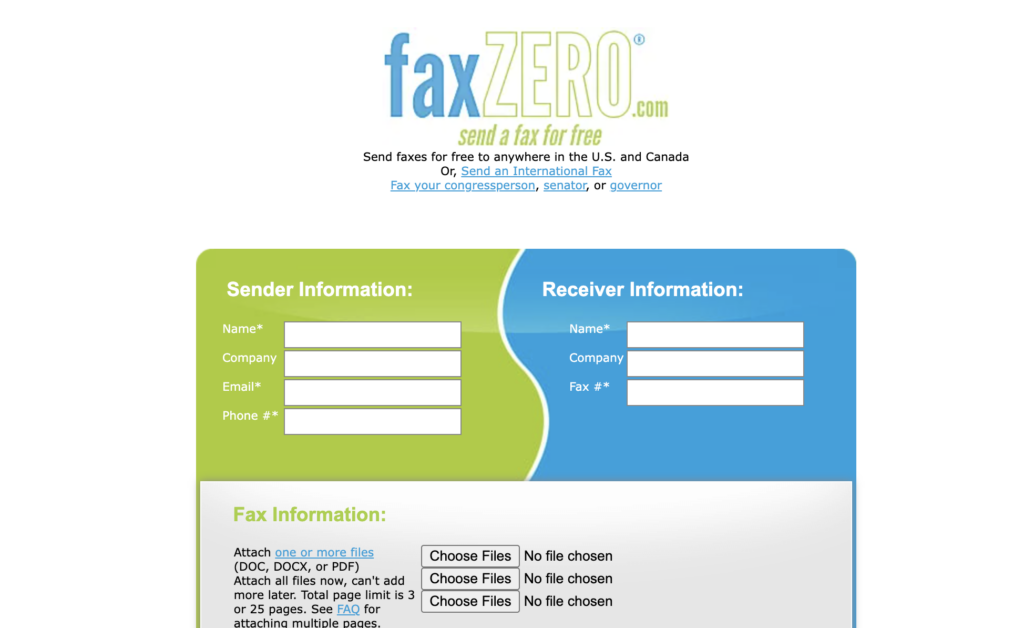
(Image Credit: FaxZero)
Features of FaxZero
The platform offers both free and premium fax options, making it accessible for all users. It also supports international faxing, letting users send faxes across borders.
Free and Premium Fax Options
Whether you’re sending the occasional fax or handling higher volumes, FaxZero has an option built for it. You can send free faxes on the basic service if your fax is under three pages and you don’t mind the FaxZero branding on the cover page.
That makes it a solid choice for anyone who only sends documents infrequently and wants to avoid any cost.
For a more professional look, the Almost Free Fax tier removes the FaxZero branding and allows up to 25 pages per document for $1.99 per fax.
This tier suits businesses or individuals who want a cleaner presentation without advertisements, while still getting a straightforward way to send important information securely, including to international destinations at the same rate. It’s a small upgrade in cost for a noticeably more polished result once branding is stripped from the cover sheet.
International Faxing Capabilities
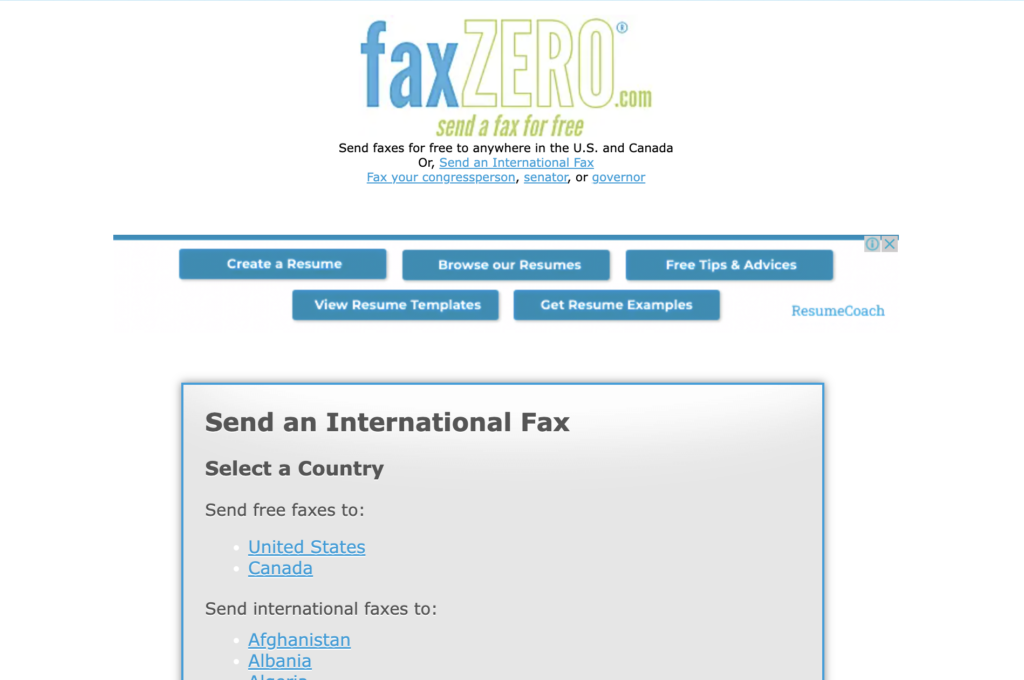
FaxZero extends beyond domestic use by offering international destinations as a sending option. Through this service, you can reach recipients in numerous countries.
Faxing a contract or document overseas doesn’t require a traditional fax machine. For $1.99 per fax, global communication becomes far more accessible than sourcing a physical line, which historically has meant dealing with international carrier fees or a dedicated line just for occasional cross-border paperwork.
The international option keeps the same online workflow, so documents get to their destination quickly and securely. Users appreciate being able to send faxes abroad from home or the office without dealing with complicated settings or extra hardware — just a few clicks on a computer or taps on a phone.
This feature extends the usefulness of online fax services for businesses and individuals operating internationally, since it removes the need to find a local fax provider or physical line in the destination country.
Pros and Cons of Using FaxZero
There are several advantages and disadvantages worth weighing before deciding if FaxZero is the right online fax service for your needs. The trade-offs largely come down to how often you fax and whether you need to receive documents as well as send them.
The Good
FaxZero’s user-friendly web interface makes it easy to specify domestic or international contacts and fill out sender and receiver information. Here’s a summary of the benefits:
| Benefits | Description |
|---|---|
| Easy-to-use Interface | The web interface simplifies the process of specifying contact details and filling out sender and receiver information. |
| Free Faxing | Users can send a limited number of faxes to the US and Canada for free, making it an economical option for occasional faxing needs. |
| Daily Resetting Limit | The free tier provides a daily resetting limit for free fax pages, ensuring flexibility for users with occasional faxing requirements. |
| Simple Process | FaxZero allows users to send up to five faxes a day, with each fax having a maximum of 3 pages and an optional cover page, offering convenience and ease of use. |
The Bad
FaxZero has a few limitations worth knowing about before you sign up:
- Limited support for graphics-heavy faxes, which can lead to poor quality and transmission issues.
- Premium and international faxing carry higher pricing, which can be a deterrent for cost-conscious users.
- No mobile app or email-to-fax feature, which limits accessibility for users who are on the go.
- Fax quality is adequate mainly for text documents — it doesn’t handle graphics-heavy files well, which limits its versatility.
- The three-page limit on free faxes reduces flexibility for users with longer documents.
Comparing FaxZero to Other Online Fax Services
FaxZero stands out among competitors for its user-friendly interface, free and premium fax options, and international faxing support. Compared to services like eFax or RingCentral Fax, FaxZero’s pricing and feature set can make it the preferred pick for users who want an efficient, low-cost way to fax online.
FaxZero vs eFax
Understanding the differences between FaxZero and eFax helps you pick the right tool for your faxing needs. Here’s a side-by-side comparison:
| Feature | FaxZero | eFax |
|---|---|---|
| Service Type | Freemium | Premium |
| Daily Free Fax Limit | Up to 5 faxes | No free faxes |
| International Faxing | Available (Paid) | Included in paid plans |
| Email-to-Fax/ Mobile App | Not available | Available |
| Free Fax to US and Canada | Available | No free option |
| Pricing for Premium/International Faxing | Higher pricing | Flexible plans |
| Fax Quality | Adequate for text documents | Higher quality, supports graphics |
| Receiving Faxes | Not supported | Supported |
This comparison gives a clear picture of what FaxZero offers next to eFax. FaxZero fits users with minimal faxing needs, while eFax offers a more complete suite, including mobile access and the ability to receive faxes. Each has its own strengths depending on what you need from an online fax service — occasional senders will likely find FaxZero’s free tier more than sufficient, while businesses that fax regularly and need to receive documents too will lean toward a fuller platform like eFax.
FaxZero vs Other Competitors
FaxZero’s free fax offering is one of its main differentiators in a crowded market. Here’s how it compares with other leading online fax services on features and pricing:
| Service | Free Faxes Per Day | Premium Fax Pricing | International Faxing | Receiving Faxes | Additional Features |
|---|---|---|---|---|---|
| FaxZero | 5 | $1.99 per fax (Almost Free Tier) | Supported (High pricing) | Not Supported | Simple interface, no subscription required |
| eFax | 0 | Starts from $16.95/month | Supported | Supported | Large file sharing, electronic signature |
| Other Competitors | Varies (Some do not offer free faxes) | Varies | Supported (Pricing varies) | Often Supported | Varies (Mobile apps, enhanced security, additional features) |
FaxZero’s free tier is appealing for infrequent users, while premium services from competitors like eFax bundle in additional features such as receiving faxes and electronic signing — at a significantly higher monthly cost than FaxZero’s pay-per-fax approach. Each service has a different value proposition depending on what a user actually needs. Someone sending a handful of documents a year will get more value out of a pay-as-you-go model, while a business faxing daily will usually find a flat monthly subscription cheaper in the long run.
Read more Comparing Faxzero and Other Online Fax Services: A Comprehensive Review of Free Fax Options
FaxZero Pricing Information
FaxZero offers both free and premium fax options for different needs and budgets. The premium option adds higher priority delivery and more pages per fax, while the international feature covers sending faxes worldwide.
FaxZero Free Fax
The free tier is a cost-effective way to send faxes online, letting users send up to five faxes a day at no charge.
Each fax can contain a maximum of three pages plus a cover page, which gives enough flexibility for everyday faxing needs.
Being able to send faxes at no cost makes the free tier an attractive option for individuals and businesses looking to simplify their communication process. Combined with the user-friendly interface and daily limit reset, it’s an efficient way to send documents quickly, without having to commit to a subscription or purchase dedicated equipment first.
FaxZero Premium Fax
With the Premium Fax option, users can send faxes without any FaxZero branding on the cover page. For $1.99 per fax, this service allows for sending up to 25 pages per fax.
Subscribers can also use international faxing for a fee of $1.99 per international fax, which keeps the pricing consistent whether you’re sending a longer domestic fax or reaching a contact abroad.
Choosing Premium Fax gives users enhanced privacy and a more professional appearance, while keeping the affordable pricing structure the platform is built around.
FaxZero International Faxing
For sending faxes abroad, FaxZero charges $1.99 per fax, making it simple to communicate globally. Note that the platform does not support the email-to-fax feature for international faxing.
FaxZero User Reviews
Users like the platform for its limited free faxing to the US and Canada and its simple interface. They appreciate the easy web interface for filling out sender and receiver information and specifying domestic or international contacts.
On the other hand, users criticize the software for the inability to receive faxes, expensive paid faxing options, and the lack of a mobile app or email-to-fax capability. These gaps tend to matter more to businesses with regular faxing needs than to the occasional sender the free tier is built for.
Conclusion
Whether you’re a small business that needs to send the occasional fax or an individual with periodic faxing needs, FaxZero offers a streamlined and user-friendly platform.
Its free option for sending faxes within the US and Canada makes it a cost-effective solution for light use. If you need more advanced features, such as international faxing or larger page limits, the premium options are worth a look.
Overall, FaxZero is a convenient way to send faxes online without needing a traditional fax machine or a dedicated phone line. For anyone weighing it against other services, the decision mostly comes down to how often you fax and whether receiving documents matters to you.
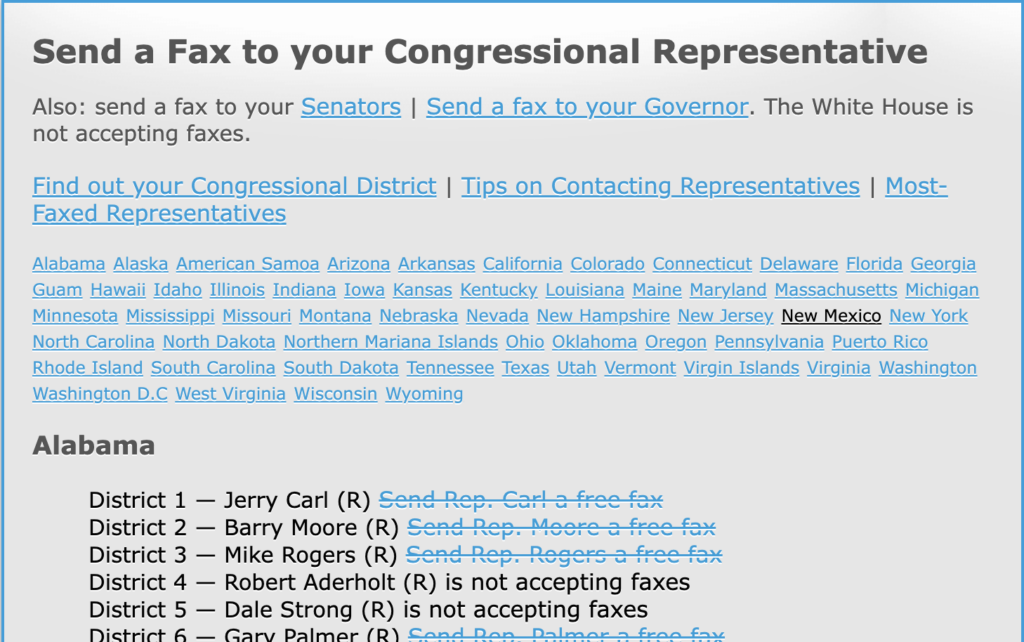
(Image Credit: FaxZero)
FaxZero FAQs
What is an online fax service and how does it work?
An online fax service, like Fax Zero or iFax, lets you send faxes over the Internet without needing a traditional fax machine. You upload your documents from your computer or cloud services like Google Drive, iCloud, or Dropbox, and the service sends them as a fax.
How do I know my documents are safe when sending faxes online?
Look for services with strong privacy policies and encrypted connections to keep your data secure. Platforms like Fax.Plus take customer privacy seriously and protect your information during transmission.
Can I send faxes from mobile devices using these online services?
Yes. Many internet fax providers offer Android apps and iOS capability, letting you send faxes from practically anywhere using Android devices or other smart technology.
Are there ways to confirm that my online fax was sent successfully?
Yes — you should receive a confirmation email once your document has been delivered successfully when using platforms such as iFax or Fax Zero, giving you peace of mind that it reached its destination.
Do I need any special tools to sign documents when sending a fax online?
Not at all. Many subscription services now offer e-signature features that let you sign documents directly within the app before sending — no extra tools required.
What payment methods are accepted for subscribing to premium online faxing services?
Online fax services typically accept various payment forms, including credit cards, debit cards, and PayPal — and some even accept Venmo — making it convenient for users to subscribe.
