
Running a mobile clinic means juggling patient bookings, coordinating travel plans, and maintaining clear, consistent communication between staff and the patients they treat.
The right mobile clinic management software tightens up those tasks, frees up hours, and gives patients faster, more attentive care.
This article walks through the top tools for 2026, covering each program’s features and how it can strengthen your on-the-road practice.
What Are Mobile Clinic Management Tools?
Mobile clinic management software helps healthcare practitioners manage their practice even when they’re away from a physical clinic.
These tools support appointment booking, tracking of patient information, billing, and communication between practitioners and patients.
As a solo practitioner or part of a large mobile healthcare team, these solutions help you manage your practice effectively without having to set up a physical clinic.
Mobile clinic software generally includes the following features:
- Appointment and patient management
- Travel and route planning optimization
- Mobile access (usually through apps or synchronized calendars)
- Integration with electronic health records (EHR)
- Billing, invoicing, and reporting functions
- Patient reminders and messaging
Here’s a look at some of the best mobile clinic management software available today.
1. Noterro GO
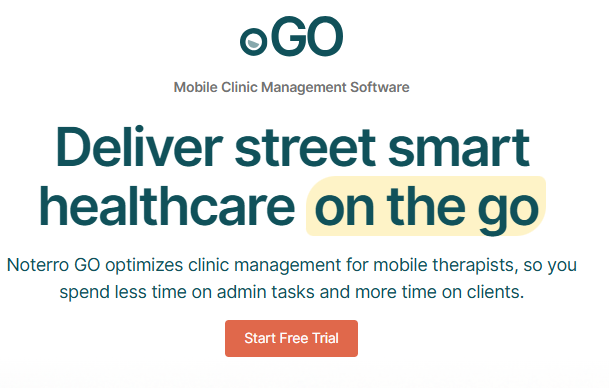
Noterro GO is an all-in-one platform, arguably one of the best mobile clinic management software tools built for mobile clinics, with features that let healthcare providers manage appointments, routes, and patient data while on the road.
Key Features
- Geofenced Online Booking: Practitioners can define service areas, the services offered in each, and set location-based premium pricing.
- Distance Limit for Bookings: Blocks back-to-back bookings that are too close together, saving travel time.
- Travel Time Consideration: Enables practitioners to create time blocks between bookings to factor in travel time.
- Android Auto & Apple CarPlay Integration: Integrates with your calendar to drive you to appointments through CarPlay or Android Auto.
- GO Mode: A driver-friendly interface built for quick navigation between appointments and patient interactions.
- Form Playback: Drive to your next appointment listening to patient intake forms.
- Built-in Safety: Automatic check-in and check-out reminders help keep practitioners safe and notify contacts if an appointment is missed.
- Noterro Scribe (AI Voice-to-Chart): Automatically translates voice summaries into clinical notes without manual note-taking.
2. Owner Health
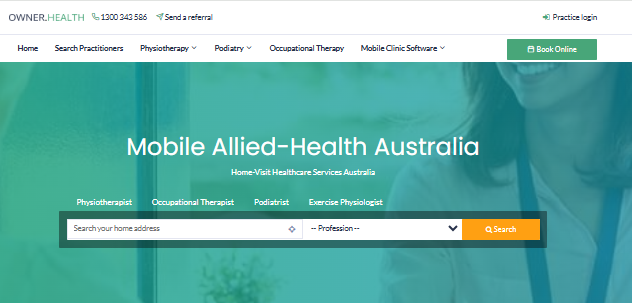
Owner Health is a straightforward mobile clinic management system built for smaller practices. It focuses on simple scheduling and patient management, making it a good fit for independent practitioners who want a hassle-free solution.
Key Features:
- Appointment Scheduling: User-friendly scheduling system that synchronizes across devices to ensure appointments are kept.
- Patient Messaging: Facilitates communication between health providers and patients through text or app.
- Billing and Reporting: Basic invoicing and money tracking that can also be used with accounting software.
- Multi-Device Support: Mobile and desktop compatibility to access from anywhere.
Owner Health is ideal for small clinics or solo owners who want a simple, affordable solution. It’s a way to keep everything on track without overcomplicating it.
3. Cliniko
Cliniko is a full-service clinic management system well suited to mobile clinics, covering scheduling, patient management, and invoicing in one platform. It’s highly customizable and scales well for practices that plan to grow, making it a strong fit for mobile clinics that need a complete solution with room to expand.

Key Features:
- Appointment Scheduling: Cliniko has a dynamic scheduling system in which patients can schedule online or via the app.
- Integrated Patient Records: Securely store patient details, medical history, and treatment information within the system.
- Invoicing and Payments: Invoicing is simple with Cliniko and can be paired with online payment gateways for a smoother billing process.
- Telehealth Support: Integrated telehealth support to enable providers to deliver remote consultations.
4. Zanda
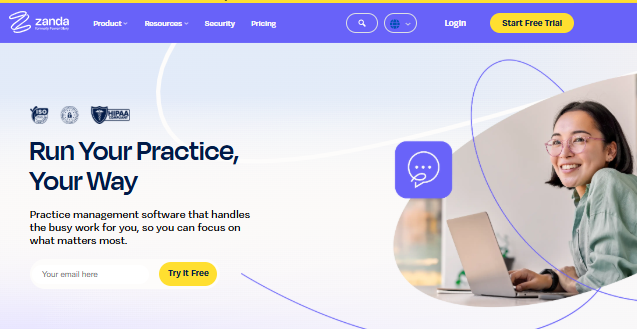
Zanda is a cloud-hosted mobile clinic management application with a wide range of features for both healthcare providers and patients. It’s known for patient scheduling that can be configured to the user’s preference, along with secure communication options.
Its security-focused communication features stand out, which matters for any healthcare provider that needs to maintain patient confidentiality.
Key Features:
- Real-Time Scheduling: Enables patients to schedule appointments and make changes based on availability in real time.
- Patient Communication: The secure messaging abilities ensure regular communication with patients.
- Integration Capabilities: Zanda is designed to integrate with other practice management software and health systems for smooth functionality.
- Mobile Accessibility: The application is accessible via both mobiles and desktops, making it convenient to operate your practice on the move.
5. Medesk
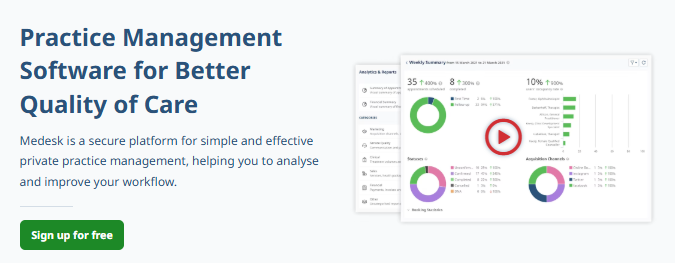
Medesk is a clinic management system built for larger mobile health practices. It offers sophisticated patient management, billing, and scheduling features with a focus on scalability and integration.
It’s a good fit for more established mobile clinics that need a scalable, professional-grade solution.
Key Features:
- Practice Management Integration: Medesk can be integrated with other practice management tools, making it easy to switch from one tool to another.
- Patient Management: Comprehensive patient profiles and medical records are made available to practitioners for effective care.
- Telemedicine: Telehealth features are integrated into the platform for extending remote consultations.
- Billing and Reporting: Advanced billing and financial monitoring tools enable mobile clinic owners to keep records up to date.
How to Choose the Best Tool?
When selecting the best mobile clinic management software, consider the following factors:
- Budget: Make sure the software does not stretch your budget, particularly if you have a solo practice or small clinic.
- Features: Find features that suit your clinic’s requirements, be it appointment scheduling, patient management, or optimizing travel routes.
- Ease of Use: The software must be easy to use and intuitive, as you’ll be dealing with appointments and patient information while on the move.
- Scalability: If your intention is to expand your clinic, select software that can be scaled according to your requirements.
- Security: Make sure that the software complies with healthcare data protection norms, particularly if you are handling confidential patient data.
Conclusion
Selecting the appropriate mobile clinic management software can play a big role in the efficiency and success of your practice.
Whether you’re looking for a comprehensive solution like Noterro GO, which excels in route management and patient communication, or a simpler tool like Owner Health, it’s crucial to find the software that meets your unique needs.
Every tool covered in this article brings something useful to the table, but the right mobile clinic management software for you depends on your clinic’s size, complexity, and growth plans. Take the time to review the options and choose the one that best streamlines your operations while keeping patient care at a high standard.
