
The market for design tools is crowded, and it’s not always easy to find one that lets your creative team collaborate without friction, especially when you’re also weighing pricing, learning curve, and how well it fits your existing setup. New graphic design collaboration software and tools keep showing up, which makes picking the right one harder than it should be.
This post rounds up the top 10 best graphic design collaboration software & tools so you can find the one that fits your team’s specific needs.
Key Takeaways
- Design collaboration software lets multiple users work together on graphic design projects in real time, improving team collaboration and productivity.
- Key features to weigh when choosing design collaboration software include real-time collaboration, cloud-based design, user-friendly tools, a variety of design tools, space for sharing ideas, pricing that fits your budget, and integration with other tools.
- The top 10 graphic design collaboration software and tools in 2026 are ClickUp, Flipsnack, Marvel, Figma, Adobe Creative Cloud Libraries, Miro, InVision, Frame.io, Milanote, and Notion.
- These tools make it easier for designers to collaborate in real time and improve workflow and efficiency. Whether you’re a beginner or an experienced designer, there’s a tool on this list that can meet your design needs.
What is Design Collaboration Software?

Design collaboration software is a digital tool that lets multiple users work together on graphic design projects in real time, which improves the efficiency and effectiveness of team collaboration.
Definition of design collaboration software
Design collaboration software is a tool built for people who make designs. It lets teams work together on the same design in real time, entirely online, so team members can be based anywhere in the world.
With it, people can share ideas and make changes to a design at the same time. Over 7 million people use tools like InVision and Figma. Tools like these help teams create strong user experiences without everyone needing to be in the same room.
Benefits of using design collaboration software
Design collaboration software plays a big role in teamwork. Here are some of its benefits:
- It supports team collaboration. With graphic design software, all team members can work together on one task at the same time.
- You can use this software no matter where you are. It’s cloud-based design, so you only need internet access to use it.
- These tools make work easier for creative teams. They help you create digital designs quickly and smoothly.
- This type of software works well for both experts and beginners. Many provide beginner-friendly design tools.
- Using design collaboration tools can lower costs. They cut down on the time lost to delays or errors.
- The right software also improves the quality of your end product.
- Some of these tools even offer real-time collaboration features.
What Makes a Good Design Collaboration Software?
A good design collaboration software should have key features that include real-time collaboration, a user-friendly interface, and the ability to integrate with the other tools you already use.
Key features to consider
Picking the right design collaboration software matters a lot. Look for these key features:
| Feature | Description | Examples |
|---|---|---|
| Real-time Collaboration | Enables real-time teamwork with no delays. | Figma, InVision |
| Cloud-Based Design | Provides access to work from anywhere at any time. | Adobe Creative Cloud |
| User-Friendly Tools | The software should be beginner-friendly and easy to use. | Various design software |
| Variety of Design Tools | Includes features like color palettes, font choices, and image editors. | Multiple design tools |
| Space to Share Ideas | Offers a platform for team members to exchange thoughts and feedback. | Collaboration platforms |
| Budget-Friendly Pricing | Evaluate pricing options to ensure they fit your budget. | Varies by software |
| Integration with Other Tools | Software should work well with other programs used in your work. | Compatibility with other tools |
How to choose the right software for your business
To choose the right software for your business, there are a few things worth considering. First, identify your specific needs and what features matter most to you. Then set a budget that aligns with your resources.
Evaluate different software options by trying out their trials and seeing how well they meet your requirements. Also think about any integrations you’d need with other tools or systems you already use.
Working through these factors one at a time, rather than picking based on name recognition alone, will help you select the best design collaboration software for your business’s specific needs and goals.
Top 10 Graphic Design Collaboration Software & Tools in 2026
Here are the top 10 graphic design collaboration software and tools worth recommending in 2026: ClickUp, Flipsnack, Marvel, Figma, Adobe Creative Cloud Libraries, Miro, InVision, Frame.io, Milanote, and Notion.
These platforms each offer a range of features that support team collaboration and streamline the design process.
ClickUp
As a project management and collaboration tool, ClickUp works well beyond its original purpose for graphic design teams too. Its interface is built to stay approachable for creative professionals while teams work together on digital designs.
File sharing, feedback, and real-time progress tracking are all handled inside ClickUp, so your team doesn’t need to hop between apps to collaborate. Because it’s cloud-based, it also ships with features aimed squarely at designers, including design sprints and workflows you can customize to your process.
Integrations with Figma and Adobe Creative Cloud Libraries mean ClickUp fits into a workflow you may already have, rather than replacing it. That makes it useful on both small projects and larger ones, where keeping the whole team on the same page throughout the design process matters most.
Flipsnack
Flipsnack focuses on a narrower job than most tools on this list: turning designs into interactive flipbooks, magazines, and brochures, all without writing any code. It’s cloud-based, so graphic designers and creative teams can build these together from wherever they’re working.
The interface doesn’t assume prior design experience, which is part of why it works for beginners and veterans alike. Real-time collaboration is built in too, so multiple people can edit and comment on the same design at once.
What sets it apart is the combination of an intuitive editor and enough versatility to produce genuinely polished, visually appealing output.
Marvel
Marvel centers its whole design on real-time collaboration features, keeping feedback and edits in a single place rather than scattered across comments and email threads.
The interface doesn’t require prior design experience, so it works across skill levels. Being cloud-based also means projects are reachable from anywhere, which keeps collaboration convenient rather than tied to one machine.
That combination of easy teamwork and integration with other design tools is a big part of why graphic designers around the world rely on it.
Figma
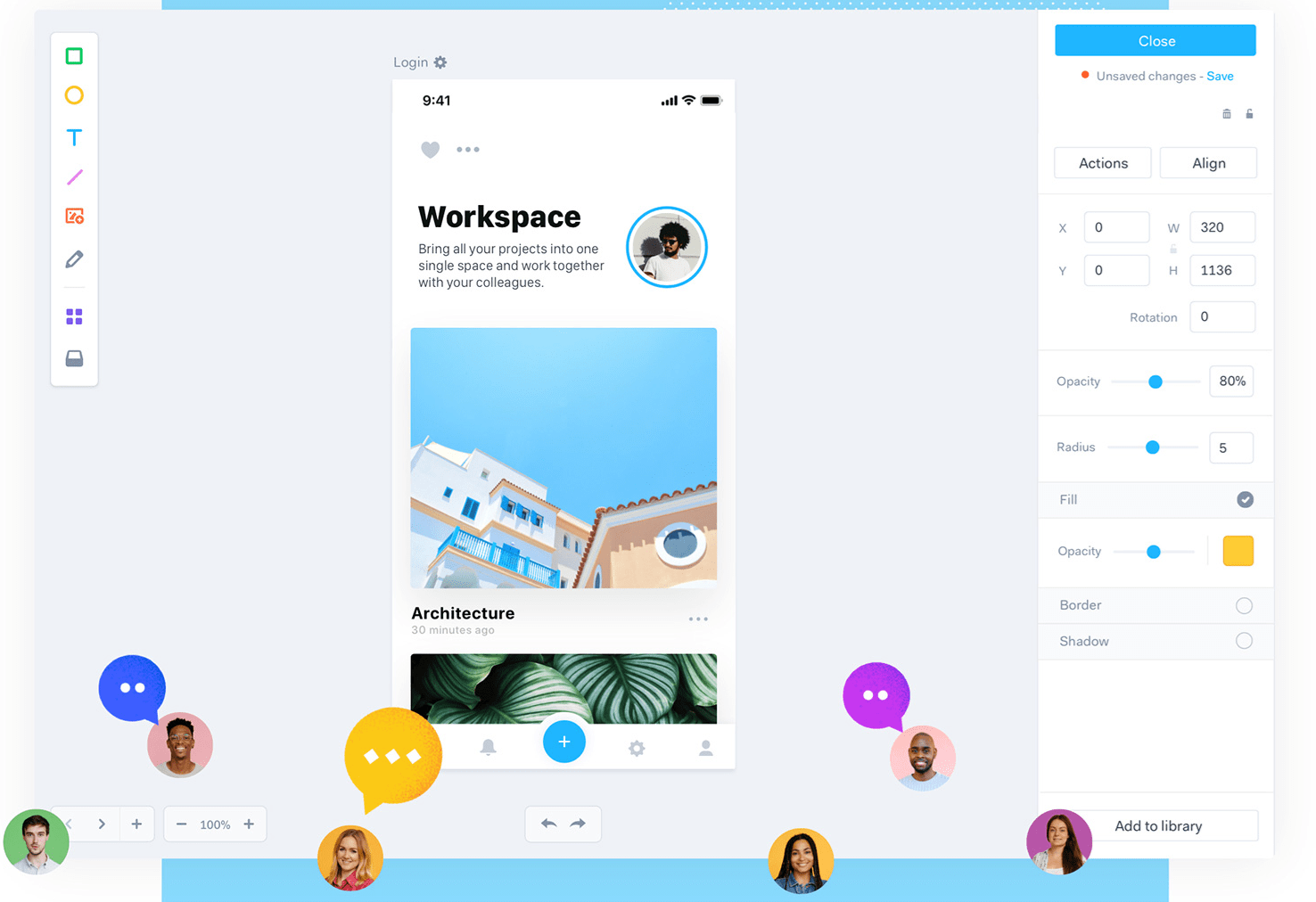
Figma runs entirely as an online design platform, built from the ground up for real-time collaboration rather than having it bolted on. Creating, editing, and sharing digital designs as a team is the core of what it does.
Multiple people can be inside the same project file simultaneously, which is exactly what creative teams need when collaborating on user experience (UX) and user interface (UI) work.
Because storage is cloud-based, designers can pick up their work from anywhere with an internet connection. Its beginner-friendly interface, paired with those collaborative capabilities, is a big reason it’s become so popular among graphic designers.
Adobe Creative Cloud Libraries
Rather than a standalone app, Adobe Creative Cloud Libraries is a shared, cloud-stored home for design assets, colors, fonts, images, and illustrations, that any team member can pull from.
Since those assets live in one place, designers can reach them from anywhere and collaborate in real time, which keeps a team’s designs consistent instead of drifting into slightly different colors and fonts across files.
It plugs directly into other Adobe software, including Photoshop and Illustrator, so designers keep working efficiently without exporting and re-importing assets by hand. For teams already in the Adobe ecosystem, it’s a genuinely valuable piece of the collaborative workflow.
Miro
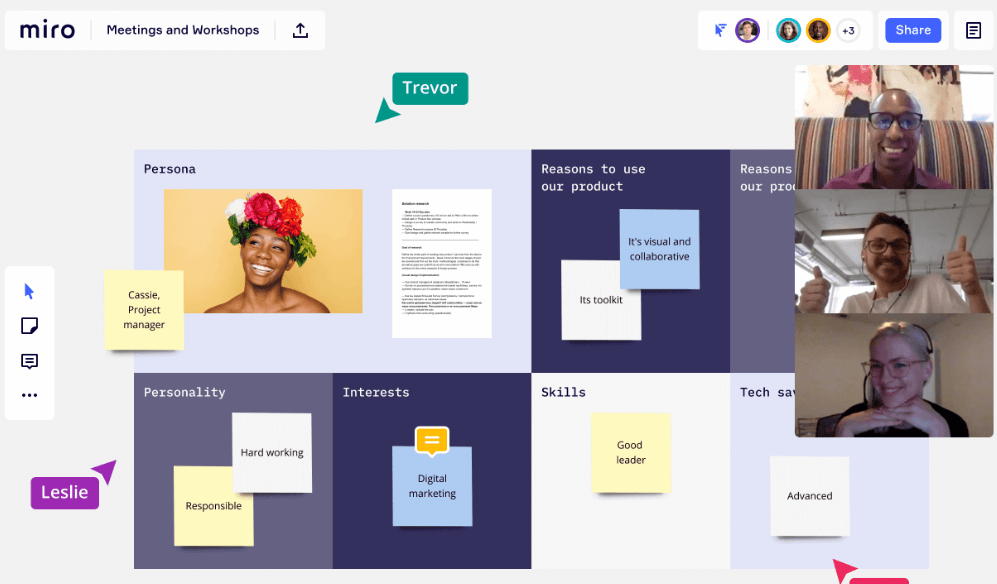
Miro’s core idea is a virtual whiteboard, which turns out to be a natural place for creative teams to brainstorm, build wireframes, and work through designs together in real time.
Sharing work and collecting feedback happens on that same board, without needing a separate review step. A library of templates, plus integrations with tools like Sketch and Figma, keeps it adaptable to whatever kind of design work you’re doing.
Because the interface is intuitive and the platform is cloud-based, it stays accessible to beginners and reachable from anywhere at any time, which is why it ranks as a top choice for teams focused on effective collaboration.
InVision
InVision earns its wide adoption largely through its real-time collaboration features: team members can give feedback and make changes in the same document at the same time, rather than passing files back and forth.
With over 7 million people using it worldwide, InVision has clearly settled into being an approachable starting point for anyone new to graphic design collaboration, while still giving experienced designers a way to streamline their workflow and sharpen the overall design experience.
Frame.io
Frame.io centers on real-time feedback: designers upload files, share them with the team, and communicate about changes without leaving the platform.
Everything, including uploads, sharing, and change tracking, stays in one centralized platform, and built-in version control and annotation tools keep the back-and-forth clear rather than scattered across email threads.
Its user-friendly interface and clean integration with other design tools are a big part of why graphic designers and other creative professionals reach for it so often.
Milanote
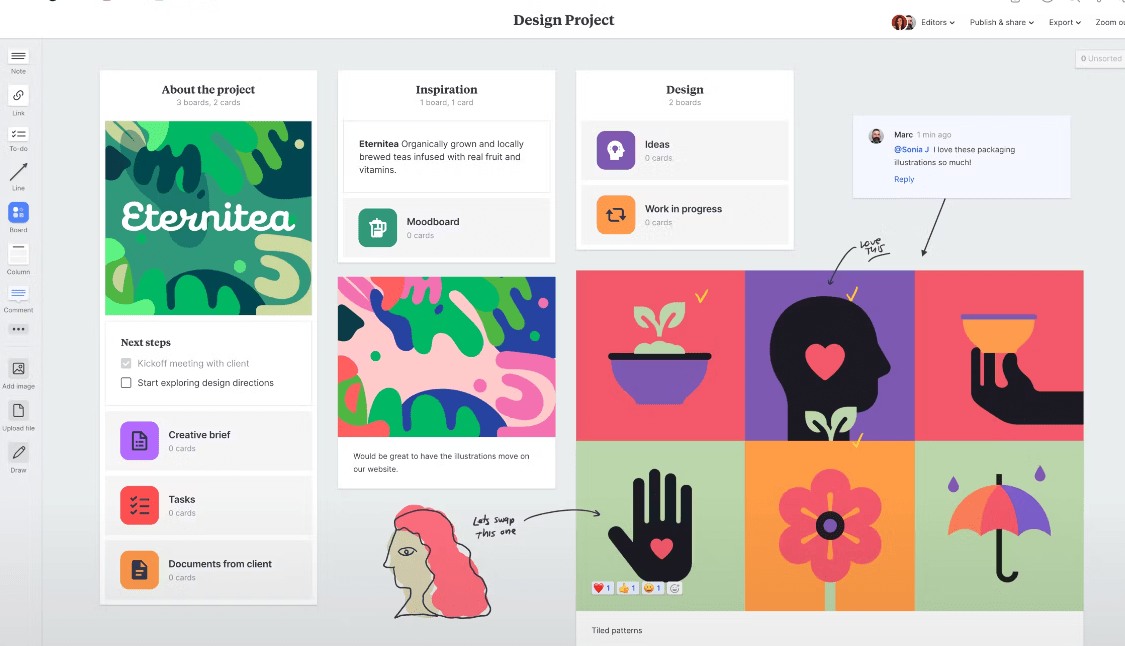
Like Miro, Milanote is built around a virtual whiteboard, but its focus leans more toward organizing ideas, images, and files visually than toward structured wireframing.
Visual boards can be built and shared with colleagues in real time, and comments, annotations, and feedback can all be added directly on the board itself, so nothing gets lost in a separate thread.
Its intuitive, beginner-friendly interface makes it a strong choice regardless of skill level, and because it’s cloud-based, projects stay reachable from anywhere at any time.
Notion
Notion takes a broader, all-in-one approach: documents, tasks, workflows, and progress tracking all live in the same platform, alongside real-time collaboration on designs and projects.
Layouts and templates can be customized to whatever a given project needs, and integrations with tools like Slack, Google Drive, and Trello mean it slots into an existing toolkit rather than replacing it.
The interface stays approachable for beginners without giving up the advanced features experienced designers want, which is what makes Notion such a versatile fit for streamlining a creative team’s design collaboration process.
How to Select the Best Design Collaboration Software for Your Business

To choose the best design collaboration software for your business, identify your specific needs, set a budget, evaluate features, test with trials, and consider necessary integrations.
The sections below walk through each step, so you can make an informed decision that boosts both productivity and creativity.
Identify specific needs
To select the best design collaboration software for your business, it’s important to identify your specific needs first. Think about what types of digital designs you’ll be working on and how you want your team to collaborate.
Are you looking for a tool built around real-time collaboration, or one built more around feedback and revisions? Consider the size and makeup of your creative team too. Will you need a tool that supports multiple users and different roles? Identifying these specific needs helps you narrow down your options and choose the software that best fits your requirements.
Set a budget
Before selecting the best design collaboration software for your business, it’s worth setting a budget. This helps you narrow down your options and focus on software that fits within your financial constraints.
Keep in mind that different software options may have different pricing structures, such as monthly or annual subscriptions, or one-time fees. Consider how much you’re willing to invest in design collaboration tools, and choose software that offers the features you need at a price point that fits your budget.
Evaluate features
To select the best design collaboration software for your business, it’s important to evaluate the features of each tool. Here are some factors to consider:
| Factor | Description |
|---|---|
| User Interface | Assess the ease of use and navigation within the software. |
| Real-time Collaboration | Check if the software allows multiple team members to collaborate simultaneously. |
| File Sharing | Evaluate the software’s ability to facilitate easy file sharing with team members or clients. |
| Version Control | Consider if the software offers version control for tracking changes and reverting to previous versions. |
| Integration Options | Check if the software integrates with other tools and platforms your team uses. |
| Collaboration Feedback | Evaluate if the software provides features for leaving comments and feedback on design files. |
| Security Measures | Ensure the software has robust security measures to protect your design files and data. |
| Mobile Accessibility | Check for mobile accessibility through an app or mobile-responsive design for on-the-go work. |
| Design Tools | Consider the availability of design tools like vector editing and advanced typography options. |
| Cost | Evaluate the cost of the software and its alignment with your budget while meeting collaboration needs. |
Test with trials
To select the best design collaboration software for your business, it’s worth testing out different options with trials. This lets you experience the software firsthand and see if it actually meets your needs.
During the trial period, you can evaluate how easy it is to use, explore its features, and assess whether it fits your team’s workflow. Take advantage of free trials offered by software providers, and involve key stakeholders in the testing process.
Testing with trials helps you make an informed decision on which design collaboration software will work best for your creative team in 2026.
Consider necessary integrations
When selecting the best design collaboration software for your business, it’s important to consider the integrations you’ll need. Integrations let different tools and software work together without friction, which makes your workflow more efficient.
For example, if you use Adobe Creative Cloud Libraries for your graphic designs, you’ll want a collaboration tool that integrates well with it. That way, you can access and share your design assets within the collaboration platform without extra steps.
If you also use project management or communication tools like Slack or Trello, look for a design collaboration software that integrates with those platforms too. This helps streamline communication and keeps everyone on the same page.
Considering necessary integrations as part of your decision-making process helps ensure the design collaboration software you choose fits well into your existing workflow, works with the tools your team already relies on daily, and adds to your efficiency rather than working against it.
Conclusion
In short, the top 10 graphic design collaboration software and tools in 2026 offer solid options for creative teams. These tools make it easier for designers to collaborate in real time, which improves both workflow and efficiency.
Whether you’re a beginner or an experienced designer, there’s a tool on this list that can meet your design needs. Try a few out and find the one that works best for your business.
Frequently Asked Questions
What are graphic design collaboration software and tools?
Graphic design collaboration software and tools are digital platforms or applications that allow multiple designers to work together on projects, share files, give feedback, and collaborate in real-time.
Why should I use graphic design collaboration software?
Using graphic design collaboration software can streamline the design process, improve communication between team members, increase productivity, ensure version control, and enhance overall project efficiency.
What features should I look for in graphic design collaboration software?
When choosing graphic design collaboration software, look for features such as file sharing capabilities, real-time editing and commenting options, task management tools, version control settings, and integration with other popular creative applications.
Can I use free graphic design collaboration software?
Yes, there are free options available for graphic design collaboration software. However, keep in mind that they may have limitations on storage space or functionality compared to paid versions. Evaluate your needs before deciding which option is best for you.
Can these tools be used by individuals or only by teams?
These tools can be used both by individuals working alone as well as teams collaborating on a project. They offer flexibility to adapt to different workflow styles and sizes of projects ranging from individual assignments to large-scale team collaborations.
