
Movavi Video Editor is user-friendly video editing software with a wide range of features. Its accessible interface and affordable pricing plans make it a practical option for people who want to create videos without a steep learning curve.
Movavi Video Editor Features
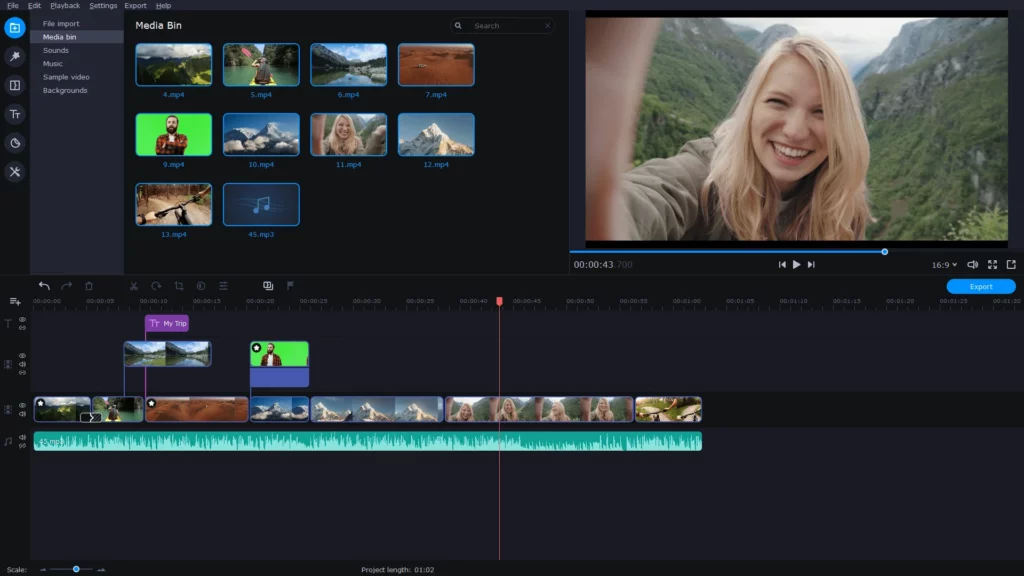
Movavi Video Editor is a capable tool for editing videos, and it handles the main tasks video creators need. The table below lists the features the software includes to help creators.
| Feature | Description |
|---|---|
| Chroma Key | The platform offers a user-friendly background remover. You can easily delete the background of your clips and videos, replacing it with images of your choice. |
| 4K video editing | The software offers an intuitive and responsive platform, enabling content creators to edit and render full HD productions in record time. |
| Timeline | The timeline is clear and simple. |
| Video cutting | In Movavi Video Editor, users can achieve frame-precise cuts, providing their videos with a sharp and polished appearance. The software allows users to easily create precise cuts. |
| AI motion tracking | This helps enhance the reality of videos by integrating moving graphics. The AI functionality helps attach photos, videos, emojis, or memes to objects within the footage. |
| AI background removal | The built-in AI quickly removes the background from the video. |
| AI noise removal | Users can eliminate unwanted sounds like car noises, wind, and other distractions from their clips using its advanced audio denoiser. |
| Color correction | Adjust colors and boost the vibrancy of videos. |
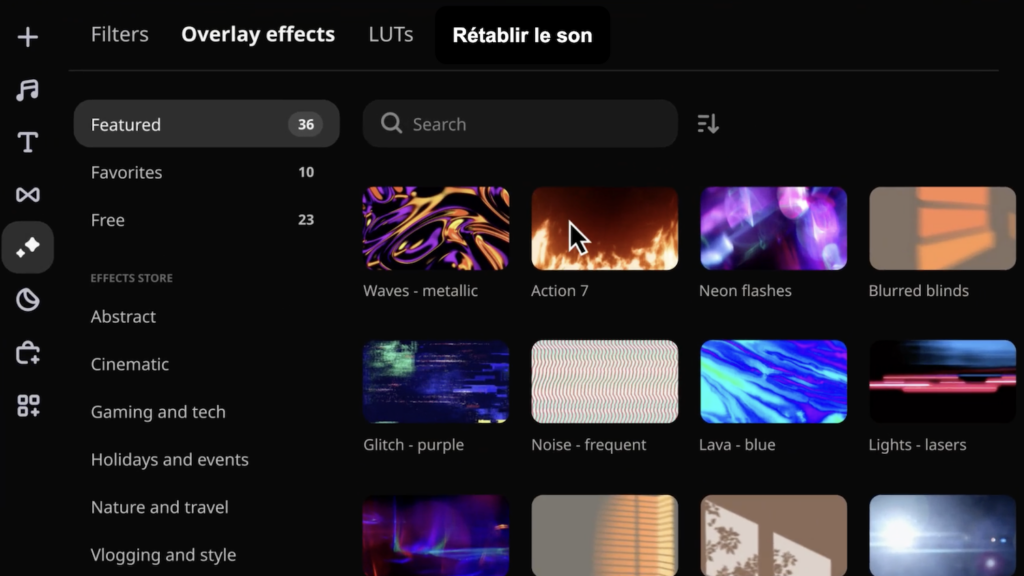
| Overlay effects | Users have access to a range of overlay effects, each offering 13 different blending modes for added versatility in editing. |
| Effects and transitions | Users can create stunning videos in any style with a large library of professionally designed effects and transitions. |
| Accessible | Movavi Video Editor supports 14 languages. It is compatible with all major operating systems, devices, and input/output file formats, for use across various platforms. |
User Interface of Movavi Video Editor
The interface of Movavi Video Editor is clean and easy to use, so both beginners and professionals can find their way around quickly.
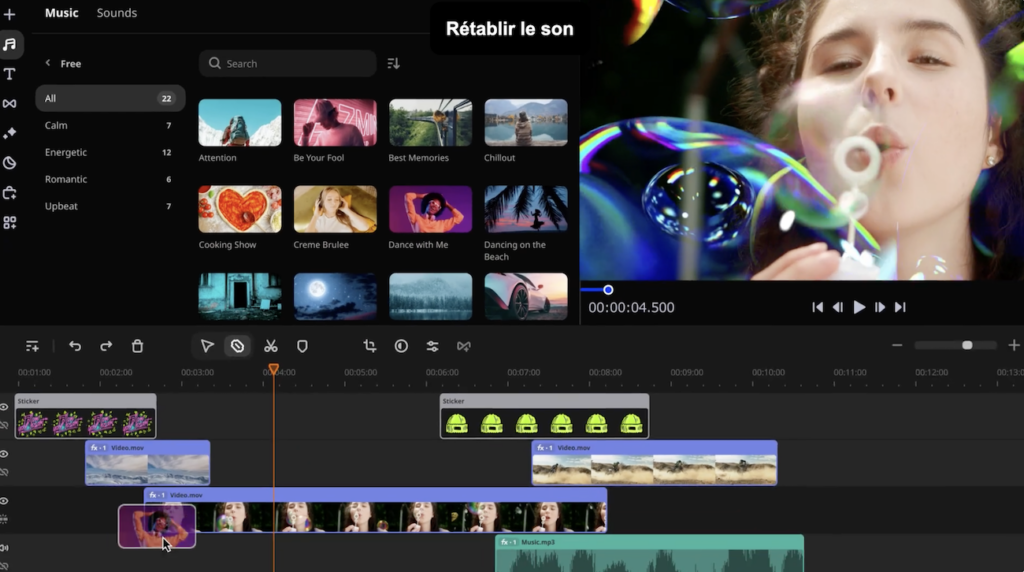
The video preview shows edits in real time, so you can see how a project is coming along. The control panel holds the main editing functions, including importing and exporting files, applying effects, building transitions, adding text overlays, and reaching the advanced editing tools.
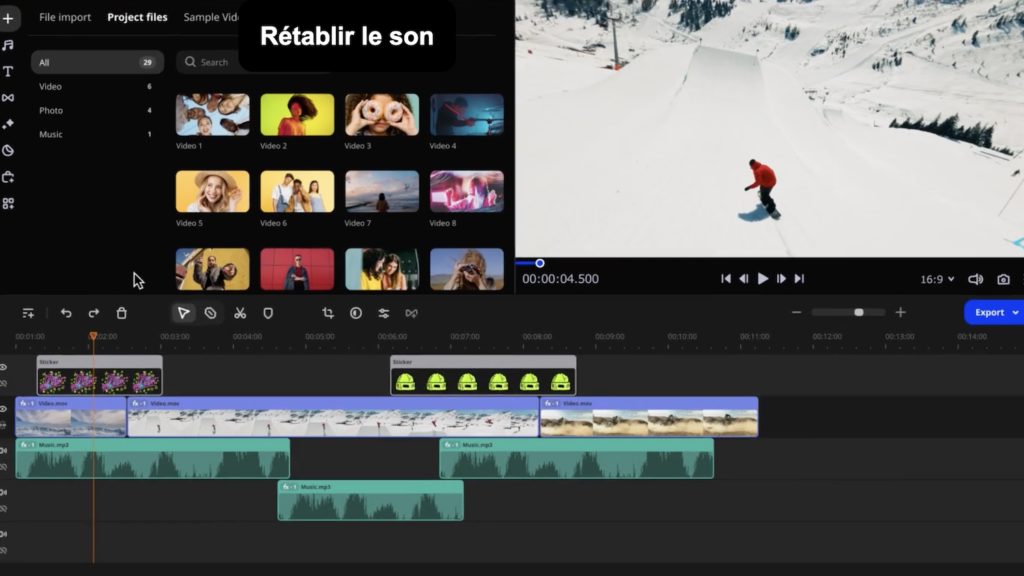
The timeline is where you arrange and fine-tune multimedia elements. It is divided into sections for video, audio, overlays, and effects, which keeps a project organized and lets you adjust each track with precision.
Overall, the interface is simple but capable and includes what most editors need. That balance makes it easy for anyone to put together a video without much fuss.
Movavi Video Editor Pricing Plans
Movavi Video Editor is a solid pick if you want a video editor with no watermark. The software has a free trial and offers subscription options to fit different needs.
| Subscription Plan | Description | Price |
|---|---|---|
| Video Editor (1-month subscription) | provides access to essential features like cutting, trimming, joining, keyframe animation and fast processing of 4K videos. Advanced functionalities like frame-precise cuts, Al motion tracking and pro-quality color correction. | $19.95 |
| Video Editor Plus (1-year or lifetime subscription) | enhances the package with three effects packs. | $69.95 (1 year) $94.95 (lifetime) |
| Video Suite Plus (1-year subscription) | extends the capabilities of Video Editor Plus by including media file conversion and screen recording features. | $94.95 |
Pros & Cons of Movavi Video Editor
| Pros | Cons |
|---|---|
| ✓ Easy-to-use interface | x The trial version has functional limitations |
| ✓ Transitions with sound | x Lacks advanced trim modes and clip pre-trimming |
| ✓ Motion tracking and picture-in-picture tools | x The rendering time is slow |
| ✓ Chroma-key capability | |
| ✓ Lots of different filters, transitions, and effects | |
| ✓ Affordable license fee |
User Reviews of Movavi Video Editor
User reviews for Movavi Video Editor cover a range of experiences and point to both its strengths and the areas that could be better.
Many users value the software for its accessibility, intuitive interface, and editing tools, and note that it holds up on high-volume, quality-focused projects. Reviewers highlight the ease of use, the built-in transitions and effects, and the drag-and-drop workflow for adding special effects. The structured tutorials help beginners produce good videos with little or no experience. Users also point to steady performance and a fair price, along with a large library of effects that suits both beginners and professional editors.
On the other side, some reviews criticize the rendering time. A few are disappointed by the limited free trial and would like better audio effects.
Even with those drawbacks, most users report they are satisfied with how it performs overall. Movavi Video Editor stays a useful tool that works well for both professional projects and personal use.
Top Movavi Video Editor Alternatives
Here are some top Movavi Video Editor alternatives with strong editing features:
| Alternatives | Features |
|---|---|
| Filmora | Filmora offers an intuitive interface and powerful editing features. It provides advanced text editing, audio editing, a variety of filters and effects, and support for 4K video editing. |
| PowerDirector | PowerDirector is user-friendly video editing software suitable for both beginners and professionals. The software offers a wide range of features like templates, text animations, video transitions, and color grading. |
| iMovie | iMovie is a free video editing app for Mac users, featuring various effects and tools like color correction and image stabilization. It’s ideal for beginners. |
| Adobe Premiere Pro | Adobe Premiere Pro, part of Adobe Creative Cloud, is a video editing software with professional-grade features. It includes a wide range of effects, transitions, and editing tools. |
Conclusion
Movavi gives both beginners and professional editors a capable editing experience. Features like chroma key and AI motion tracking make it straightforward to put together good-looking videos. It has some limits, but its low price and easy interface keep it a popular choice for editing projects.
(Image Credit: Movavi Video Editor)
Frequently Asked Questions
Is Movavi Video Editor good for beginners?
The platform is easy to use. It’s ideal for those with no or little video editing experience.
Is Movavi Video Editor free?
The software has a 7-day free trial. Then you can purchase monthly, yearly, or lifetime access.
What are some top alternatives to Movavi Video Editor?
Some top alternatives to Movavi Video Editor include Filmora, PowerDirector, iMovie, and Adobe Premiere Pro.
What are some additional features included in the Video Suite Plus subscription?
In addition to the features offered in Video Editor Plus, this includes media file conversion and screen recording.
