
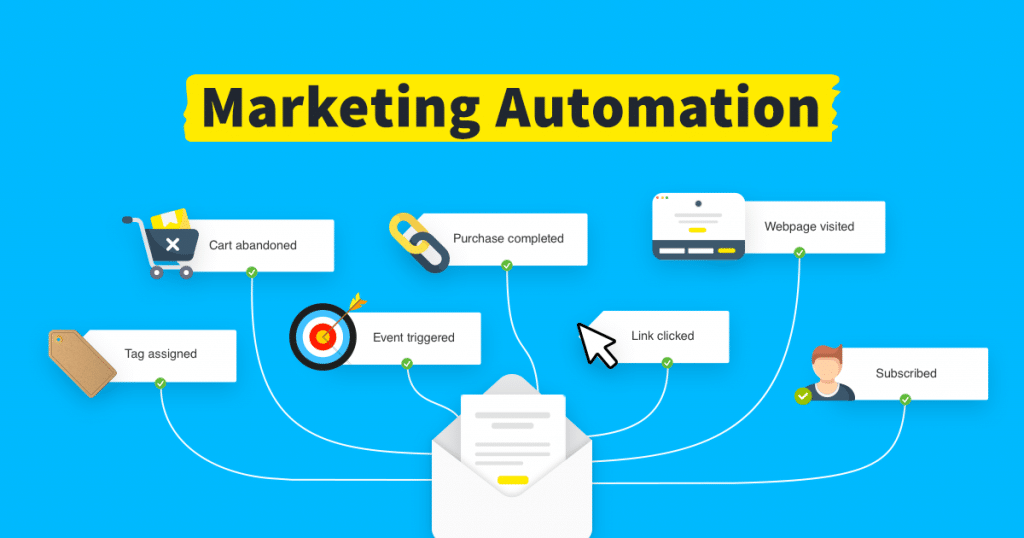
Marketing automation tools have become a core part of how companies run campaigns, since they help improve marketing efficiency and return on investment.
Determining which software is the best fit for your company can be difficult with so many options on the market.
To assist you in making an informed choice, we’ll examine six of the top marketing automation tools in this blog and highlight their essential features, pricing, pros & cons, and advantages.
Top Marketing Automation Tools
Marketing automation tools with automation features help marketing teams speed up their efforts and run effective digital marketing in the internet era. Here are six worth a closer look:
- Pardot
- GetResponse
- MailBluster
- Ontraport
- WebEngage
- EngageBay
What is meant by marketing automation, with example
The term “marketing automation” describes the application of technology to repetitive marketing processes including lead generation, social media management, and email campaigns. As the program manages the time-consuming and laborious components of marketing, organizations can concentrate on strategy and creativity.
For instance, a company might utilize marketing automation software to set up an email drip campaign. A list of leads would be automatically sent a series of prewritten emails at regular intervals, such as once per day for a week, by the software. Personalized material would be included in the emails based on the lead’s activities and interactions with earlier emails.
Marketing automation tools & their common features
Common features of marketing tool include:
- Email marketing
- Lead management
- Marketing campaign management
- Analytics and reporting
- Marketing automation workflows
- Personalization
- Mobile optimization
- Integration
These are some of the common features, however, depending on the software and the vendors, there may be additional features or variations on these features.
Best Marketing Automation Tools in 2025
Pardot
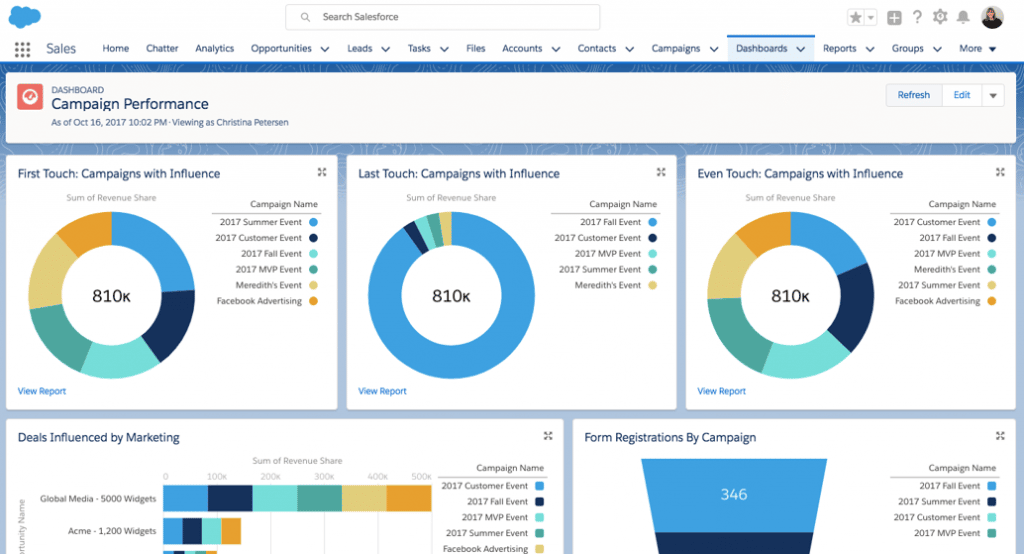
Salesforce is the top CRM system in the world, and Pardot is a B2B marketing automation tool that smoothly integrates with it. You can track prospects as they engage with your business across all of your marketing channels, and it provides you with a central area to manage your projects and reports.
Because Pardot is adaptable, you can change it to meet your business’s demands. It also aids in guiding customers and prospects through a sales funnel.
Pardot Features
- Engagement Studio
- Connected Campaign
- B2B Marketing Analytics
- Salesforce User Sync
- Dynamic Content
- Email marketing campaigns
- Landing pages and forms
- Search tracking and optimization
- Journey builder
- Lead management
- Analytics and attribution
- Personalization
Pardot Pricing
Pardot offers a Free Trial plan for its first time users. However, upon completion of this free period, users can choose from the following paid plans:
1- Growth: Fuel growth with marketing & email automation. At $ 1,250 USD/month* up to 10,000 contacts. For small businesses, this plan include features like:
- Lead Generation, Qualification, and Management
- Email Marketing automation and Personalisation
2- Plus: Go deeper with marketing automation and analytics. At $ 2,500 USD/month* up to 10,000 contacts. Including features like:
- Lead Generation, Qualification, and Management
- Email Marketing and Personalisation
- Advanced Automation, Personalisation, and Qualification
- Advanced Analytics and Reporting
3- Advanced: Power innovation with advanced marketing automation and analytics. At $ 4,000 USD/month* up to 10,000 contacts. Including features like:
- Business Units and Developer Sandboxes
- Artificial Intelligence for Sales and Marketing
4- Premium: Enterprise-ready features with predictive analytics and support. At $ 15,000 USD/month* up to 75,000 contacts. Including features like:
- Predictive Analytics and Personalised Product Support
For Detailed pricing, visit Pardot pricing page
Pardot Pros & Cons
| Pros | Cons |
|---|---|
| Integration with leading CRM | Navigation across the platform |
| Automation capabilities | Unlocking features across price tiers |
| Journey builder | CMS integration |
Spotsaas has rated Pardot 9.4 out of 10. Check the product Here.
GetResponse
GetResponse is an all-in-one marketing automation platform built to help businesses manage customer engagement, boost conversions, and grow their online presence. Designed for eCommerce, B2B, and enterprise-level companies, it combines email marketing, automation workflows, AI-driven personalization, and CRM tools under one intuitive dashboard.
With its advanced automation builder, GetResponse lets users create end-to-end customer journeys across email, SMS, web push, and paid ads, making it a solid pick for scaling marketing operations.

GetResponse Features
- Advanced marketing automation workflows
- AI-powered email and campaign builder
- CRM and sales funnel management
- Dynamic segmentation & personalization
- Conversion funnels and lead scoring
- Webinars and landing page builder
- E-commerce & Shopify integrations
- Real-time analytics and reporting
- Autoresponders and A/B testing
- Omnichannel communication tools
GetResponse Pricing
GetResponse offers a Free plan for up to 500 contacts, ideal for small businesses starting out. Paid plans unlock more automation and advanced features:
- Starter – $15/month: Essential marketing tools and automation basics.
- Marketer – $48/month: Advanced segmentation, funnels, and analytics.
- Creator – from $56/month: AI-powered personalization and premium tools.
- GetResponse MAX (Enterprise) – Custom pricing: Tailored for mid-market to enterprise needs with dedicated support and advanced integrations.
GetResponse Pros & Cons
| Pros | Cons |
| Comprehensive automation tools | Advanced features locked in higher tiers |
| Seamless eCommerce and CRM integrations | Limited third-party app integrations |
| AI and personalization for scaling brands | Learning curve for beginners |
MailBluster
MailBluster is an email marketing platform that provides a strong solution for email marketing automation, along with the other features needed to run email campaigns well. Sending automated emails is straightforward with MailBluster’s automation feature.
Sending automated, personalized emails, especially dynamic ones, to your clients matters for keeping engagement up, and MailBluster lets you do so with ease.
Plus, it provides integration facilities with multiple SMTP providers that are good for high deliverability. You can send bulk emails without worrying about ending up in spam. They also offer a huge collection of email templates to help you craft emails, along with a drag-and-drop editor for customizing automated email campaigns.
Additionally, MailBluster customer support is outstanding. With their live chat support, they assist you in sorting out any issues and queries with sincerity. Currently serving 50K+ businesses, their top-notch service is what makes them a reliable email marketing solution, and you can be a part of it without any hesitation.

MailBluster features
- Email automation
- Segmentation
- Email templates
- Drag-and-drop email editor
- Forms
- Double opt-in
- A/B testing
- Real-time tracking and report
MailBluster Pricing
MailBluster offers a free plan, which is perfect for test purposes.
Starter plan
- $0 for 3000 emails
- It’s a one-time use only
- Comes with basic features
- Emails include MailBluster’s branding
MailBluster offers one paid plan with a pay-as-you-go approach.
Pro plan
- Starting at $0.60 per 1000 emails monthly
- Takes a yearly subscription fee of $60 (equivalent to $5 a month)
- Offers automation and other advanced email marketing features
- Provides a 30-day money-back guarantee
MailBluster Pros & Cons
| Pros | Cons |
| Ease of use | Absence of own SMTP server |
| Highly affordable pricing | Customer support: English only |
| Offers multiple SMTP providers |
Spotsaas has rated MailBluster 9.3 out of 10. Check the product Here.
Ontraport
With the help of the no-code business platform Ontraport, companies may scale and systematize. Faster growth is achieved with Ontraport’s management and automation of the complete buying cycle, which frees up business owners and teams to provide greater value to customers. CRM automation, payments, sales pipeline, web apps, tracking, email and SMS, landing pages, and membership sites are all included in Ontraport’s comprehensive range of marketing, sales, and company management tools.
All different types of service providers, such as consultants and agencies, coaches and advisors, and personal and professional service providers, rely on Ontraport to increase growth while reducing workload.
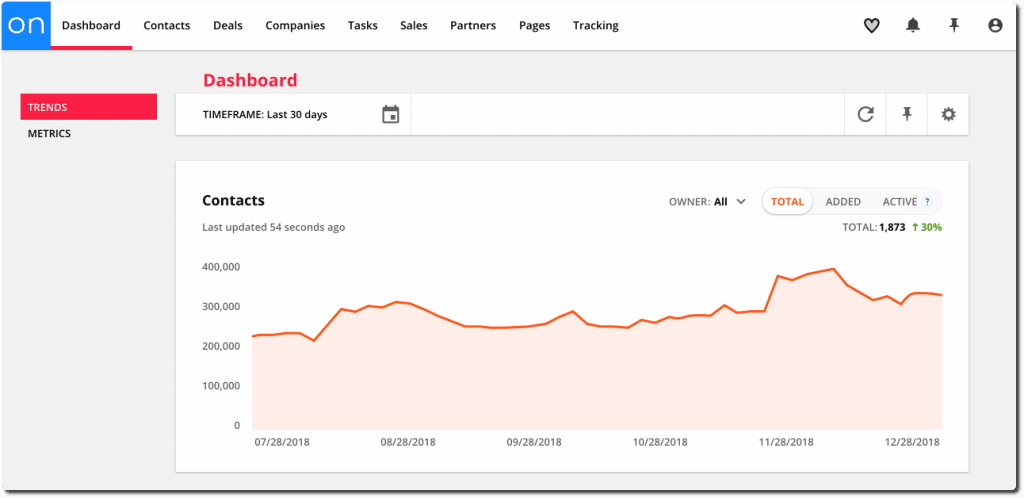
Ontraport Features
- Reporting & Analytics: Basic Reporting & Email Marketing
- Building and Personalizing Emails: Sending Outbound Emails, Manage Email, Deliverability, Automated Email Responses
- Online Marketing: Landing Pages and Forms, Dynamic Content, Mobile Optimized
- Lead Management
- Marketing Lead Database: Data Quality Management, Segmentation, Lead Nurturing, Online Behavior Tracking, Automated Alerts and Tasks, CRM Lead Integration
Ontraport Pricing
Ontraport offers a Free Trial to all the new users. However, upon completion of free trial, users can choose any of the paid plans below:
1- Basic- Email and text message automation, web forms and pages, and a scalable platform for growth, for small businesses. Starting at- $24/month.
2- Plus- Add payments, memberships, website personalization, advanced CRM, and more. Starting at- $83/month.
3- Pro- Deep customization, marketing tracking and testing, partner programs, user roles and permission management and more. Starting at- $124/month.
4- Enterprise: Unlimited everything, Enterprise-grade security and scale. Starting at- $249/month.
For Detailed pricing, visit Ontraport pricing page.
Ontraport Pros & Cons
| Pros | Cons |
|---|---|
| High functionality | Difficult setup process |
| Supportive customer care | High prices |
| Friendly interface |
Spotsaas has rated Ontraport 9.2 out of 10. Check out the product Here.
WebEngage
For consumer tech firms and SMBs, WebEngage is a customer data platform and marketing automation tool that makes user engagement and retention simple and highly effective.
Through highly contextual, hyper-personalized engagement campaigns across 10 communication channels, the platform helps brands increase income from their current customers and anonymous users through inbound marketing.
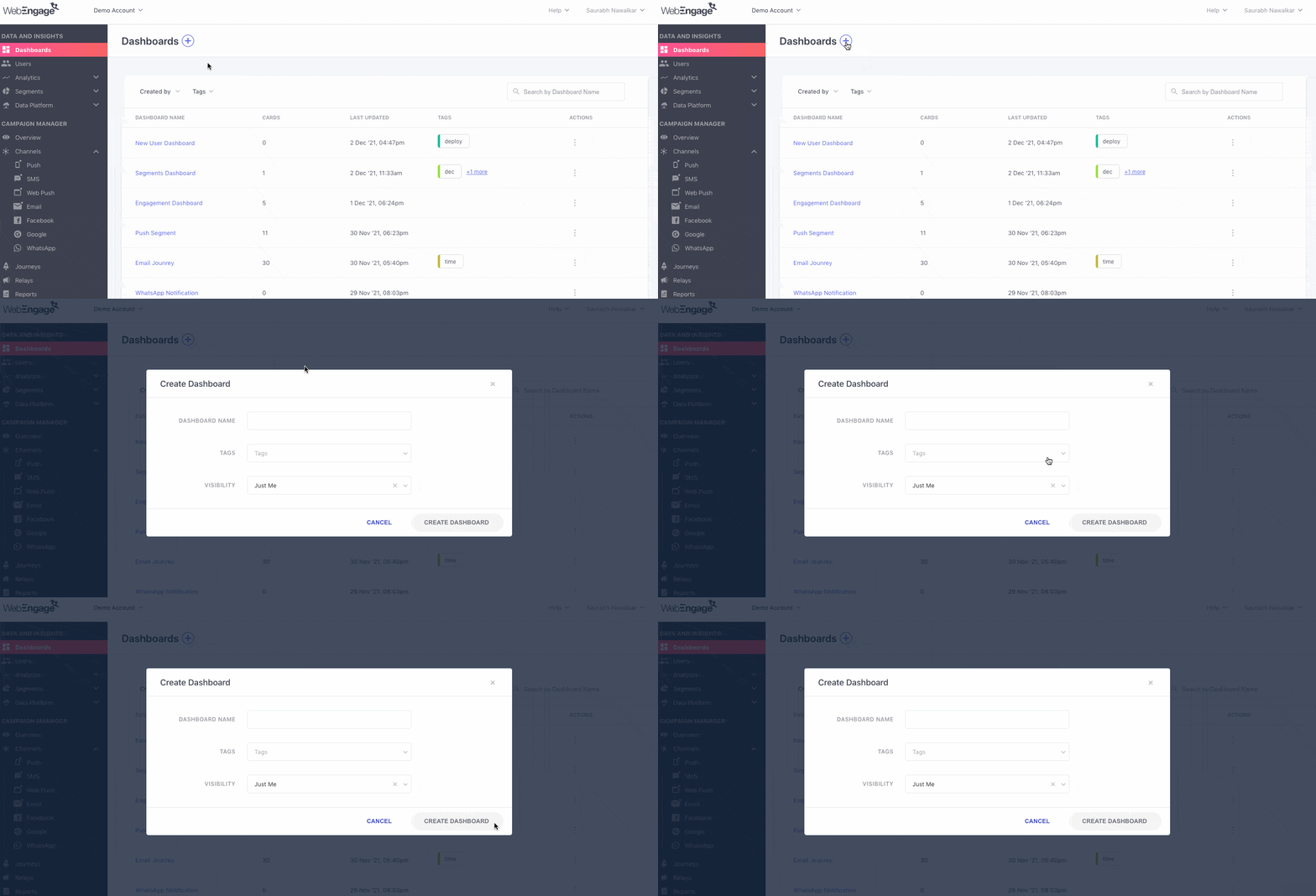
WebEngage Features
- Campaign Management
- Segmentation
- Cross channel customer journey builder
- Campaign A/B testing
- Campaign Analytics and reporting
- Advanced customer segmentation
- Content personalization
- Behavioral targeting
WebEngage Pricing
WebEngage- leading email marketing tool- offers 4 trial plans for its users. These plans include:
1- Solo Plan: Up To 10K Monthly Active Users (MAU). With features like:
2- Orchestra (Enterprise) Plan: More Then 100K MAUs (Monthly Active Users)
3- Choir Plan: Up To 100K Monthly Active Users (MAU)
4- Band Plan: Up To 50K Monthly Active Users (MAU)
For Detailed pricing, visit WebEngage pricing page.
WebEngage Pros & Cons
| Pros | Cons |
|---|---|
| Advanced features | Complex to understand |
| Analytics uses real-time data | Difficult setting up process |
| User-friendly | High pricing |
Spotsaas has rated WebEngage 9.2 out of 10. Check out the product Here.
EngageBay
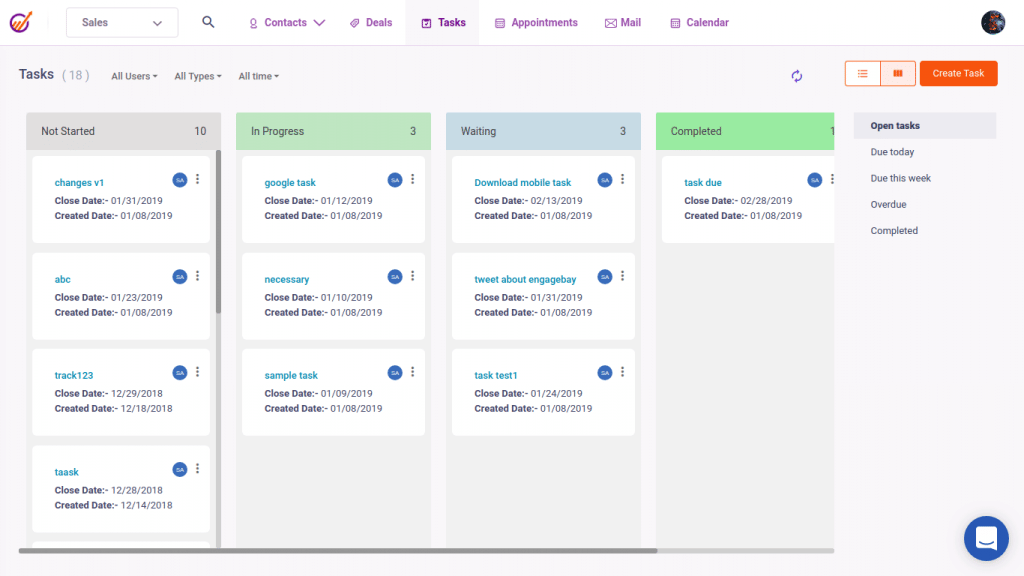
Lead generation, email marketing, marketing campaigns, marketing automation, customer relationship management, and social media engagement are all included in EngageBay’s comprehensive marketing automation tool.
EngageBay enables users to build email campaigns, automate marketing procedures, and build sales funnels. It was created to assist organizations in acquiring, engaging, nurturing, and closing leads.
Using the built-in CRM, the cloud-based platform can be used to manage customer interactions, create and automate email marketing content distribution, and increase lead generation.
EngageBay Features
- Reporting & Analytics: Basic Reporting, Web Analytics
- Email Marketing: Building and Personalizing Emails, Sending Outbound Emails
- Email Deliverability: Automated Email Responses
- Online Marketing: Landing Pages and Forms, Dynamic Content, Mobile Optimized
- Lead Management: Marketing Lead Database, Data Quality Management, Segmentation, Lead Nurturing, Online Behavior Tracking, CRM Lead Integration
EngageBay Pricing
EngageBay offers a Free Trial plan for its users. It includes features like:
- 250 Contacts
- Email Broadcast
- Lead Grabbers & Pages
- Email Templates
- Auto Responder
- Custom Fields
- Video Marketing & Live Chat
There are 3 paid plans that EngageBay offers, they are priced at:
1- BASIC: at $ 11.04 per user / month. Including features like:
- 750 Contacts
- Landing Page Builder
- SMS Marketing
- 3rd Party Integrations
2- GROWTH: $42.49 per user / month. Including features like:
- 3000 Contacts
- Email Broadcast A/B Testing
- Landing Pages A/B Testing
- Custom Domain
- Marketing Automation
3- PRO: $67.99 per user / month. Including features like:
- 30,000 Contacts
- Web Analytics
- Uptime SLA
- Phone Support
- Marketing Automation
For Detailed pricing, visit EngageBay pricing page.
EngageBay Pros & Cons
| Pros | Cons |
|---|---|
| Wide range of automation and workflow features | Difficult setup |
| Easy to use | Lacks essential functions on mobile device |
| Affordable plans |
Spotsaas has rated EngageBay 9.1 out of 10. Check out the product Here.
Conclusion
| Tool Name | Pricing | Free Trial | SpotScore |
|---|---|---|---|
| Pardot | Starts at $ 1,250 USD/month | Yes | 9.4 |
| Ontraport | Starting at- $24/month | Yes | 9.2 |
| MailBluster | Starting at $ 0.60/ month | Yes | 9.3 |
| WebEngage | Quotation Based | No | 9.2 |
| EngageBay | Starts at $ 11.04 per user / month | Yes | 9.1 |
The world of marketing automation tools keeps evolving, and it can be difficult to determine which software is best for your business. Based on our research, the marketing automation tools covered here — Pardot, GetResponse, MailBluster, Ontraport, WebEngage, and EngageBay — each bring something different to the table for 2025.
Each of these software offers unique features and capabilities, and it’s important to evaluate your business needs and budget before making a final decision. Whether you’re looking to improve your lead generation, email marketing, or customer relationship management, there is likely a marketing automation tool that can help you achieve your goals.
Want to learn more about marketing automation software & its benefits in detail? Here is a well-researched blog curated by team Spotsaas. Read Below:
Ultimate guide to marketing automation software (2025) by Spotsaas
FAQs
What is marketing automation tools?
Marketing automation tools are advanced SaaS that helps businesses automate the marketing lifecycle. Common features of such tools include: Email marketing Lead management Marketing campaign management Analytics and reporting Marketing automation workflows Personalization Mobile optimization Integration
What is the most common use of marketing automation?
Marketing automation is most commonly used for email marketing, SMS marketing, social media marketing, u0026amp; reporting.
How do you automate marketing process?
To automate marketing process, businesses must use tools that automate the entire end-to-end cycle of marketing, beginning from lead generation to lead conversion. Automating emails, SMS, u0026amp; social media channels helps to nurture leads towards conversion.
Read More
The 5 Top Identity and Access Management (IAM) Tools
The 6 Best Document Management Software for Enhanced Collaboration and Security
