
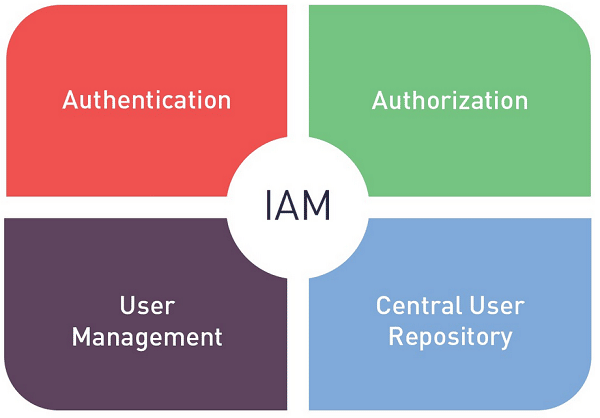
Short answer: the best IAM tools for most organizations in 2026 are Okta (vendor-neutral workforce identity for SaaS-heavy stacks), Microsoft Entra ID (the default for Microsoft 365 and Azure shops), Ping Identity (large enterprises with hybrid and complex federation needs) and JumpCloud (small and mid-size businesses that want directory, SSO, MFA and device management in one place). Scalefusion OneIdP ties access to device posture for teams already managing endpoints, RSA covers MFA-first and on-premises requirements, Keycloak is the leading open-source option, and for governance and customer identity you will look at specialists such as SailPoint and Auth0.
Identity and access management (IAM) tools control who can sign in to your systems, what they can do there, and when that access ends. This guide explains the types of IAM tools, compares ten of them in one table, walks through each, explains how IAM is priced, and finishes with an evaluation checklist for IT and security leaders.
Best IAM Tools at a Glance
| IAM tool | Category | Best for | Deployment | Pricing model |
|---|---|---|---|---|
| Okta Workforce Identity | Workforce IAM | SaaS-heavy, mixed-vendor stacks | Cloud | Per user per month, sold in suites |
| Microsoft Entra ID | Workforce IAM | Microsoft 365, Windows and Azure environments | Cloud, syncs with on-premises AD | Per user per month in tiers; some included in Microsoft 365 |
| Ping Identity | Workforce and customer IAM | Large enterprises with hybrid and complex federation | Cloud, software or hybrid | Per user per month (PingOne), enterprise quotes |
| JumpCloud | Workforce IAM + directory + device management | SMBs without on-premises Active Directory | Cloud | Per user per month |
| OneLogin | Workforce IAM | Mid-market teams that want fast SSO rollout | Cloud | Per user per month |
| RSA SecurID / ID Plus | MFA and access management | Regulated and on-premises-heavy environments | On-premises, cloud or hybrid | SecurID quote-based; ID Plus per user per month |
| Scalefusion OneIdP | Workforce IAM + device trust | Teams that want access decisions tied to managed devices | Cloud | Per device per month, billed annually |
| Keycloak | Open-source IAM | Engineering teams that want to self-host SSO and federation | Self-hosted | Free software; you pay for hosting and support |
| SailPoint | Identity governance (IGA) | Enterprises that need access reviews, roles and SoD | SaaS or self-run | Quote, per identity |
| Auth0 (by Okta) | Customer IAM (CIAM) | Adding sign-up and login to your own apps | Cloud | Usage-based, by monthly active users |
Vendor prices change often, so this guide explains how each tool is priced and links to the vendor’s page where you can check current pricing.
IAM Meaning
IAM (sometimes written IdAM or IDAM) stands for identity and access management: the policies and technology that make sure the right people and systems have access to the right resources, at the right time, for the right reasons. In a business that means creating and removing user accounts, verifying who is signing in, deciding what each person can reach, and keeping a record of it for security teams and auditors.
IAM tools can run in the cloud, on-premises or both, and they bundle capabilities such as a directory, single sign-on (SSO), multi-factor authentication (MFA), automated provisioning, identity governance and privileged access controls. For a fuller explanation of how the pieces fit together, read What Is Identity and Access Management (IAM)?
Meaning of IAM software
Tools for managing access rights to sensitive data and resources are known as the IAM platform. IAM software that companies can utilize includes:
- Authentication and Authorization Systems: Systems for user authentication and authorization are employed to confirm users’ identities and ascertain if they are authorized to access particular resources. Multi-factor authentication (MFA), password management, identity federation, and flash call verification are a few examples.
- Single Sign-On (SSO): Instead of having to remember and input different login credentials for each application or system, single sign-on (SSO) enables users to access various applications and systems with a single set of login credentials. Examples of SSO solutions that offer SSO services include Okta, OneLogin, and Auth0.
- Identity and Access Governance: Access Governance systems assist organisations in managing and monitoring access to resources. They do this by establishing and enforcing access controls, keeping an eye on user behaviour, and creating reports on compliance and access. Examples of IAG solutions include SailPoint, Saviynt and Microsoft Entra ID Governance. For how governance differs from login-focused IAM, see our guide to the best identity governance (IGA) software.
- Identity and Access Management (IAM) as a Service (IDaaS): These cloud-based IAM solutions give companies access to a variety of IAM services, including authentication, authorization, and access governance, without the need to manage and maintain the infrastructure on-premises. Examples of IDaaS solutions include Microsoft Entra ID (formerly Azure Active Directory), AWS Identity and Access Management (IAM), and Google Cloud Identity.
- Identity and Access Management Platforms: These platforms provide a complete set of tools and features for managing and controlling access to resources, including authentication, authorization, access governance, and identity management. Examples include Oracle Identity Governance, & IBM Security Identity Manager.
These are just a few examples of the many different types of IAM tools that businesses can use to protect sensitive information and resources. The specific tools and solutions that a business chooses will depend on its unique needs and requirements.
Types of IAM Tools: Workforce IAM, IGA, PAM and CIAM
“IAM tools” covers four product families. Most organizations need the first, and add the others as audit, risk or product needs grow.
| Type | What it does | Who it protects | Examples |
|---|---|---|---|
| Workforce IAM (access management) | Directory, SSO, MFA, conditional access, provisioning | Employees and contractors | Okta, Microsoft Entra ID, Ping Identity, JumpCloud, OneLogin |
| Identity governance and administration (IGA) | Access requests, access reviews, role management, separation of duties, audit evidence | Everyone with access, including service accounts | SailPoint, Saviynt, Omada, One Identity, Entra ID Governance |
| Privileged access management (PAM) | Credential vaulting, just-in-time admin access, session recording | Admins, root and service accounts | CyberArk, BeyondTrust, Delinea, Keeper |
| Customer IAM (CIAM) | Sign-up, login, social login and consent for your own apps, at large scale | Customers and partners | Auth0, Microsoft Entra External ID, AWS Cognito |
Read more in our guides to the best identity governance software, CIAM software and the best privileged access management software.
Why Businesses Use IAM Platforms
- Improved security: one strong sign-in with MFA replaces dozens of reused passwords, and access follows least privilege.
- Compliance: SOC 2, ISO 27001, HIPAA, PCI DSS and SOX all expect controlled, reviewed access and audit logs.
- Faster onboarding and offboarding: accounts are created and removed from HR events instead of tickets.
- Better user experience: one portal, fewer password resets.
- Lower cost: fewer help-desk tickets and fewer licences left assigned to people who have left.
The 10 Best IAM Tools in Detail
1. Okta Workforce Identity
Okta is a cloud identity provider used for workforce single sign-on, multi-factor authentication, a universal directory and automated user lifecycle management. It connects to thousands of SaaS applications through prebuilt integrations and is often the first IAM platform a growing company adopts once password sprawl becomes a support and security problem. Okta Workflows adds no-code identity automation, and governance and privileged access are available as add-ons.
- Strengths: vendor neutrality, integration catalog, admin experience, lifecycle automation.
- Watch for: total cost once you add governance, privileged access and advanced MFA.
- Pricing model: per user per month in suites, billed annually. Check current pricing or read the Okta pricing overview.
2. Microsoft Entra ID
Microsoft Entra ID (formerly Azure Active Directory) is the identity service behind every Microsoft 365 and Azure tenant. It provides SSO, MFA, Conditional Access tied to Intune device compliance, self-service password reset and hybrid sync with on-premises Active Directory. Entra ID Governance adds access reviews and lifecycle workflows.
- Strengths: deep Microsoft integration, you already have a tenant, strong conditional access.
- Watch for: licensing complexity across tiers and Microsoft 365 bundles.
- Pricing model: per user per month in tiers; some Microsoft 365 plans include premium features. Check current pricing.
Deciding between the two market leaders? Read Okta vs Microsoft Entra ID.
3. Ping Identity
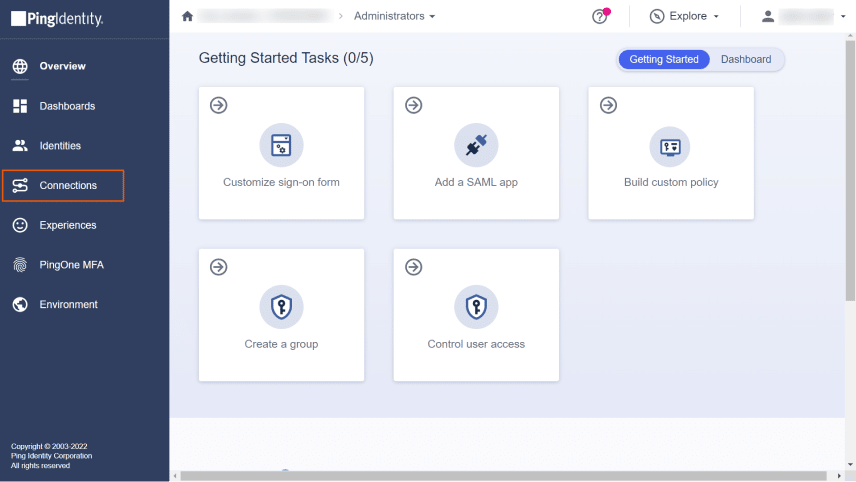
Ping Identity serves large enterprises that need secure access to cloud, mobile and on-premises applications, APIs and partner networks. It is strong in federation, adaptive MFA, API access management and hybrid deployments, and covers both workforce and customer identity. ForgeRock is now part of Ping Identity.
- Strengths: hybrid and complex federation, standards depth, workforce plus customer identity.
- Watch for: admin complexity for smaller teams.
- Pricing model: PingOne for Workforce is priced per user per month on annual contracts; larger deployments are quoted. See Ping Identity on Spotsaas.
4. JumpCloud
JumpCloud is a cloud directory platform that combines user directory, SSO, MFA, device management for Windows, macOS and Linux, and LDAP and RADIUS services. It is popular with small and mid-size businesses that never ran on-premises Active Directory, or want to retire it.
- Strengths: one console for identities and devices, good fit for mixed Mac and Windows fleets.
- Watch for: depth of enterprise governance features compared with larger suites.
- Pricing model: per user per month in packages. Check current pricing.
5. OneLogin
OneLogin delivers SSO, MFA with risk-based SmartFactor authentication, a cloud directory and user provisioning, with an admin console aimed at IT teams without dedicated IAM engineers.
- Strengths: fast SSO rollout, straightforward administration.
- Watch for: compare the integration catalog against your own app list.
- Pricing model: per user per month.
6. RSA SecurID and RSA ID Plus
RSA SecurID is long-established multi-factor authentication used to protect network resources, software and websites in on-premises and cloud environments. RSA ID Plus is RSA’s cloud and hybrid authentication service, adding SSO and passwordless options. RSA is common in regulated industries and environments that still need hardware tokens or on-premises authentication.
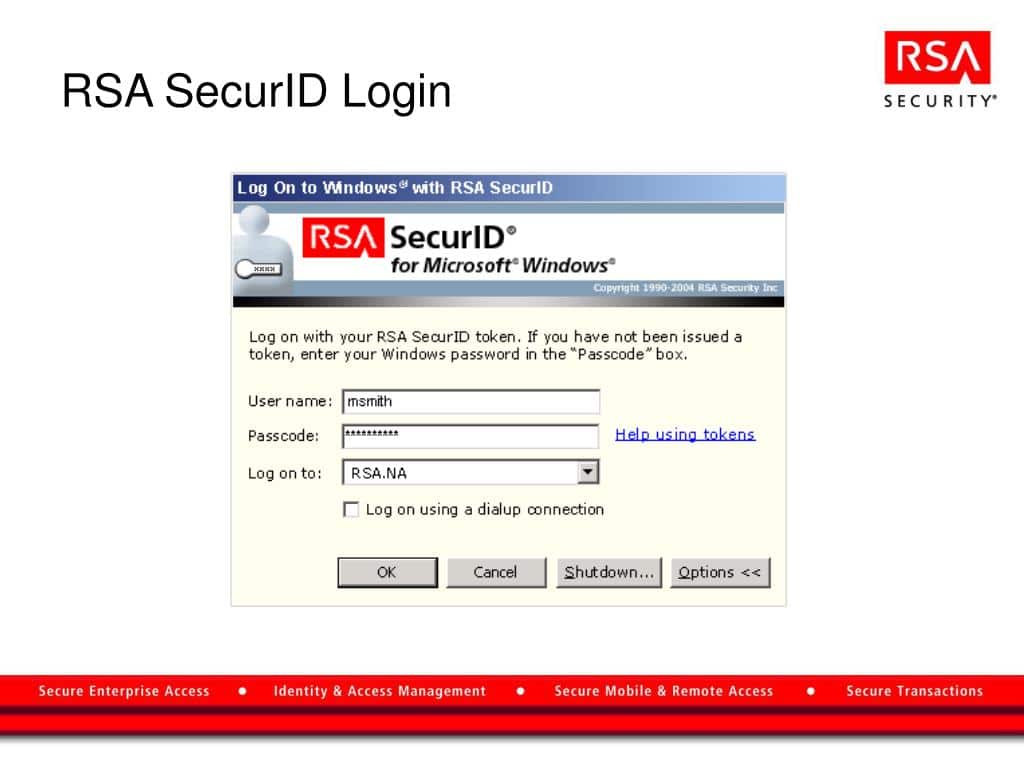
- Features: MFA, passwordless login, SSO, access request and role management, user activity monitoring, API access management.
- Strengths: high-assurance MFA, on-premises and hybrid options.
- Watch for: some users find code entry slower than push-based MFA.
- Pricing model: SecurID (on-premises) is quote-based; ID Plus is priced per user per month. See RSA SecurID on Spotsaas.
7. Scalefusion OneIdP
Scalefusion OneIdP is a next-generation identity and access management solution built on zero trust principles, ensuring every access request is verified using context-aware signals like device posture, location, and user behavior. Unlike traditional IAM tools, it integrates directly with leading identity providers. This improves security without adding complexity.
Deeply tied to unified endpoint management, OneIdP delivers dynamic, risk-based access controls that adapt in real time, helping organizations enforce strict zero trust access while maintaining smooth, scalable authentication across all major platforms.
Key Features
- Conditional SSO
- Device Authentication
- Zero trust access evaluation
- Location-based Access Controls
- Just-in-time admin access
- User Portal SSO
- Federated user identities
- Directory Services
Pros
- Supports multi-platform environments: Android, Windows, macOS, Linux
- Unified endpoint management integration simplifies policy enforcement
- Easy-to-use interface for easier provisioning and de-provisioning
- Built on zero trust principles with real-time, context-aware access evaluation
- Easy-to-use portal provides centralized, single sign-on access to all apps and services
- Best-in-class support and training with the fastest average response time
Cons
Identity and access management is available as a bundled feature.
Performance is dependent on stable internet connectivity.
Scalefusion OneIdP Pricing
Priced per device per month and billed annually, with a free trial. Check current pricing or see Scalefusion on Spotsaas.
8. Keycloak
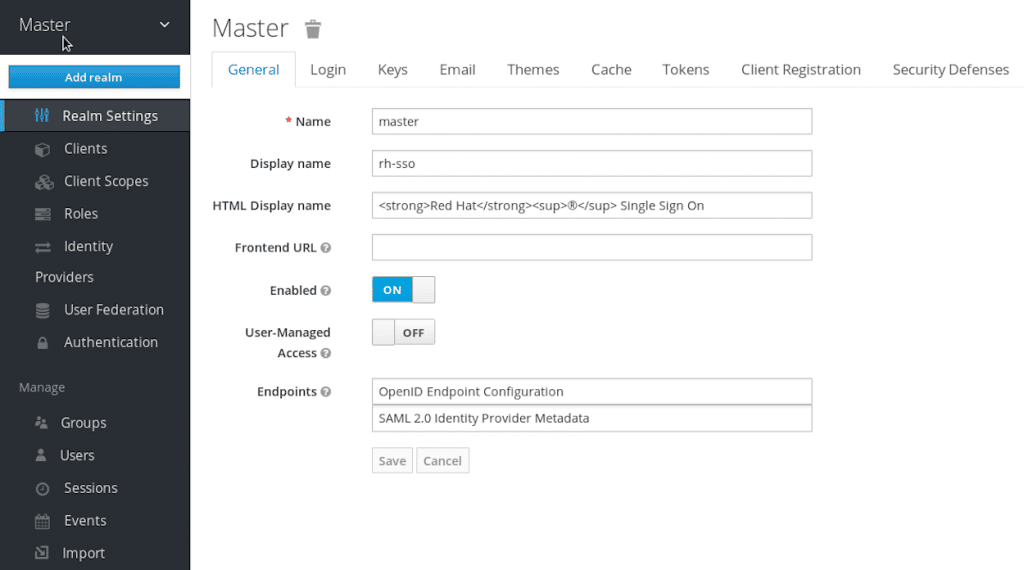
Keycloak is an open-source identity and access management platform for modern applications, single-page apps, mobile apps and REST APIs. It supports SAML and OpenID Connect, identity brokering, social login, user federation with LDAP and Active Directory, and customizable login pages, and it lets applications rely on tokens instead of handling passwords.
- Strengths: free and open source (Apache License 2.0), standards-based, flexible.
- Watch for: you run upgrades, high availability and monitoring yourself; community support unless you buy a commercially supported build.
- Pricing model: no license fee; budget for hosting, staff time and optional support.
9. SailPoint (identity governance)
SailPoint is the best-known identity governance platform. It does not replace your login layer; it decides who should have access, automates provisioning and removal, runs access certifications and enforces separation of duties across cloud and on-premises applications. Most SailPoint customers pair it with Okta, Entra ID or Ping for SSO and MFA.
- Pricing model: quote-based, usually per identity. Compare options in SailPoint alternatives.
10. Auth0 (customer identity)
Auth0, owned by Okta, is a developer-focused customer identity platform for adding sign-up, login, social login, MFA and user management to your own applications. Use it when the users are your customers, not your employees.
- Pricing model: usage-based, driven mainly by monthly active users and features.
Best IAM for Small and Mid-Size Businesses
Smaller teams need the basics done well: one directory, SSO for the main SaaS apps, enforced MFA, and automated offboarding. Good starting points:
- Already on Microsoft 365: use Microsoft Entra ID and check which premium features your Microsoft plan already includes.
- Google Workspace or mixed devices, no Active Directory: JumpCloud or Okta.
- Endpoint management already in place: Scalefusion OneIdP adds device-aware access on top.
- Engineering-led and cost sensitive: Keycloak, if you have the skills to run it.
Pair any of these with a business password manager for the apps that cannot use SSO, and see the best SSO software for SSO-only options.
How Much Do IAM Tools Cost?
- Per user per month: the standard model for workforce IAM (Okta, Entra ID, Ping, JumpCloud, OneLogin, RSA ID Plus), usually billed annually, often with minimums.
- Per device: tools tied to endpoint management, such as Scalefusion OneIdP.
- Bundled: Microsoft includes premium Entra ID features in some Microsoft 365 plans, which changes the comparison.
- Per identity, quoted: governance (IGA) and privileged access platforms.
- Per monthly active user: customer identity (CIAM) platforms such as Auth0.
- Open source: Keycloak has no license fee; you pay in hosting and staff time.
Add-ons (adaptive MFA, governance, privileged access, advanced reporting) are where totals grow, so price the features you actually need.
How to Choose an IAM Tool: Evaluation Checklist
- Directory reality: on-premises Active Directory, Entra ID, Google Workspace or none? Hybrid sync quality matters more than feature lists.
- App coverage: check your top 30 apps for prebuilt SSO and SCIM provisioning in each vendor’s catalog.
- MFA strength: support for phishing-resistant factors (FIDO2 security keys, passkeys, device-bound passwordless) and a plan to phase out SMS.
- Device context: can policies use device compliance from your MDM or endpoint tool?
- Lifecycle automation: can your HR system drive joiners, movers and leavers?
- Governance and audit: access reviews, logs and SIEM export for your auditors.
- Privileged access: native, add-on or separate PAM tool?
- Total cost: licences, add-ons, bundles you already own, and admin time.
Browse and compare products in the identity and access management software category on Spotsaas, and see related guides to endpoint management and cybersecurity software.
Read More
How SaaS Is Redefining Cybersecurity
Related reading: Best Password Manager for Business in 2026: 6 Tools by Price, SSO and SCIM, Best Endpoint Management Software 2026: 10 UEM Tools Compared, Best MDM Software in 2026: 11 Mobile Device Management Tools Compared
Frequently Asked Questions
What is an IAM tool?
An IAM tool manages who can sign in to which systems and what they can do there. The category includes directories, SSO, MFA, provisioning, identity governance, privileged access management and customer identity platforms.
What are examples of IAM tools?
Okta, Microsoft Entra ID, Ping Identity, JumpCloud, OneLogin, RSA SecurID, Scalefusion OneIdP and Keycloak for workforce access; SailPoint and Saviynt for governance; CyberArk and BeyondTrust for privileged access; Auth0 for customer identity.
What are the five pillars of IAM?
A common breakdown is lifecycle management and governance; federation, SSO and MFA; network access control; privileged account management; and key and encryption management.
Which IAM tool is best for a small business?
Microsoft 365 users usually start with Microsoft Entra ID. Businesses without Active Directory, or with many Macs, often choose JumpCloud or Okta. Engineering-led teams on a tight budget sometimes self-host Keycloak.
How are IAM tools priced?
Workforce IAM is mostly per user per month on annual contracts. Device-centric tools charge per device, governance and PAM platforms quote per identity, customer identity platforms charge by monthly active users, and open-source Keycloak is free to license.
What is the difference between IAM and IGA?
Access management tools such as SSO and MFA control access at login. Identity governance and administration (IGA) decides whether a user should hold that access at all, automates provisioning and removal, and runs access reviews for audits.
Is Active Directory an IAM tool?
Active Directory is a directory service, one building block of IAM. On its own it does not provide SaaS SSO, modern MFA or governance, which is why most organizations add Entra ID, Okta or another IAM platform on top.
