
If you’re looking for a better screen recording tool, finding the right Loom alternative can feel overwhelming. With over 100 options on the market, each claiming to be the best fit, it’s easy to get lost in the choices.
This post narrows that down to the top 10 Loom alternatives, along with their pros, cons, and pricing details, so you can compare them side by side instead of testing each one yourself.
Key Takeaways
- There are several top alternatives to Loom for screen recording and video capture, including Clip by ClickUp, ScreenRec, Soapbox, Usersnap, and Sendspark.
- These alternatives offer features like screen annotation, video editing capabilities, GIF creation options, and professional-level video recording.
- Factors to consider when choosing a Loom alternative include the features offered, limitations of each tool, and pricing details.
- Each alternative has its own unique benefits and pricing structure that should be considered based on individual needs.
Understanding Loom: A Brief Overview
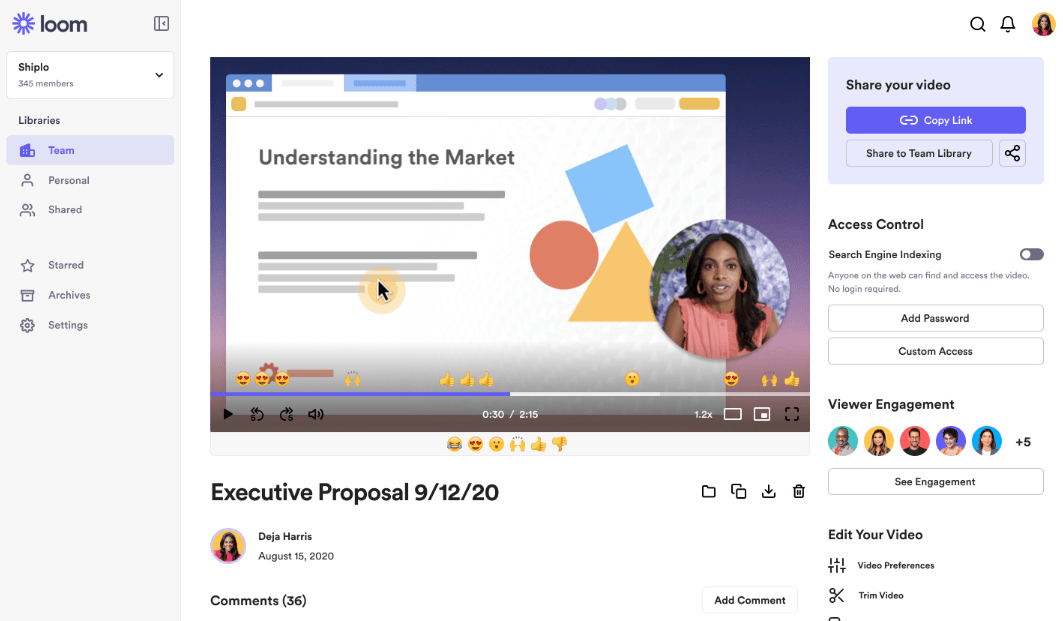
Loom is a popular video recording platform built to help users communicate better with their team by using video. It captures, encodes, and shares your screen in real time, directly from your browser.
With Loom, users can record or stream HD quality video up to 4K resolution, which makes it a solid tool for professional-grade presentations, tutorials, and training material.
Loom also offers video editing tools that let you edit footage on the go, which is useful whether you’re running online trainings, explaining complex processes, or pitching ideas to a client or teammate.
Despite its broad set of features and its popularity among professionals across industries, a number of strong alternative apps have emerged in the ‘Screen Capture Tools,’ ‘Video Presentation Software,’ and ‘Pro-level Video Recording’ categories. Tools like Clip by ClickUp and ScreenRec are counted among Loom’s top competitors, offering not just solid video capture but also extras like screen annotation and GIF creation.
Top 10 Loom Alternatives
Here are the top 10 alternatives to Loom for screen recording, video capture, and screen sharing.
Clip by ClickUp
Clip by ClickUp is a handy tool that lets you record your computer screen quickly and easily. While recording, you can point at things on screen using lines, shapes, and arrows.
Clip by ClickUp also lets you add text notes to videos.
Recording starts with a single click, and recordings are saved in high-quality video format, ready to share right away or saved for later. Users have praised how useful the tool is as a Loom competitor.
ScreenRec
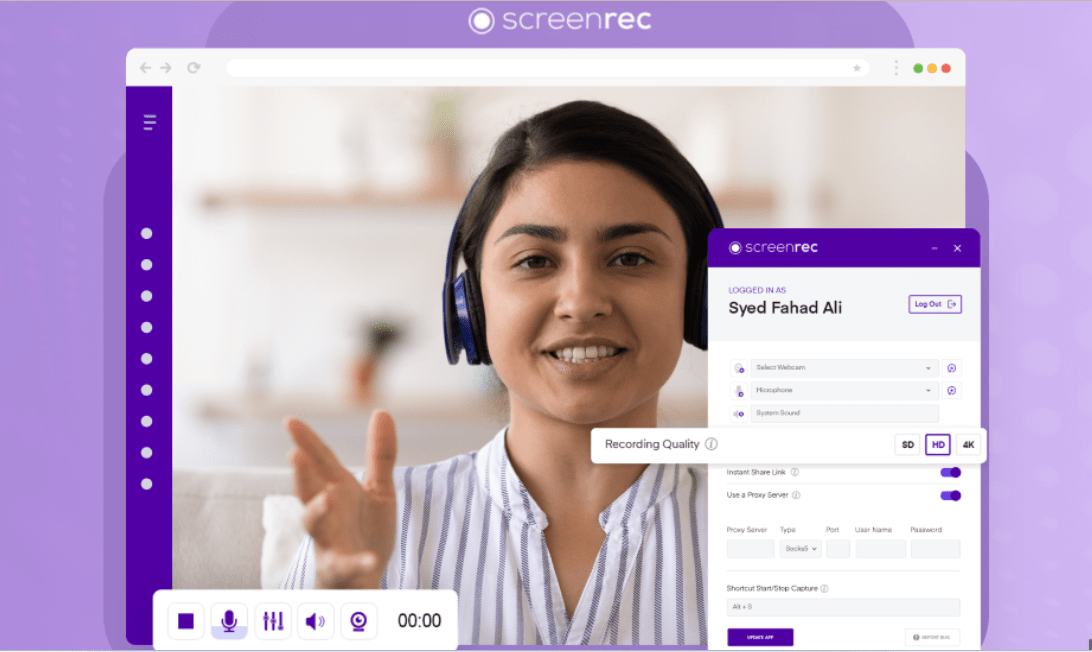
ScreenRec is a strong choice for screen recording and one of the top Loom competitors. It captures quick, easy screen recordings, and it’s free to use.
You can capture your entire screen or just part of it, and record audio from your mic as well. If you need pro-level video recording without paying for it, this app covers that too.
Soapbox
Soapbox is one of the top alternatives to Loom. It’s a screen recording and video creation tool from Wistia that lets users record their screen, webcam, or both at the same time.
With Soapbox, you can create professional-looking videos with customizable video players, captions, and calls-to-action. It also offers trim editing and sharing options that make it easy to share videos with others.
Reviews have praised Soapbox for its user-friendly interface and strong, responsive customer support.
Usersnap
Usersnap is a solid alternative to Loom, with a user-friendly interface and advanced features for screen recording, video messaging, and screen annotation. It also provides tools for capturing screenshots and creating GIFs.
With its easy-to-use platform, Usersnap makes it simple to record your screen and share videos with others without a steep learning curve. It’s a good pick for anyone looking for a reliable Loom alternative with professional-level video recording capabilities built in.
Sendspark
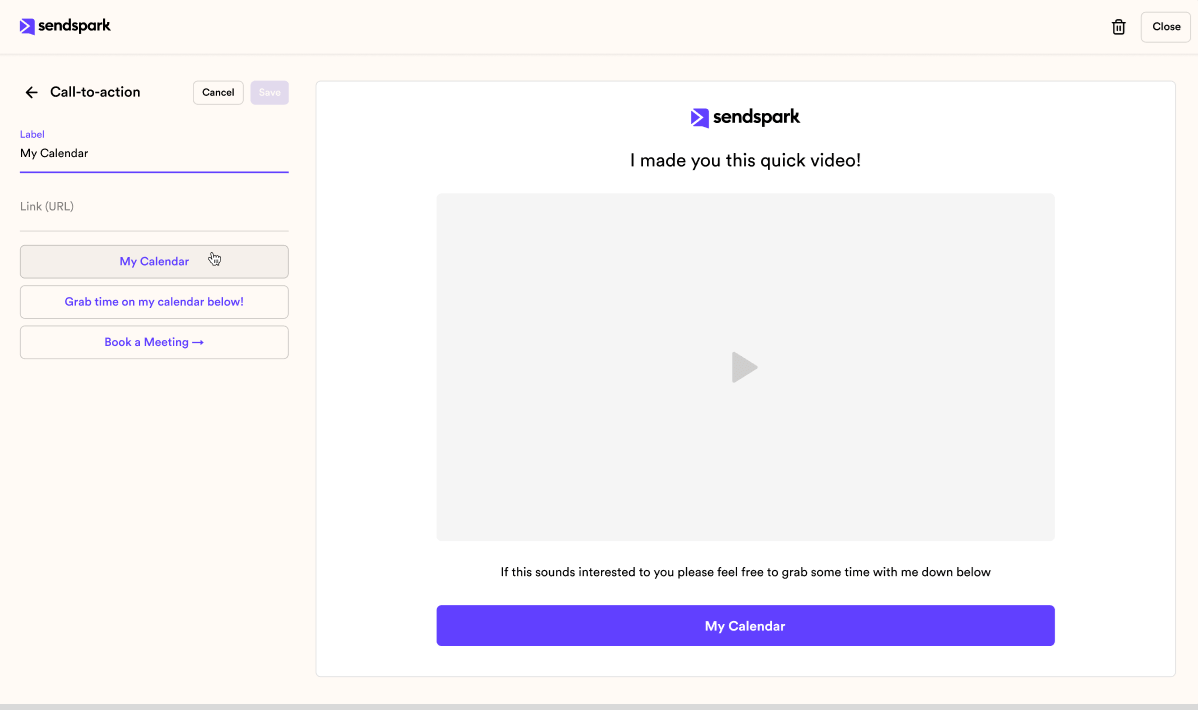
Sendspark is an excellent alternative to Loom for capturing your screen. It lets you create quick, easy screen recordings, which makes it well suited for sharing videos or presenting information.
It offers features like screen annotation tools, video editing capabilities, and GIF creation options. Sendspark also has a mobile app for recording screens on the go, and it’s positioned as an all-in-one video platform for communicating through video content.
When weighing Loom alternatives, don’t overlook Sendspark’s user-friendly interface and feature set.
Camtasia
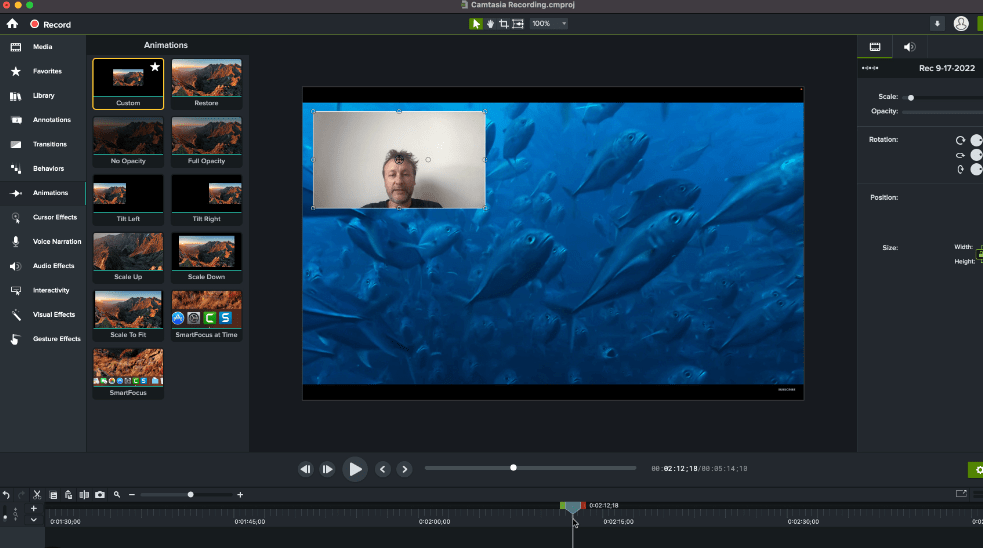
Camtasia is another strong alternative to Loom for screen recording and video editing. It offers features useful for creating professional-looking videos, including the ability to add annotations, transitions, and effects.
Camtasia also includes a built-in video editor with advanced editing options like trimming, cutting, and merging clips. Reviewers have praised Camtasia for its user-friendly interface and intuitive controls.
It’s worth noting that Camtasia isn’t a free tool and comes with a price tag attached. Still, if you want powerful screen recording software with strong editing capabilities built in, Camtasia is worth considering as an alternative to Loom.
VEED
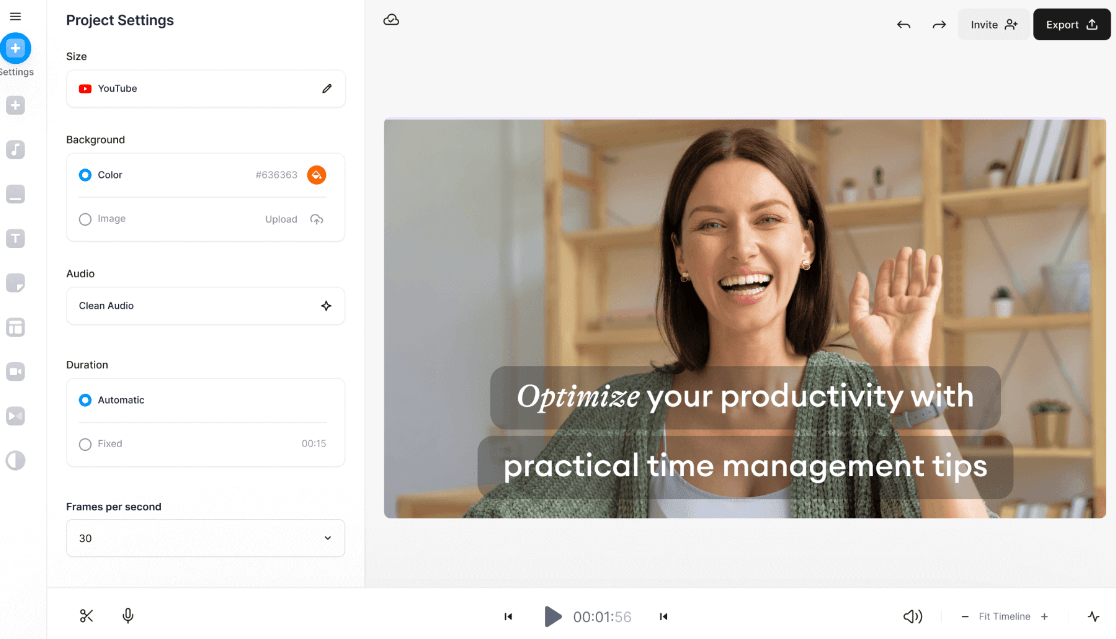
VEED is another strong alternative to Loom, offering a mix of features that make it stand out, including screen recording, video editing, and GIF creation tools. With VEED, you can capture your screen and create professional-level videos easily.
It’s quick and easy to use, which makes it a good fit for both beginners and experienced users. VEED also offers a user-friendly interface and competitive pricing options.
Overall, VEED is a reliable tool that brings together most of what a team needs for screen recording, all in one place.
Vidyard
Vidyard is one of the best alternatives to Loom, offering screen recording, video editing, and sharing features for businesses. With Vidyard, you can capture your screen and create professional videos easily.
It also provides video analytics tools, so you can track how your videos are performing over time. Vidyard has been recognized by reviewers as a top competitor to Loom, making it a reliable choice for capturing and sharing screen recordings efficiently and effectively.
CloudApp
CloudApp is one of the top alternatives to Loom for screen recording and video capture, with a variety of features that suit both professionals and casual users.
With CloudApp, you can record your screen, capture images or videos, and create GIFs in just a few clicks, without switching between separate apps. The platform also lets you annotate your recordings and share them instantly with others.
CloudApp offers different pricing plans to suit various needs and budgets, making it accessible to a wide range of users, from solo freelancers to larger teams. Overall, CloudApp provides an intuitive experience and powerful tools for capturing your screen effectively.
Snagit
Snagit is another strong alternative to Loom. It’s a screen capture and recording tool that lets you easily capture screenshots and record videos of your screen. With Snagit, you can annotate your captures and add text, arrows, and shapes to highlight important information.
It also offers editing tools like cropping, resizing, and adding effects to enhance your captures. Snagit is known for its user-friendly interface and quick sharing options, letting you save or share captures in just a few clicks.
Whether you need it for work or for personal use, Snagit is a reliable tool with all the essential features for capturing and sharing content from your screen with others.
Factors to Consider When Choosing a Loom Alternative
When selecting a Loom alternative, it’s worth weighing the features, limitations, and pricing of each option carefully before you commit to one for your whole team.
Features
Loom alternatives come with a range of features that make them useful for screen recording and video capture. Here are some notable features to consider:
| Loom Alternatives | Features |
|---|---|
| Sendspark | Allows you to add personal videos to emails and track viewer engagement. |
| ScreenFlow | Offers advanced editing capabilities and the ability to record iOS devices. |
| OBS Studio | A free, open-source software that supports high-quality streaming and recording. |
| Snagit | Provides easy-to-use tools for capturing screenshots and recording videos. |
| Dubb | Integrates with popular platforms like Gmail, LinkedIn, and Slack for seamless sharing. |
| Camtasia | Offers powerful editing tools and allows for easy screen recording and sharing. |
| Droplr | Enables quick screen captures, file sharing, and collaboration with team members. |
| Vidyard | Provides detailed analytics on video viewership and engagement metrics. |
| Zight | Focuses on providing an intuitive user interface for capturing and sharing videos. |
| Hippo Video | Offers robust video hosting capabilities along with screen recording features. |
Limitations
Here are some limitations worth weighing when choosing a Loom alternative:
- Some alternatives may have limited features compared to Loom.
- Certain tools may not offer the same ease of use as Loom.
- Pricing plans for alternatives can vary, and some may cost more than Loom.
- Not all alternatives may be compatible with every operating system.
- Some tools may have a learning curve and take time to fully master.
- The performance and reliability of certain alternatives may not be as consistent as Loom.
- It’s important to confirm that the alternative you choose meets your specific screen recording needs.
Pricing
Pricing is a crucial factor when selecting a Loom alternative, since costs can add up quickly across a whole team. Each tool has its own pricing structure, so it’s worth checking that it aligns with your budget and needs. Below is a comparison table showing the pricing details of the top competitors.
| Tool | Starting Price |
|---|---|
| Clip by ClickUp | Free, Premium starting at $5/month |
| ScreenRec | Free, Pro version at $49.95/year |
| Soapbox | Free, Pro version at $300/year |
| Usersnap | Starting at $9/month |
| Sendspark | Free, Premium starting at $20/month |
| Camtasia | One-time fee of $249.99 |
| VEED | Running on a freemium model, paid plans start at $12/month |
| Vidyard | Free, Premium starting at $15/month |
| CloudApp | Free, Pro starting at $9/month |
| Snagit | One-time fee of $49.95 |
The table above summarizes the starting prices for these Loom alternatives. Some offer free versions with the option to upgrade later for additional features, which is worth keeping in mind if your needs might grow.
Conclusion: The Best Loom Alternatives to Capture Your Screen
In summary, if you’re looking for alternatives to Loom, there are several strong options available today. Clip by ClickUp, Soapbox, ScreenRec, Sendspark, and Usersnap are just a few of the top alternatives worth considering for your team.
Each tool has its own unique features and limitations, so it’s worth picking the one that best fits your needs, your budget, and how your team already works. Happy screen capturing.
Frequently Asked Questions
What are some alternatives to Loom for screen recording?
Some alternatives to Loom for screen recording include Screencast-O-Matic, OBS Studio, Camtasia, and ShareX.
Are these alternatives free or do I have to pay for them?
The availability of free options varies among the alternatives, but most offer both free and paid versions with additional features.
Can these alternatives record audio along with the screen?
Yes, these alternatives can record audio along with the screen, allowing you to add voice narration or capture system sounds during your recordings.
Do these alternatives have editing capabilities like Loom?
Yes, many of these alternatives have built-in editing capabilities that allow you to trim recordings, add annotations or captions, and make other adjustments before sharing your videos.
Which alternative is best suited for my specific needs?
The best alternative for your specific needs depends on factors such as desired features, budget considerations, and compatibility with your device or operating system. It’s recommended to research each option further before making a decision.
