
Why This Guide Matters
Small businesses carry real weight in supporting their employees’ retirement security, yet picking the right 401(k) provider can feel like a research project on its own. This guide narrows down the decision by comparing leading platforms built for small teams — cost-effective, automated, and compliant with the rules that govern retirement plans.
Here you’ll find the top 5 401(k) providers for small businesses in 2026, broken down by setup fees, investment options, payroll integrations, and administrative tools — Guideline, Human Interest, Fidelity, Vanguard, and ADP among them. Each section covers how the platform handles automation, employee engagement, and compliance, so the comparison actually means something.
Written for small business owners, HR managers, and financial decision-makers looking to set up or upgrade a 401(k) plan. Whether starting from scratch or reworking an existing offering, the goal here is helping you land on a provider that balances cost, ease of use, and long-term value for your team.
A well-structured 401k plan is a genuine asset for small businesses trying to support employees’ long-term financial security. Offering a retirement savings option does double duty: it helps employees plan ahead, and it strengthens a company’s ability to attract and keep good people.
With so many 401k providers competing on features, pricing, and service level, picking the right one can feel like a lot. This guide simplifies that decision by walking through the top 5 401k providers for small businesses, comparing what each one offers, what it costs, and who it actually fits.
Quick Overview: Best 401(k) Providers for Small Businesses
| Provider | Best For |
|---|---|
| Guideline | Affordable, fully automated 401k for small businesses |
| Human Interest | Hands-off retirement plans with easy payroll integration |
| Fidelity Investments | Full-service retirement plans with a wide investment menu |
| Vanguard | Low-cost 401k plans with strong index fund options |
| ADP Retirement Services | Contribution files flow straight from ADP payroll |
Side-by-Side Comparison of the Top 401(k) Providers
| Provider Name | Best For | Integration Capabilities | Customer Support |
|---|---|---|---|
| Guideline | Affordable, fully automated 401k for small businesses | Integrates with Gusto, QuickBooks, Rippling | Email, Phone |
| Human Interest | Hands-off retirement plans with easy payroll integration | Syncs with major payroll providers | Email, Chat |
| Fidelity Investments | Full-service retirement plans with a wide investment menu | Compatible with ADP, Workday, QuickBooks | 24/7 Support, Phone, Email |
| Vanguard | Low-cost 401k plans with strong index fund options | Works with payroll and HR software | Email, Live Chat, Knowledge Base |
| ADP Retirement Services | Contribution files flow straight from ADP payroll | Works seamlessly with ADP payroll | Phone, Email |
Note: The information provided is based on available data and may vary depending on specific plan selections and business requirements. It’s advisable to contact providers directly for the most current and detailed information.
This comparison is meant to give a clear starting point on each provider’s offerings, helping businesses land on a 401k provider that actually fits their goals and their employees’ needs.
Guideline 401(k) – Best for Automated and Affordable Plans

Guideline
- Starting Fee: $39
- Security Compliance: IRS Certified, SOC 2
- Best For: Startups and small businesses
Who Should Choose Guideline for 401(k) Plans?
Startups and small businesses after a fully automated 401k solution with low fees, straightforward payroll integration, and plan management that doesn’t require a dedicated administrator.
Guideline Pricing: Setup Fees and Ongoing Costs
Guideline charges no setup fee. Employers pay a monthly base fee starting at $39, plus $4 per active participant per month. Employees are charged an annual account fee ranging from 0.15% to 0.35% of their balance, depending on the plan tier the employer selects.
Guideline 401(k) Plan Overview
Guideline is a technology-driven 401k provider built to simplify retirement plan management for small businesses. Rather than routing through the usual middlemen, it packages plan administration, investment management, and compliance into one automated system.
Its payroll integration keeps contributions processing accurately and on schedule without manual intervention.
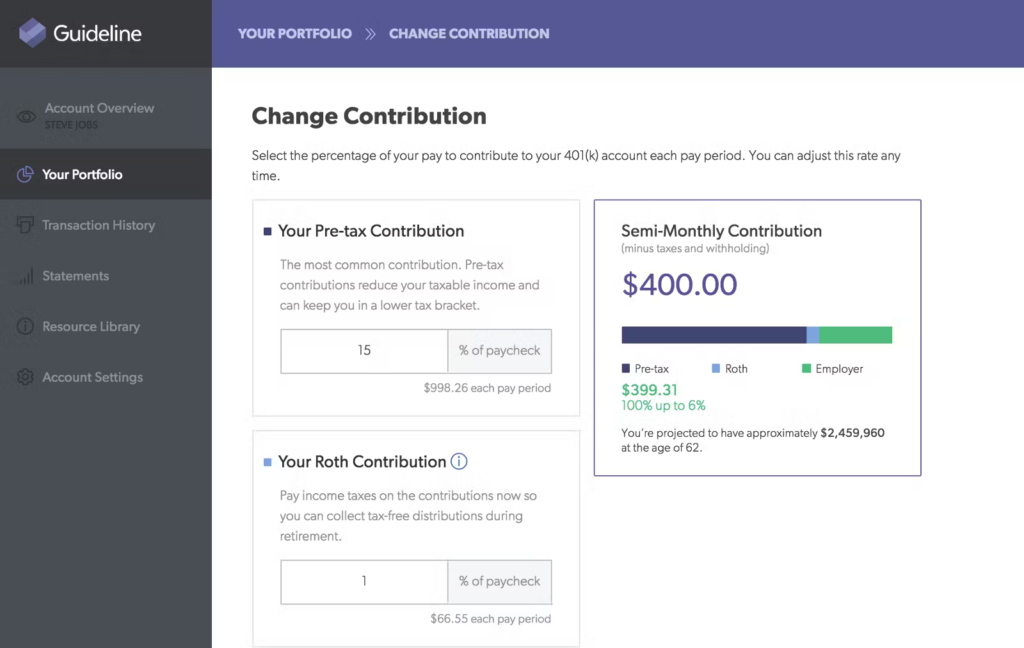
Employees get access to a straightforward platform built around low-cost index funds managed by Vanguard. The platform adjusts investment portfolios automatically based on an individual’s risk tolerance and retirement goals.
Guideline is a solid pick for businesses after a low-maintenance, cost-effective retirement solution that doesn’t come with a heavy administrative burden attached.
Top Features of Guideline 401(k) Plans
Guideline Investment Options and Portfolio Management
Guideline gives employees a diversified range of investment options built for long-term growth. The platform mainly offers index funds managed by Vanguard — a name synonymous with low-cost, passive investing.
Automated Admin Tools for Small Businesses
Full automation of administration is one of Guideline’s biggest selling points. Businesses get a streamlined system that handles nearly every piece of 401k management, which cuts down significantly on manual oversight.
Guideline’s Employee Education and Support Tools
Employees get an intuitive online dashboard with mobile access, making it easy to manage their 401k accounts without needing to call anyone.
Pros and Cons of Guideline
| Pros | Cons |
|---|---|
| Affordable pricing | Limited investment choices |
| Full payroll integration | No personalized advisory services |
| Automated compliance & filings | Customer support response time |
| User-friendly platform | |
| No hidden fees |
Guideline Payroll, HR, and Accounting Integrations
- Payroll Integrations – QuickBooks, Gusto, ADP, Paychex, Rippling, Square Payroll
- HR & Accounting Integrations – BambooHR, Zenefits, Xero, OnPay
Who Uses Guideline for 401(k) Plans?
Guideline works across a wide mix of small and mid-sized businesses. Specific client names aren’t publicly disclosed, but the company has built a reputation as a go-to for startups and growing businesses wanting a simplified 401k setup.
Final Verdict on Guideline 401(k) for SMBs
Guideline is a strong option for small businesses and startups after a modern, fully automated 401k solution. Its low-cost, technology-first approach strips out a lot of the complexity usually tied to retirement plan administration.
Human Interest – Best for Hands-Off 401(k) Administration

Human Interest
- Pricing: Custom
- Security Compliance: IRS Certified, HIPAA
- Best For: Automated 401k administration
Why Choose Human Interest for Your 401(k) Plan?
Small and mid-sized businesses after a modern, fully automated 401k provider that pairs low-cost investment options with straightforward payroll integration and plan administration that doesn’t demand much hands-on management.
Human Interest 401(k) Pricing and Admin Costs
Human Interest runs on transparent, flat-fee pricing based on plan size and complexity. There’s no setup fee, and ongoing admin fees shift depending on the service tier selected. Businesses need to contact Human Interest directly for a personalized quote.
Overview of Human Interest
Human Interest is a tech-first 401k provider built to simplify retirement plan administration for small and mid-sized businesses. Employers get a hassle-free setup, automated plan management, and real-time reporting tools without much setup work.
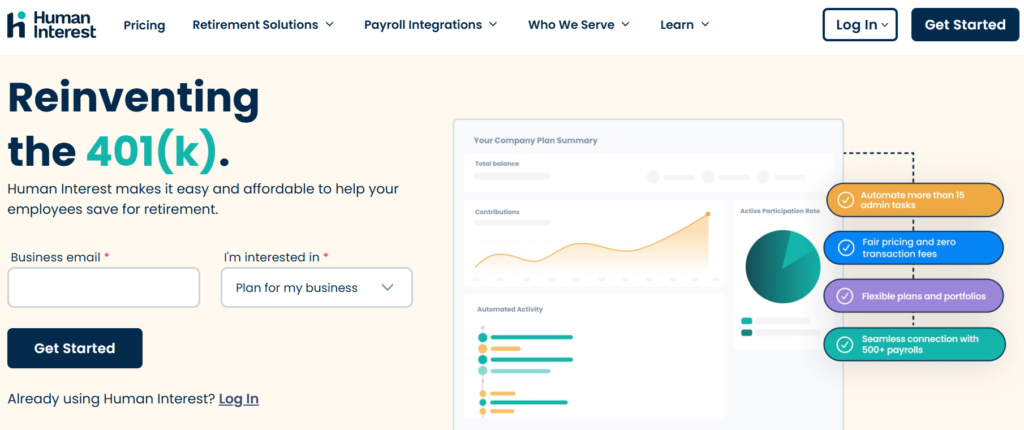
Employees get access to low-cost, diversified investment options, including index funds and professionally managed portfolios. The platform also includes retirement planning tools built to help employees make informed financial decisions on their own.
Key Features and Benefits of Human Interest Plans
Human Interest’s Fully Automated 401(k) Management
Payroll integration, automated contribution processing, and compliance tracking all work together to lighten the administrative load on employers. Auto-enrollment and real-time reporting keep tabs on participation and plan performance without anyone chasing spreadsheets.
Human Interest Investment Options and Expense Efficiency
Employees can invest across a selection of low-cost index funds and diversified portfolios built for long-term growth. The investment strategy leans hard on cost efficiency, aiming to help employees keep more of what they save.
Tools for Retirement Planning with Human Interest
An intuitive online dashboard lets employees set savings goals, adjust contributions, and pull up financial education resources whenever they need them.
Human Interest Payroll, HR, and Financial Integrations
- Payroll Integrations – ADP, Paychex, QuickBooks, Gusto, Rippling, OnPay
- HR Software Integrations – BambooHR, Zenefits, Namely, Workday
- Accounting & Financial Management Integrations – Xero, NetSuite
Who Uses Human Interest for Retirement Planning?
Specific client names aren’t publicly disclosed, but Human Interest’s focus on affordability and automation has made it a popular pick among startups, professional service firms, and companies wanting a 401k solution that doesn’t require much upkeep.
Pros & Cons of Human Interest
| Pros | Cons |
|---|---|
| Affordable pricing for small businesses | Limited investment customization |
| Automated 401k administration | No dedicated financial advisors |
| Direct payroll integration | Customer support response time can vary |
| No transaction or AUM fees | |
| Easy-to-use online platform |
Final Verdict: Is Human Interest Right for Your Business?
Human Interest is a strong fit for small and mid-sized businesses after a simple, cost-effective, fully automated 401k solution.
Its emphasis on payroll integration, low-cost investment options, and user-friendly management tools makes it an appealing pick for employers wanting to offer a genuinely useful retirement benefit without a lot of overhead.
Fidelity Investments – Best 401(k) for Full-Service Retirement Plans
Fidelity Investments
- Setup Fee: $500
- Security Compliance: SOC 2, ISO 27001
- Best For: Large businesses with comprehensive retirement solutions
Why Fidelity Is Ideal for Comprehensive 401(k) Solutions
Businesses of all sizes looking for a well-rounded, reliable 401k provider will find Fidelity worth a look — a broad selection of investment options, strong administrative support, and deep employee education resources back it up.
Fidelity Investments‘ Setup Fee & Annual Fees
For small businesses, Fidelity charges a one-time startup fee of $500 plus an ongoing administration fee of $300 per quarter. Employees pay $25 per quarter for recordkeeping and 0.125% of their account balance per quarter for investment services.
Overview of Fidelity Investments
Fidelity Investments is one of the most established names in financial services, offering a full suite of retirement solutions — 401k plans, IRAs, and pension plans among them.
Its 401k offerings scale from startups to large corporations, covering businesses of nearly any size.
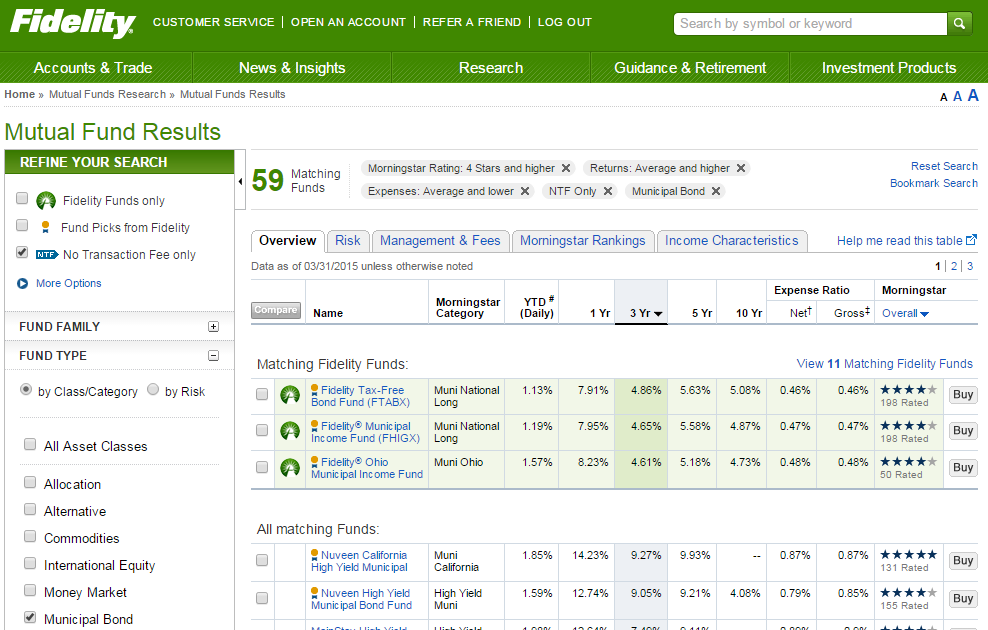
Employees get a wide range of investment options to work with, giving them room to build portfolios that actually match their risk tolerance and retirement goals without settling for a one-size-fits-all fund.
Key Features of Fidelity Investments
Fidelity’s Diverse Investment Fund Options
Fidelity carries a wide variety of investment choices, including low-cost index funds, actively managed funds, and target-date funds. Employees can spread their retirement savings across a large portfolio of stocks, bonds, ETFs, and mutual funds.
Fidelity’s 401(k) Admin and Payroll Tools
Employers get a solid set of administrative tools built to simplify running a 401k plan. Fidelity’s automated payroll integration keeps employee contributions processing accurately and on time without much manual checking.
Fidelity’s Employee Education and Support Resources
Employee education and financial wellness get real emphasis here. The platform provides extensive resources — interactive retirement calculators, webinars, one-on-one financial coaching — for employees who want more than a bare-bones dashboard.
Integrations of Fidelity Investments
- Payroll Integrations – ADP, Paylocity, Gusto, QuickBooks, Rippling, OnPay
- HR Software Integrations – BambooHR, Zenefits, Namely, Workday
- Accounting & Financial Management Integrations – Xero, NetSuite
Businesses and Clients Who Use Fidelity
Fidelity Investments serves a broad clientele — individual investors, financial advisors, institutions — though specific client names aren’t publicly disclosed.
Pros & Cons of Fidelity Investments
| Pros | Cons |
|---|---|
| Diverse investment options | High admin fees |
| Strong admin support | Limited customization |
| Strong financial education | Complex setup process |
| Advanced reporting tools | |
| 24/7 customer service |
Final Thoughts: Should You Choose Fidelity for Your 401(k)?
Fidelity Investments makes sense for businesses after a full-service 401k provider — a well-rounded lineup of investment options, thorough administrative tools, and genuinely useful employee resources back that up.
Whether a business is standing up a new retirement plan or upgrading an existing one, Fidelity’s mix of expertise, technology, and support makes it a reliable pick either way.
Vanguard – Best Low-Cost 401(k) Provider for Index Fund Investing
Vanguard
- Annual Fee: $20
- Security Compliance: IRS Compliance, SOC 1
- Best For: Low-cost 401k provider for small businesses
Why Vanguard is Ideal for Cost-Conscious Employers
Small and mid-sized businesses after a low-cost 401k provider will find Vanguard’s reputation for index funds, transparent fees, and passive investment strategies hard to beat on price.
Vanguard‘s 401(k) Pricing and Annual Fees Explained
Vanguard charges no plan setup fee. There’s a $20 annual fee per Vanguard mutual fund held in an account, though that fee gets waived if at least one participant in the plan holds $50,000 or more in qualifying Vanguard assets.
Vanguard Retirement Plan Overview
Vanguard is one of the most trusted names in finance, built around an investor-first philosophy and a leadership position in low-cost index funds. Its 401k plans are designed to help businesses offer solid retirement benefits while keeping costs down.
Employers get Vanguard’s commitment to long-term investment growth plus plan management tools that plug into payroll systems without much extra setup.
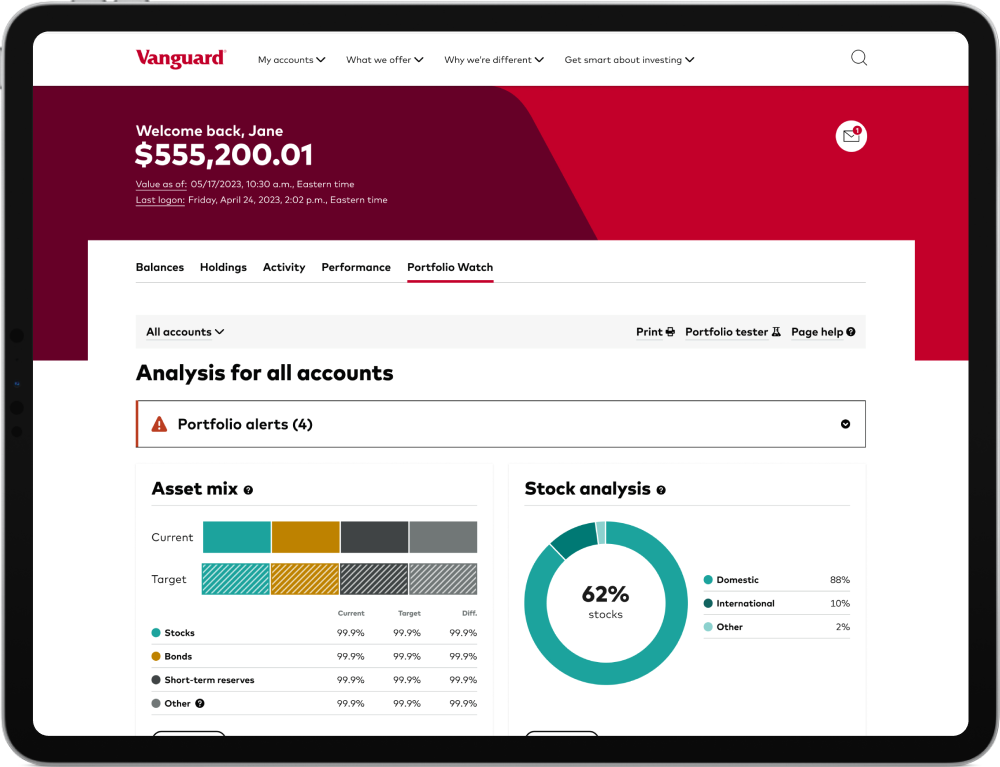
Employees get access to an extensive lineup of low-cost index funds, actively managed funds, and target-date retirement options to choose from.
Key Features of Vanguard
Vanguard Fund Choices and Index-Focused Investing
Vanguard’s fund lineup leans heavily on index funds and ETFs carrying some of the lowest expense ratios in the industry.
Vanguard’s Admin and Payroll Integration Capabilities
Employers get an easy-to-use plan management platform that integrates with payroll systems for smooth contribution processing. Compliance tracking tools help keep businesses aligned with IRS regulations without extra legwork.
Vanguard Employee Tools and Financial Education
Vanguard offers financial planning guides, webinars, and retirement calculators to help employees make well-informed investment decisions on their own.
Pros and Cons of Vanguard
| Pros | Cons |
|---|---|
| Low-cost index funds | Limited customer support options |
| Strong reputation & reliability | Fewer personalized advisory services |
| Diverse investment choices | |
| Transparent fee structure | |
| Easy online account management |
Vanguard Payroll and HR Integration Platforms
- APS Payroll: Vanguard integrates with APS Payroll, supporting efficient management of employee retirement contributions. slashdot.org
- iSolved: Integration with iSolved streamlines human capital management, including retirement plan administration. slashdot.org
- The Dividend Tracker: Vanguard’s integration with The Dividend Tracker lets investors monitor dividend income directly. slashdot.org
Notable Clients and Business Types Using Vanguard
Specific client names aren’t publicly disclosed, but Vanguard manages substantial positions in major companies. As of September 2024, Vanguard’s top holdings include Apple Inc., Microsoft Corporation, NVIDIA Corporation, Amazon.com, Inc., and Meta Platforms, Inc. (Source – Stockzoa Report)
Vanguard has also partnered with Amazon Web Services (AWS) to modernize its technology infrastructure, which has strengthened its service offerings over time.
Final Thoughts on Vanguard for Small Business 401(k)s
Vanguard is a strong choice for businesses after a cost-effective, transparent, reliable 401k provider. Its focus on low-cost index funds and straightforward fees makes it appealing to small and mid-sized businesses wanting long-term growth opportunities for their employees.
Vanguard’s offerings lean heavily toward passive investment strategies, but its reputation for financial stability and an investor-first approach makes it dependable for companies wanting a no-frills, high-value retirement plan.
ADP Retirement Services – Best for Integrated Payroll + 401(k)
ADP Retirement Services
- Pricing: Custom
- Security Compliance: SOC 1, IRS Certified
- Best For: Integrated payroll and retirement management
Why Choose ADP for Retirement and Payroll Management
Businesses of any size looking for a 401k provider that ties directly into payroll, with compliance support and a platform that works for employers and employees alike.
ADP 401(k) Pricing: Fees and Cost Transparency
ADP’s 401k fees shift depending on the selected plan and company size, with different service tiers priced accordingly. It’s worth contacting ADP directly to get a quote specific to your business.
Overview of ADP Retirement Services: What to Know About ADP Retirement Plans?
ADP Retirement Services is a well-known name in employee benefits, offering 401k solutions that plug directly into its widely used payroll and HR systems. The platform is built to streamline retirement plan administration while keeping businesses compliant with regulatory requirements.
Employers get automated processes handling payroll deductions, contributions, and reporting, which cuts down the manual workload considerably.
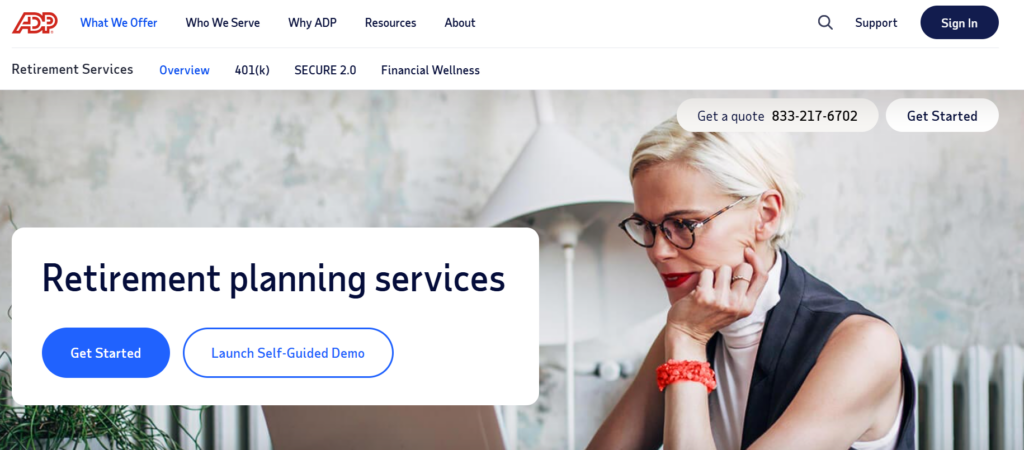
Employees have access to a mix of investment options, including professionally managed portfolios alongside self-directed choices for those who want more control.
Key Features of ADP Retirement Services
Direct Payroll Integration
ADP’s 401k plans sync directly with its own payroll and HR software, automating contributions and cutting down on administrative errors that come from manual entry.
Compliance and Fiduciary Support
Built-in compliance tools help businesses stay aligned with IRS and Department of Labor regulations, including nondiscrimination testing and audit support when it’s needed.
Diverse Investment Options
Employees can pick from mutual funds, target-date funds, and professionally managed portfolios based on their own goals and risk tolerance.
Integrations of ADP Retirement Services
- Payroll Integrations – ADP’s SMARTSync provides real-time integration between ADP payroll and ADP retirement plan services, keeping data shared and accurate on both sides.
- HR Software Integrations – BambooHR, Zenefits, Namely, and Workday.
- Accounting & Financial Management Integrations – Xero and NetSuite.
Pros and Cons of ADP Retirement Services
| Pros | Cons |
|---|---|
| Direct payroll and 401k integration | Higher fees for small businesses |
| Wide range of investment options | Limited investment flexibility for some plans |
| Strong compliance and regulatory support | Pricing not fully transparent |
| Customizable retirement plans | |
| Responsive customer support |
Final Thoughts: Is ADP Right for Your 401(k)?
ADP Retirement Services is a solid choice for businesses wanting a 401k provider that ties in smoothly with existing payroll and HR operations.
Its automated compliance features, range of investment options, and strong customer support add up to a practical solution for employers wanting a streamlined retirement benefit without reinventing their existing systems.
Which Small Business 401(k) Provider Fits Your Team?
Choosing the right 401k provider matters for any business wanting to offer a competitive retirement plan. A well-managed plan supports employee financial security while keeping the business compliant and cost-efficient. Here’s where to start.
Steps to Select and Set Up a 401(k) Plan
Step 1: Evaluate Your Business and Employee Needs
Weigh company size, budget, and what employees actually want before settling on a 401k provider. Getting a clear read on these factors early makes the rest of the decision much easier.
Step 2: Compare 401(k) Providers Side by Side
Line up the pricing, features, and investment options across leading 401k providers. Look for the ones that actually match your company’s financial and administrative goals, not just the biggest name on the list.
Step 3: Ensure Payroll and HR Integration
Confirm the 401k provider actually integrates with your payroll and HR systems. Automated contributions keep things accurate and cut down on manual work down the line.
Step 4: Understand Compliance and Fiduciary Duties
A 401k provider should be handling compliance filings and fiduciary responsibilities on your behalf. That reduces legal exposure and keeps plan administration running smoothly.
Step 5: Educate Employees on Plan Benefits
Giving employees real educational resources helps them actually understand why saving for retirement matters. A provider with strong educational support tends to lift participation rates as a result.
Step 6: Automate Contributions and Enrollment
Once a provider is chosen, set up employee enrollment and contribution settings. Automating this step keeps deductions timely and accurate without someone having to run it manually every pay period.
Final Conclusion: Best 401(k) Plans for Small Businesses in 2026
Choosing the right 401k provider matters for small businesses wanting to offer competitive retirement benefits while staying compliant and cost-efficient. The factors that count most: transparent pricing, automated administration, a real range of investment options, payroll integration, and support that actually responds.
Steering clear of hidden fees, picking a provider with strong compliance management, and prioritizing ease of use all make plan administration simpler and tend to lift employee participation. Since every business has different needs, comparing providers on features and long-term value is what actually leads to the right fit.
401(k) Companies: How the Providers Actually Differ
The 401(k) companies serving small business follow three different models, and knowing which one a provider belongs to explains its pricing and its limits better than any feature list.
Bundled Providers
Guideline and Human Interest bundle recordkeeping, plan administration and the investment menu into a single subscription. One bill, one support line, one payroll integration. The trade-off is a curated fund lineup, not an open one, which suits employers who want the plan to run without a dedicated benefits person.
Investment-Led Providers
Fidelity and Vanguard approach it from asset management. The draw is the menu itself — Vanguard for low-cost index funds, Fidelity for breadth and round-the-clock support — and both integrate with major payroll systems. Administration is generally less automated than the bundled providers, so they suit employers who care more about fund selection than about hands-off operation.
Payroll-Native Providers
ADP Retirement Services is its own case when you already run ADP payroll, because contribution files never leave the system. Deferral changes and new hires flow straight through, which removes the most common source of 401(k) administration errors. The less of your stack ADP already covers, the weaker that argument gets.
401(k) Plans for Small Companies: What Changes Below 50 Employees
Under 50 employees the economics are different from what most comparisons assume, because SECURE 2.0 credits can cover most of the cost of the plan in the early years.
Employers with 50 or fewer employees can claim a startup credit covering 100% of eligible plan startup costs, capped at $250 per non-highly compensated employee for up to 20 of them — a maximum of $5,000 a year for three years — plus a further $500 a year for adding automatic enrolment. A separate credit against employer contributions is worth up to $1,000 per eligible employee, at 100% for the first two years and then phasing down through 75%, 50% and 25%.
The practical effect is that the headline monthly fee matters less than it looks for the first three years. Compare providers on what happens in year four, when the credits have run out and you pay the full per-participant cost. Eligibility varies by circumstance, so confirm it with your accountant before budgeting around these figures.
The 401(k) Companies List, Grouped by Who They Suit
Guideline for automated, low-cost plans at small headcounts. Human Interest where you want administration handled and payroll kept in sync. Fidelity for a full-service plan with a wide investment menu. Vanguard where low expense ratios drive the decision. ADP Retirement Services where you already run ADP payroll and want a single vendor.
More 401(k) Provider Guides
- Top 10 401(k) providers of 2026: a wider 2026 roundup covering employers of every size, from Guideline to Empower and T. Rowe Price
- How to choose a 401(k) provider: the employer checklist: fees, fiduciary roles, payroll integration and set-up steps
- Vanguard vs Fidelity 401(k) comparison: a head-to-head of the two largest index-fund providers for workplace plans
FAQs: About 401(k) Providers for Small Businesses
What is a 401k provider plan, and why do small businesses need one?
A 401k provider plan is a retirement savings program that allows employees to contribute a portion of their salary, often with employer matching. Small businesses benefit by attracting and retaining talent while providing tax advantages.
How much does it cost to set up a 401k plan for a small business?
Costs vary by provider, but most charge a monthly base fee ranging from $39 to $100, plus a per-participant fee. Some providers also charge asset-based fees, while others offer flat-rate pricing.
What should small businesses consider when choosing a 401k provider?
Key factors include pricing transparency, investment options, payroll integration, compliance support, and ease of administration. Choosing a provider that automates payroll contributions and compliance can reduce manual work.
Can small businesses offer a 401k without employer contributions?
Yes, small businesses can offer a 401k plan without matching contributions. However, providing an employer match can improve participation rates and serve as a valuable employee benefit.
What are the tax benefits of offering a 401k provider plan?
Employers can qualify for tax credits to offset setup costs and deduct contributions made to employee accounts. Employees benefit from tax-deferred growth on their savings, reducing taxable income.
What are the top 5 401k companies?
For small business plans the five most commonly compared are Guideline, Human Interest, Fidelity, Vanguard and ADP Retirement Services. Guideline and Human Interest lead on automated low-cost administration, Fidelity and Vanguard on investment menu and fund costs, and ADP where the plan sits alongside ADP payroll.
What is the best company to manage my 401k?
For a small employer who wants the plan administered rather than run in-house, Guideline and Human Interest are the strongest options — both bundle recordkeeping, compliance testing and payroll syncing. If investment selection matters more than automation, Fidelity and Vanguard are the better fit.
