
Running a small business means finding a phone solution that actually fits how you work. Options range from traditional landlines to cloud-based systems, and picking the one that matches your needs and budget makes a real difference to how your team communicates.
This article looks at ten business phone solutions on the market today, covering their features, costs, and scalability.
Key Takeaways
- VoIP systems, like OpenPhone and Google Voice, offer cost-effective solutions for small businesses by using the internet to make calls and providing features such as call routing and voicemail transcriptions.
- Cloud-based telephony services like Dialpad, Ooma, Vonage, Grasshopper, Sideline, Nextiva, Aircall, and 8×8 are user-friendly and affordable phone system options that offer various features to improve communication efficiency.
- Essential features to consider for a small business phone system include having multiple phone numbers for different departments or employees, call routing to direct calls to the right person or department, call management solutions for efficient handling of incoming and outgoing calls (such as voicemail transcriptions), call recording for quality assurance purposes.
Understanding Business Phone Systems

There are different types of business phone systems, but one popular option is a VoIP phone system, which offers numerous benefits for businesses.
Types of business phone systems
Business phone systems generally fall into a handful of categories:
- The first type is the Voice over Internet Protocol (VoIP). This system uses the internet to make calls.
- You can also have a Private Branch Exchange (PBX) system.
- Key System Unit (KSU) is another choice. It offers basic business functions such as hold, call transfer, and conference calls.
- Some businesses use multi-line phone systems that can handle several calls at once.
- Landline business phone systems make use of copper wires or fiber-optic cables for connection.
- Wireless phone systems are different from landlines because they don’t need cables or wires to work.
Benefits of using a VoIP system
VoIP systems save money for businesses because they route calls over the internet instead of traditional phone lines. Cloud-based telephony services like VoIP also let you make and receive calls from anywhere with an internet connection.
For example, using a Simify can keep teams connected without worrying about physical SIM cards.
That means work can continue at home or while traveling.
VoIP solutions also give businesses more built-in features than a plain phone line: tracking, recording, and routing calls without extra hardware. Setting up a virtual phone system usually takes just a few clicks, giving your small business an office phone solution ready to use the same day.
10 Top Phone Solutions for Small Businesses
Here are 10 phone solutions worth considering for small businesses.
OpenPhone
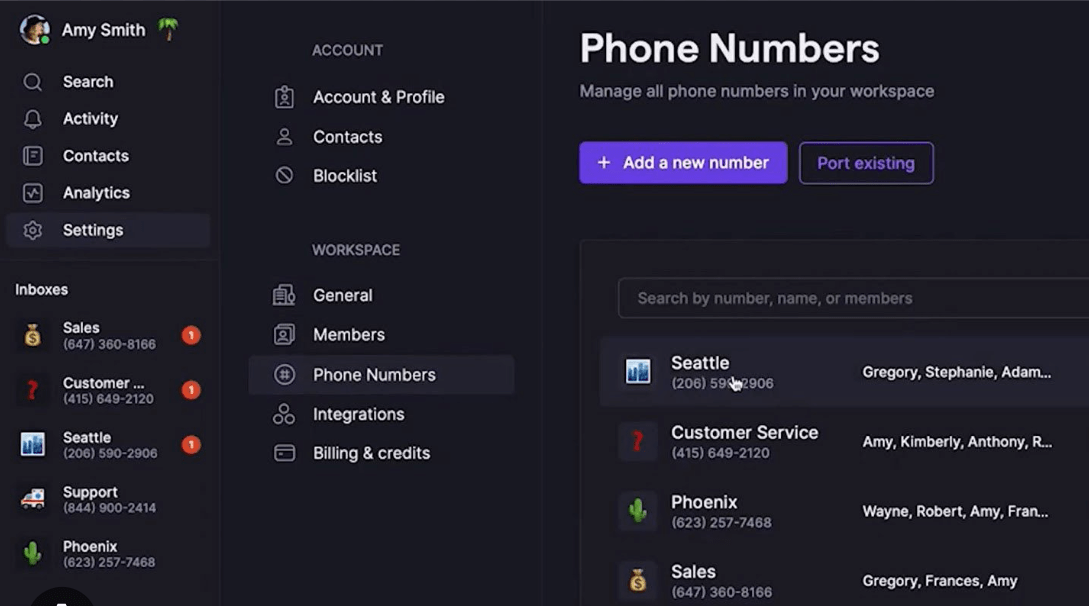
OpenPhone routes calls over the internet, so it works from your laptop or mobile phone wherever you are.
It makes it easy to get multiple numbers, share them with your team, and keep track of all calls in one place, without a steep price tag.
Because it runs as an app rather than through desk hardware, calls, numbers, and call history stay accessible from whichever device you happen to be using at the time.
Google Voice
Google Voice gives you a separate business phone number that works on any device with an internet connection.
With it, you can make and receive calls, send text messages, and check voicemail from your computer or smartphone. It also transcribes voicemail messages, so you can read and prioritize them instead of listening through each one.
Google Voice supports call routing so incoming calls reach the right person or department. Combined with its integration with other Google services, it’s a straightforward, affordable option for small businesses.
Since it integrates with other Google services, teams already using Google’s tools day to day tend to find it feels familiar from the start.
Dialpad
Dialpad is a cloud-based telephony service that runs calls over the internet using Voice over Internet Protocol (VoIP).
It includes video conferencing, call management tools, and AI-powered voice recognition. With Dialpad, small businesses can have multiple phone numbers, route calls efficiently, record calls, and transcribe voicemails.
It also integrates with other business tools and supports shared numbers for collaboration, with a user-friendly interface and pricing plans built for smaller teams.
The AI-powered voice recognition sits behind that voicemail transcription, so messages show up as readable text rather than something a team member has to sit and listen through.
Ooma
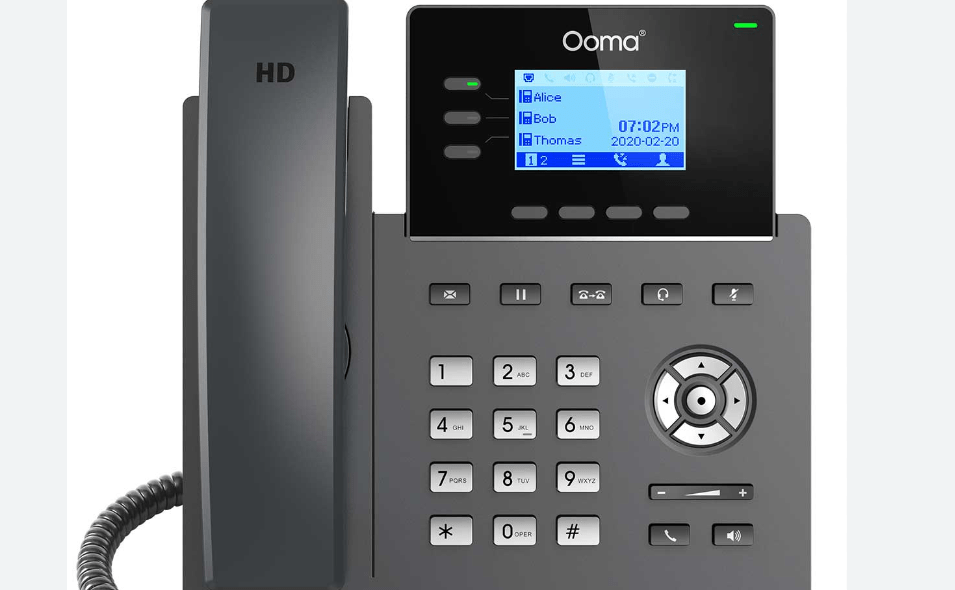
Ooma is a cost-effective business phone system that runs on your internet connection rather than a traditional landline, which makes it a VoIP system.
There’s no need for complicated equipment. Ooma provides call routing, voicemail transcriptions, and integrations with other platforms.
It’s a solid pick for small businesses that want something affordable and reliable without a lot of setup.
Because the whole system runs over your existing internet connection, there’s nothing extra to install beyond signing up and connecting your devices.
KrispCall
KrispCall is a VoIP phone system built to simplify business communication, with calling, texting, and voicemail so teams can stay connected from anywhere.
It includes call center tools like call routing and IVR, plus call recording, all through a straightforward interface.
You can also set up custom voicemail greetings to keep customers engaged even when you’re unavailable. Its plans scale with business size, aiming for reliable, cost-effective communication.
The call routing and IVR combination in particular means incoming calls can be sorted before a person ever has to pick up, which matters once call volume grows.
Grasshopper
Grasshopper is a virtual phone system that lets you make and receive calls from a business number using your existing mobile or landline phone.
It supports multiple phone numbers, call routing, and voicemail transcriptions, all managed from one place.
Grasshopper also integrates with other business tools to fit into your existing workflow, which makes it a fitting choice if you want a virtual number without replacing the phones you already use.
That’s the core appeal: you keep the hardware you already have and layer business features like call routing and voicemail transcription on top of it.
Sideline
Sideline gives your small business a separate number for calls, texts, and voicemail, all managed from one app on your mobile device.
It keeps personal and professional communications separate without carrying two phones, and adds features like call forwarding, auto-reply messaging, and customizable voicemail greetings.
Sideline is an affordable way to get a dedicated business line without additional hardware or long-term contracts.
For a solo operator or a very small team, that combination of low commitment and app-based setup can matter more than a longer feature list.
Nextiva
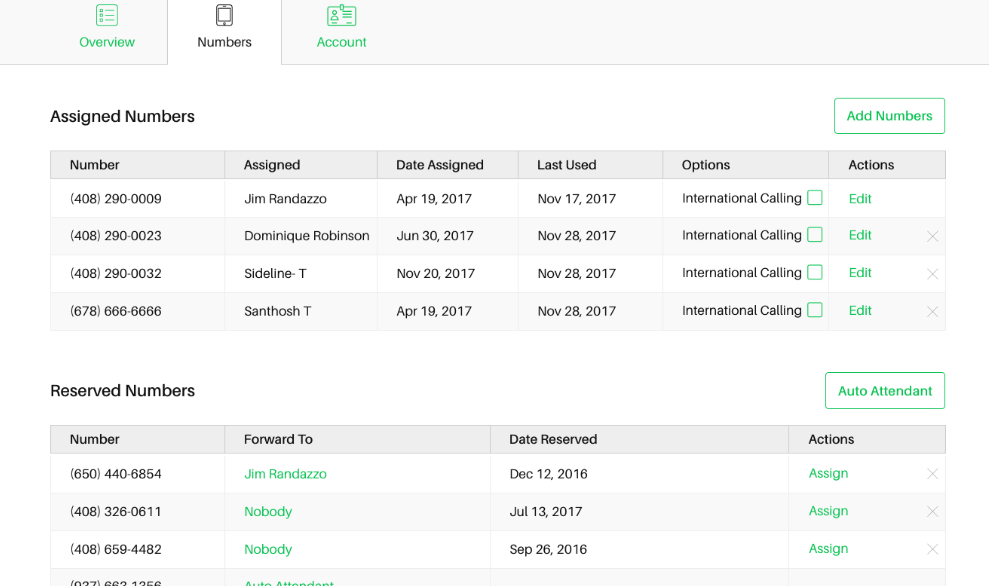
Nextiva offers cloud-based telephony services built to be easy to use and budget-friendly. With Nextiva, you get multiple phone numbers, call routing options, call management tools, and call recording with voicemail transcriptions.
It also supports integrations and shared numbers for smoother team communication, and is known for its customer support if you’re looking for a provider that covers most of your business phone needs in one platform.
Having multiple numbers, routing, recording, and transcription under one provider also means fewer separate tools to manage as your call volume grows.
Aircall
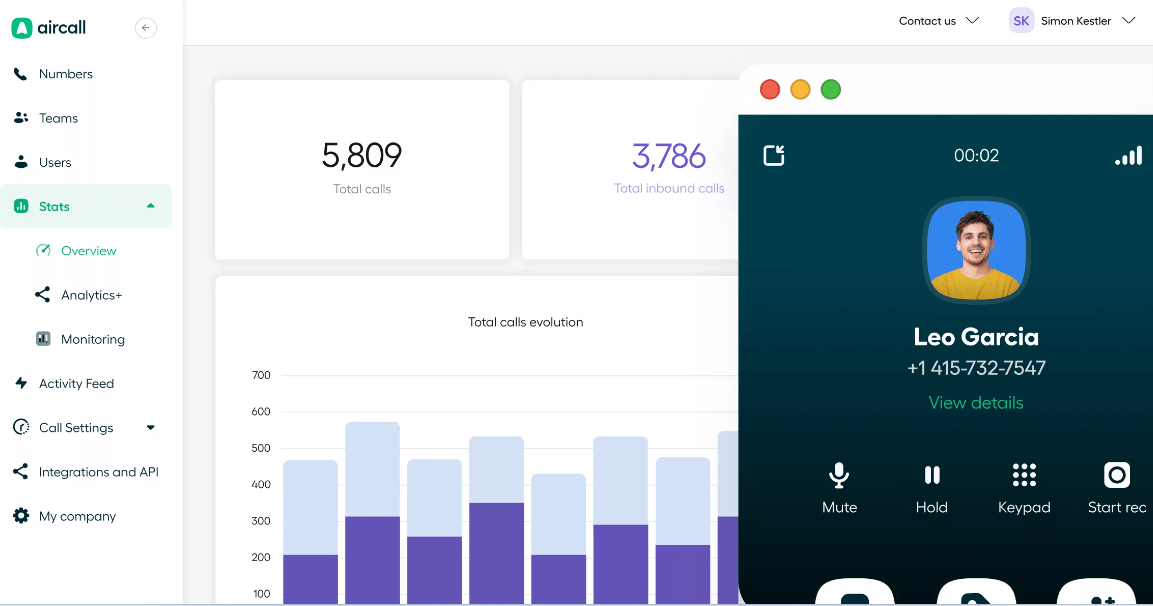
Aircall is a cloud-based telephony service with an easy-to-use phone system and a fuller set of advanced features. It supports multiple phone numbers and call routing so calls reach the right team members.
It also includes call management tools such as call recording and voicemail transcriptions, and integrates with other tools and platforms to keep business communication in sync.
It’s a dependable option for businesses that want an efficient, affordably priced phone system.
Having call routing, recording, and integrations in the same platform also cuts down on the number of separate logins and dashboards a team has to check.
8×8
8×8 is a cloud-based phone system that lets you make and receive calls from anywhere with an internet connection.
That keeps remote or on-the-go teams connected, and 8×8 also includes video conferencing so you can hold face-to-face meetings with colleagues or clients regardless of location.
Overall, it’s a reliable, user-friendly business phone system built for the day-to-day communication needs of small businesses.
Pairing standard calling with video conferencing in the same system also means one less separate tool for meetings.
Essential Features to Consider for a Small Business Phone System

When choosing a small business phone system, weigh features like multiple phone numbers, call routing, call management solutions, call recording and voicemail transcriptions, and integrations and shared numbers.
Here’s why each of these matters.
Multiple phone numbers
Separate lines for different departments or employees make it easier to manage calls and ensure each one reaches the right person.
Multiple phone numbers also let you track the performance of different teams and analyze call data more effectively. This is especially useful for businesses with remote workers or several locations, since it helps maintain professionalism and keeps communication organized.
Instead of one shared line where every call type gets mixed together, separate numbers make it clear at a glance which team or purpose a call belongs to.
Call routing
Call routing directs incoming calls to the right person or department based on rules you set in advance.
That keeps customers connected with the most appropriate, available representative, which improves both efficiency and customer satisfaction. Options typically include automated menus, extensions, or time-based routing depending on your business needs.
It’s particularly useful for small businesses that want calls handled in a timely, organized way without a dedicated receptionist.
Without call routing, every incoming call either goes to one person or gets missed if that person is unavailable, which is exactly the gap this feature closes.
Call management solutions
Call management tools help businesses handle incoming and outgoing calls efficiently, so calls aren’t missed and customers get prompt assistance.
Call routing directs calls to the right department or employee, while call recording and voicemail transcriptions make it easy to track conversations and retrieve information later.
Add integrations with other platforms and shared numbers, and you get a communication workflow that scales with the business rather than adding friction as you grow.
The alternative, handling calls without any of this in place, usually means calls get missed or routed to the wrong person more often as the team gets bigger.
Call recording and voicemail transcriptions
Call recording lets you review important conversations, which is useful for customer service quality checks and employee training.
It also gives you a way to listen back to calls for quality assurance and resolve disputes or misunderstandings. Voicemail transcriptions turn messages into text, so you can scan and respond to what matters without listening to the whole recording.
Together, these features cut down the time spent tracking down what was actually said on a call.
That matters most in situations where a customer disputes what was agreed on a call, since a recording or transcript settles the question quickly instead of relying on memory.
Integrations and shared numbers
Integrations let your phone system work with the other tools your business already runs on, such as customer relationship management (CRM) systems or email platforms.
That cuts down on manual work and keeps data in sync across platforms. Shared numbers let multiple employees use the same line, which suits teams or departments that need to collaborate closely.
It ensures calls are answered by the right person, whoever happens to be available at the time, and keeps the whole team connected without extra coordination overhead.
Without these integrations, teams often end up re-entering the same contact or call information across separate systems by hand, which is exactly the kind of duplicate work this feature removes.
Tips for Choosing the Right Business Phone Solution

Consider your communication needs, evaluate costs and scalability, research customer support and potential integrations, and try a free trial if one’s available. Here’s a closer look at each of these steps.
Determine your communication needs
Start by figuring out how many phone lines you need, whether you want video conferencing, and whether features like call routing or voicemail transcription matter to your team.
Nailing down your specific requirements first narrows the field and helps ensure the phone system you pick actually fits how your business operates.
Skipping this step tends to lead to picking a system based on price or a familiar name, then discovering later that it’s missing a feature the team actually needed from day one.
Consider the type of phone system
There are several types to weigh, including Voice over Internet Protocol (VoIP), private branch exchange (PBX), and key system unit (KSU).
VoIP systems use the internet to make calls and offer flexibility for remote work. PBX systems are more traditional and require physical hardware, while KSU systems suit small businesses with fewer than 50 employees.
Understanding these differences helps you pick a system that matches your communication requirements and budget.
A fully remote team, for instance, gets little benefit from a PBX system built around physical office hardware, while a very small team may find a KSU setup offers more than it actually needs.
Evaluate costs and scalability
Look for pricing plans that fit your budget and let you add or remove features as needed.
Check whether the system can grow with your business and handle more users or locations over time. Some providers offer unlimited calling, which can be cost-effective if your team makes a high volume of calls.
It’s also worth checking for extra fees, such as international calling rates or setup charges, so the system you pick doesn’t come with surprise costs down the line.
A plan that looks cheapest upfront can end up costing more once these extra charges are added, so it’s worth reading the fine print before signing up.
Research customer support and potential integrations
Look for a provider with reliable, responsive customer support that can address technical issues quickly.
Also check the integrations the phone system offers, including compatibility with tools your business already uses, such as CRM systems or collaboration platforms.
Good support and the right integrations together make the difference between a phone system that fits into your workflow and one that fights it.
A system with strong features but slow, hard-to-reach support can end up costing more time than it saves once something actually goes wrong.
Try out a free trial if available
If a free trial is available, use it to test the system’s features and functionality before committing to a purchase.
Trial periods typically run from a few days to several weeks, giving you time to explore features, make test calls, and check whether the system meets your company’s communication needs.
Testing it out first helps you avoid picking a business phone solution that looks good on paper but doesn’t work the way your team needs it to.
It’s also the easiest way to see how the interface actually feels day to day, which is hard to judge from a features list alone.
Conclusion
There are many solid options for small businesses looking for a phone system. Whether you choose OpenPhone, Google Voice, or any of the other solutions covered here, weigh your communication needs against cost and scalability before committing.
Since most of these providers offer some form of trial, revisiting a shortlist of two or three options and testing each one against your actual call volume is usually worth the extra time before you sign a longer-term plan.
The right business phone solution should make everyday communication easier and support your team’s day-to-day productivity, not add another thing to manage.
Related reading: JustCall vs Aircall 2026: Pricing, Dialers and AI Compared
Frequently Asked Questions
What are business phone solutions?
Business phone solutions refer to the various options available for businesses to communicate with customers and clients, such as traditional landline systems, Voice over Internet Protocol (VoIP) services, or virtual phone systems.
How do I choose the right business phone solution?
To choose the right business phone solution, consider factors like the size of your company, budget, features needed (such as call forwarding or conferencing), reliability, and customer support offered by providers.
Can I use my existing phones with a new business phone solution?
In many cases, you can use your existing phones with a new business phone solution if they are compatible. However, it’s best to check with the provider and ensure that your current equipment is supported.
Are there any additional costs associated with business phone solutions?
Yes, there may be additional costs associated with business phone solutions beyond the service itself. These can include hardware expenses, installation fees if necessary, and monthly subscription charges for advanced features or extra lines.
How secure are business phone solutions?
Business phone solutions vary in their security measures depending on the provider and type of system used. It’s important to choose a reputable provider that offers encryption protocols and other safeguards to protect sensitive information exchanged during calls.
