
Navigating the complexities of cybersecurity can often leave professionals seeking a strong solution for their ethical hacking needs. Kali Linux, with its rich array of tools and dedicated focus on security testing, is an indispensable resource in this field.
This guide will illuminate the latest updates on Kali Linux’s features, pricing, and viable alternatives for 2024, providing you with the essentials to enhance your penetration testing skills.
Key Takeaways
- Kali Linux is a specialized Debian-based distribution with a complete suite of tools for penetration testing, ethical hacking, and cybersecurity.
- Regular updates and an active community make Kali Linux suitable for modern cyber defence needs. This ensures it keeps pace with the latest security challenges.
- Parrot OS emerges as a notable alternative to Kali Linux, focusing on privacy and providing essential tools for vulnerability management and cryptography.
- Kali Linux caters to various hardware architectures including ARM devices, broadening its applicability from standard computers to IoT devices.
- The top laptops recommended for running Kali Linux in 2024 include powerful processors, ample RAM, dedicated GPUs, and strong build quality to handle intensive security tasks efficiently.
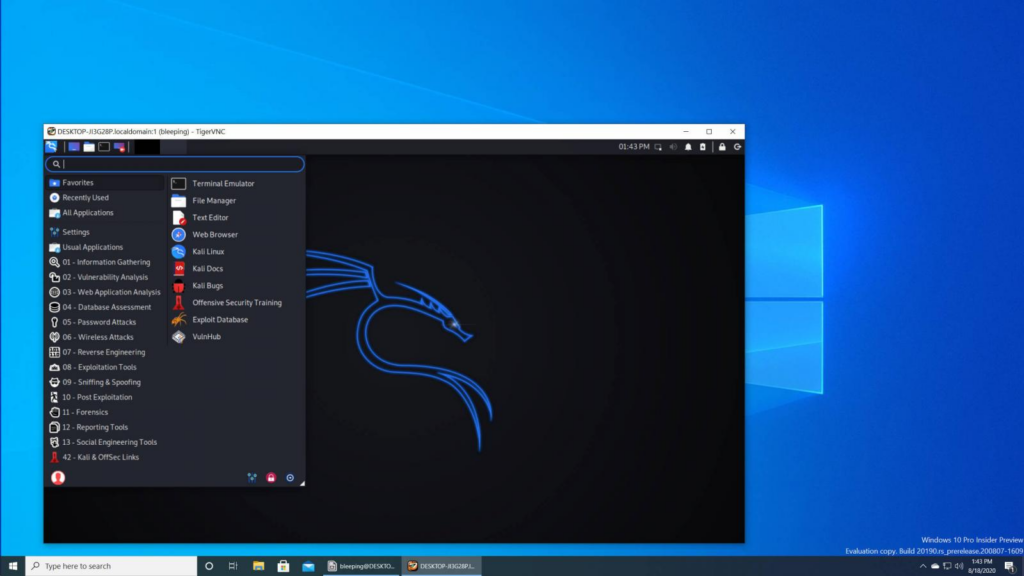
Understanding Kali Linux
Kali Linux is a Debian-based distribution designed for security professionals and ethical hackers. It offers many security tools for penetration testing, vulnerability scanning, forensic analysis, and network security.
What is Kali Linux?
Kali Linux stands as a powerful and versatile Linux distribution specifically tailored for penetration testing, ethical hacking, and network security assessments. Created with the needs of security professionals in mind, this Debian-based operating system comes packed with tools designed to test vulnerabilities within computer systems and networks.
Its purpose is to provide cyber defense experts with an arsenal of applications for forensic analysis, vulnerability scanning, and a plethora of other cybersecurity tasks.
The essence of Kali Linux lies in its commitment to improving cybersecurity needs across various computing environments. It supports many devices including those based on ARM architecture. This makes it highly adaptable for field deployments or cloud computing scenarios.
Users use Kali’s complete suite of ethical hacking tools to identify weaknesses before they can be exploited by malicious actors and apply modern techniques essential for today’s dynamic cyber landscape.
Kali Linux Features
Explore the heart of cybersecurity with Kali Linux, a powerful and versatile tool for security professionals. This Debian-based distribution is stacked with features designed to assist in everything from penetration testing to vulnerability scanning.
- Complete Penetration Testing Suite: Tailored for ethical hacking, this suite includes tools such as Nmap for network discovery and Metasploit for exploiting vulnerabilities.
- Extensive Security Auditing Tools: Users can conduct detailed security checks with utilities like Aircrack-ng for Wi-Fi network security analysis and Wireshark for real-time packet analysis.
- Forensic Capabilities: With tools like Autopsy and Foremost, professionals can perform in-depth forensic analysis to uncover hidden details within systems.
- Customizable Environment: Modify your workspace to fit your needs. You can select from multiple desktop environments and personalize tools and scripts.
- Support for Multiple Hardware Platforms: Whether you’re working on x86 or ARM architecture, Kali Linux is compatible with a variety of platforms including IoT devices.
- Regular Updates and Community Support: The distribution ensures modern effectiveness through frequent updates. Plus, an active community provides continual support.
- Automation Abilities: Simplify tasks using automation scripts and orchestrate complex penetration testing scenarios efficiently.
- Vulnerability Management: Employ powerful scanners like OpenVAS to identify system weaknesses that need patching or further examination.
- Wireless Device Support: Engage in penetration testing on wireless networks utilizing specialized tools that support various wireless interfaces.
- Live Boot Capability: Boot directly from USB devices or other external media without installation, ideal for forensics scenarios where system integrity is paramount.
Key Uses of Kali Linux
Kali Linux is a powerhouse for cybersecurity experts. Its strong toolset supports a wide array of professional security tasks.
- Penetration Testing: Security professionals choose Kali Linux for its complete penetration testing tools. They simulate cyber-attacks on systems to find vulnerabilities that could be exploited by hackers.
- Ethical Hacking: Many ethical hackers rely on Kali Linux. They use it to legally breach systems with the aim of identifying security flaws and strengthening the system against actual attacks.
- Vulnerability Scanning: Users employ Kali Linux for thorough vulnerability scanning of networks and systems. This process identifies weak spots that need attention before they can become breaches.
- Network Security: The operating system includes specialized tools for monitoring and securing networks against unauthorized access. This makes it essential for network security tasks.
- Forensic Analysis: For forensics experts, Kali Linux offers an arsenal of tools needed for digital forensics and investigation. This helps them analyze data post-security incidents.
- Security Research: Researchers use Kali Linux to test out new cybersecurity theories or practices as well as develop new security tools within its flexible environment.
- Custom Security Environment: You can create a tailor-made security workstation using Kali Linux since it allows users to install only the necessary packages for their specific cybersecurity needs.
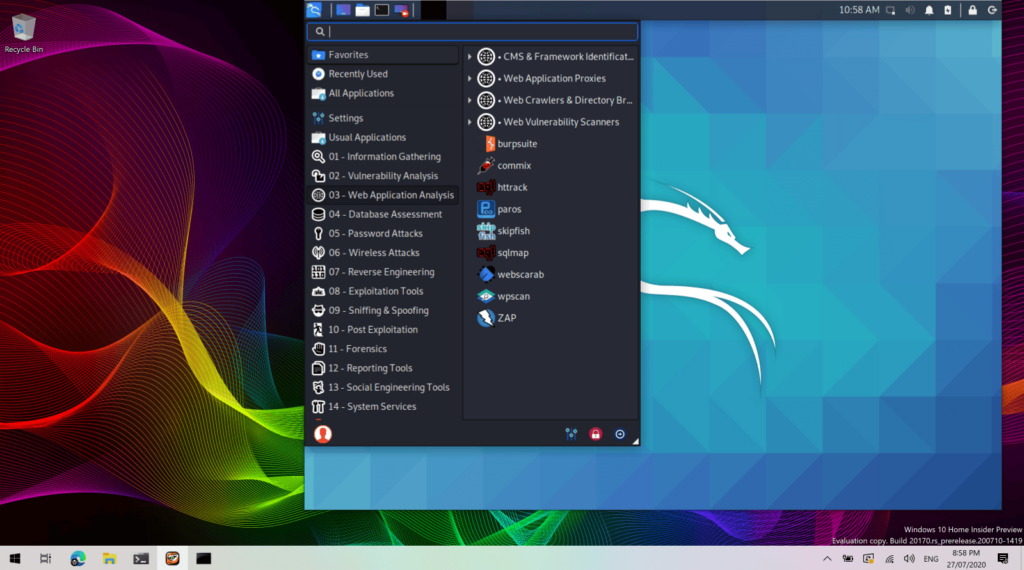
Advantages & Disadvantages of Kali Linux
Kali Linux offers a range of advantages to security professionals and ethical hackers. Its extensive toolset for penetration testing and vulnerability scanning is unmatched, making it an essential choice for those in the cybersecurity field.
The open-source nature of Kali Linux ensures that the community constantly contributes to its development. This provides regular updates and improvements. Moreover, its compatibility with ARM architecture makes it versatile enough to run on various devices while still maintaining strong performance.
On the flip side, Kali Linux may not be suitable for beginners due to its complex tools and interface. Additionally, some users find that Kali’s focus on offensive security limits its practicality for defensive cybersecurity needs or everyday computing tasks.
Furthermore, given its emphasis on forensics and network security assessments, individuals outside these domains may find limited use cases for Kali Linux in their specific roles or industries.
System Requirements for Kali Linux
Kali Linux has specific system requirements to ensure optimal performance. Here are the essential elements you need for running Kali Linux:
- Processor: A minimum of 1GHz or faster processor is recommended.
- RAM: At least 1GB RAM for i386 and AMD64 architectures, and 2GB for ARM architecture.
- Storage: 20GB disk space for installation and additional space for storing files and packages.
- Display: A resolution of 800×600 is required, but a resolution of at least 1024×768 is recommended.
Essential Tools and Packages in Kali Linux
Kali Linux offers a wealth of essential tools and packages for penetration testing, ethical hacking, and cybersecurity needs. Here are some of the key tools and packages available in Kali Linux:
- Metasploit Framework: A powerful tool for developing, testing, and executing exploit code against remote targets.
- Nmap: A versatile network scanning tool used for port scanning, service detection, and vulnerability identification.
- Wireshark: A widely-used network protocol analyzer that allows real-time inspection of data packets.
- Burp Suite: An integrated platform for performing security testing of web applications.
- John the Ripper: A fast password cracker that can be used to detect weak passwords and conduct brute-force attacks.
- Aircrack-ng: A suite of tools for auditing wireless networks’ security by capturing WEP and WPA/WPA2-PSK handshakes.
- SQLMap: An open-source penetration testing tool that automates the process of detecting and exploiting SQL injection flaws.
Comparison: Kali Linux vs. Parrot OS
Kali Linux and Parrot OS are two popular Linux distributions for cybersecurity professionals, each with its own unique set of features and advantages. In this section, we’ll look at a detailed comparison to help you understand the key differences between these two platforms.
Introduction to Parrot OS
Parrot OS is a Debian-based distribution that caters to the needs of security professionals and ethical hackers. It provides an open-source platform with essential tools for vulnerability management, penetration testing, network security, and forensics.
Its focus on cloud computing and support for ARM architecture makes it one of the top choices for cybersecurity practitioners.
The operating system boasts a range of cybersecurity tools designed to offer strong cyber defense capabilities. Parrot OS is an alternative Linux distribution that emphasizes security and ethical hacking practices while providing practical benefits in the fast-paced world of cybersecurity.
Advantages & Disadvantages of Parrot OS
Continuing our exploration of Parrot OS, let’s look at its advantages and disadvantages. One major advantage is its emphasis on security and privacy, offering a many tools for penetration testing, forensics, and cryptography.
This makes it an attractive choice for cybersecurity professionals and ethical hackers looking to secure their systems. However, one downside is the learning curve required to master the extensive suite of tools available in Parrot OS, which may be daunting for beginners in the field.
Furthermore, Parrot OS has a strong focus on cloud computing and ARM architecture support, catering to users with specific hardware requirements. On the flip side, some users may find compatibility issues with certain applications due to its Debian-based distribution structure.
System Requirements for Parrot OS
Parrot OS has specific system requirements that need to be met for optimal performance.
- Minimum RAM requirement is 512MB, although 2GB or more is recommended for better performance.
- The processor should be at least a 32-bit, dual-core CPU, and a 64-bit, quad-core CPU is ideal.
- A minimum of 20GB of disk space is required for installing Parrot OS.
- A standard screen resolution of at least 800 x 600 pixels is necessary, while higher resolutions are preferable for enhanced user experience.
- Wireless network adapters with packet injection support enable full compatibility with Parrot OS’s tools and features.
- Compatibility with VirtualBox and VMware virtualization environments allows direct integration for testing and development purposes.
Essential Tools and Packages in Parrot OS
After understanding the system requirements for Parrot OS, it’s essential to explore the wide array of tools and packages this operating system offers. The following are some of the essential tools and packages in Parrot OS:
- AnonSurf – AnonSurf provides an anonymous mode for all network-related activities, protecting user privacy during browsing and other online operations.
- Parrot Home Tools – This set of tools includes Forensic analysis, Web development, Cryptography, Programming, and Security tools to cater to various user needs.
- Electrum Wallet – A secure cryptocurrency wallet that stores and manages Bitcoin securely with a simple interface for ease of use.
- Wireshark – A widely-used network protocol analyzer that is known for its strong packet capture and extensive display filtering capabilities.
- Airgeddon – A versatile bash script that comes pre-installed with Parrot OS for wireless security testing. This provides complete features for auditing wireless networks.
- CyberChef – An intuitive web application used to analyze data files and text strings via a variety of algorithms aimed at decoding or encoding information.
- Metasploit Framework – Widely embraced by cybersecurity professionals as it assists in developing, testing, and executing exploit code against a remote target machine.
- Burp Suite Community Edition – A specialized toolkit for web application security testing containing various security testing capabilities like scanning vulnerabilities in web applications.
- John the Ripper – A powerful password cracking tool designed to detect weak passwords through brute force attack methods.
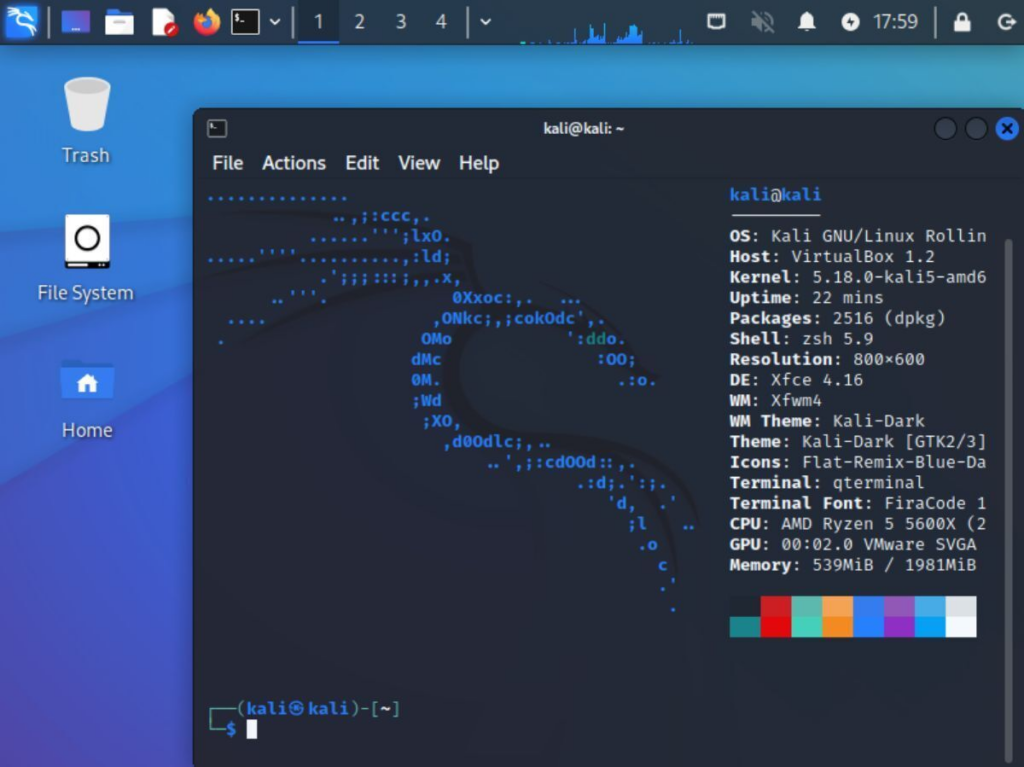
Best Laptops for Kali Linux in 2024
Picking the right laptop for Kali Linux in 2024 comes down to how you plan to run it: directly on the hardware as a bare metal install, or inside a virtual machine on a hypervisor. The recommendations below cover both approaches, chosen with the demands of penetration testing and other cybersecurity work in mind.
Top Bare Metal Laptops
A laptop running Kali Linux directly on the hardware needs enough processing power, memory, and graphics performance to keep penetration testing and other security tools running smoothly. Here are some bare metal laptops built to handle that kind of workload well, suited to the day-to-day demands of security professionals:
- Dell XPS 15: Built around a high-performance Intel Core i7 or i9 processor, backed by ample RAM and a dedicated GPU, the XPS 15 is a solid choice for running resource-intensive security tools without slowdown.
- Lenovo ThinkPad X1 Carbon: A durable build, long battery life, and fast processing power make this laptop a reliable option for extensive vulnerability scanning and forensic analysis sessions that run for hours at a stretch.
- ASUS ROG Zephyrus G14: This laptop pairs a sleek, portable form factor with hardware strong enough to handle demanding penetration testing tasks efficiently, without the bulk typical of high-performance machines.
- HP Omen 15: A high refresh rate display, strong graphics card options, and customizable configurations give network security professionals the visual clarity they need during cyber defense operations.
- MSI GS66 Stealth: Advanced cooling systems paired with potent specifications suit this laptop to the needs of ethical hackers and cybersecurity experts engaged in intensive vulnerability management and cloud computing tasks.
- Gigabyte Aero 15 OLED: A vibrant display and long-lasting battery life give this laptop the staying power needed for complete forensics and cyber defense activities without compromise.
Top Hypervisor Laptops
Hypervisor laptops give security professionals and ethical hackers the ability to run multiple virtual machines at the same time, which is useful for penetration testing, vulnerability scanning, and forensic analysis without dedicating a whole physical machine to Kali Linux. Here are some top hypervisor laptops suited to cybersecurity needs:
- Dell XPS 15: Its powerful processors and ample memory let it run virtual environments smoothly, while its high-resolution display also suits detailed forensic analysis work.
- Lenovo ThinkPad P Series: Known for strong build quality and consistent performance, this series is a reliable choice for running multiple virtual machines while keeping stability and security intact.
- HP ZBook Fury G7: This workstation laptop offers strong processing power and supports up to 128GB of RAM, which makes it well suited for complex penetration testing and vulnerability management tasks inside virtual environments.
- ASUS ProArt StudioBook Pro 17: High-end graphics capabilities and a large display make this laptop suitable for building secure testing environments in virtualized setups, with a visually immersive working experience.
- MSI WS66: Designed with professional-grade components, the WS66 handles the intensive computing tasks required in cybersecurity practice, and its efficient thermal management keeps performance stable under heavy workloads.
- Apple MacBook Pro (M1 Chip): The M1 chip’s efficiency and performance gains give the MacBook Pro a smooth virtualization experience for security professionals working with Kali Linux.
- Razer Blade 15 Advanced Model: A sleek design paired with high-performance hardware gives the Razer Blade 15 solid virtualization capabilities that suit the demands of ethical hacking and network security assessments.
- Microsoft Surface Book 3: This versatile detachable laptop’s powerful configuration options let security professionals build secure test environments across various virtual machines without giving up usability or portability.
Top Kali Linux Tools for 2024
As technology advances, the tools used for Kali Linux also evolve. Here are the top Kali Linux tools for 2024:
- Wireshark: A widely-used network protocol analyzer that captures and interacts with data across different networks.
- Nmap: A powerful network scanning tool that helps in discovering hosts and services on a computer network.
- Metasploit Framework: An open-source platform that provides essential information about security vulnerabilities and aids in penetration testing.
- Burp Suite: A complete platform for web application security that assists in scanning, crawling, and more during security testing.
- Aircrack-ng: A set of tools focused on network security assessment, including packet capturing, password cracking, etc.
- John the Ripper: A widely-used password cracker tool designed to find weak passwords through various attack methods.
- Hashcat: A tool for advanced password recovery through its strong algorithm implementations and hardware acceleration.
- Social-Engineer Toolkit (SET): An advanced framework used for social engineering attacks to test human vulnerability within an organization’s security infrastructure.
Conclusion
Kali Linux remains a powerful tool for security professionals who need to cover the full range of cybersecurity work. Its penetration testing and ethical hacking tools give it strong, dependable functionality for vulnerability scanning and forensic analysis.
As demand for effective network security solutions keeps growing, understanding Kali Linux’s latest pricing, features, and alternatives in 2024 matters for anyone trying to stay current in the fast-moving world of cybersecurity.
Getting familiar with this Debian-based distribution, and with the open-source security tools built into it, is what lets security professionals put it to real use in day-to-day cyber defense work.
(Image credit: Kali Linux)
Frequently Asked Questions
1. What are the latest pricing options for Kali Linux in 2024?
The latest pricing options for Kali Linux depend on the specific edition and licensing terms. Itu0026#8217;s best to visit the official website for current pricing details.
2. What are some key features of Kali Linux in 2024?
Key features of Kali Linux include a customizable desktop environment, extensive security tools and utilities, support for wireless testing, and a strong community-driven development model.
3. Are there any alternatives to Kali Linux in 2024?
Yes, there are alternative operating systems and security-focused distributions such as Parrot Security OS, BlackArch Linux, BackBox, and others that offer similar functionalities to Kali Linux.
4. Can I install Kali Linux alongside my existing operating system?
Yes, you can install Kali Linux alongside your existing operating system using methods such as dual-booting or virtualization.
5. How often does Kali Linux release updates and new versions?
Kali Linux follows a rolling release model which means it receives regular updates rather than distinct version releases.
