
Tinkercad is an innovative, free-to-use online application that simplifies the complexities of 3D design. This makes CAD modeling accessible to everyone, from beginners to professionals. Its intuitive interface and straightforward tools enable users to bring their creative ideas to life, regardless of prior experience with 3D modeling.
With Tinkercad, anyone can easily create, customize, and refine designs for various applications, from personal projects to professional prototyping.
Key Takeaways
Entering 3D Design is Enabled
Tinkercad as much as possible. Even those who have never been 3D designers can instantly use the drag-drop interface and straightforward workflow. Still, advanced users can also use it quickly to design iterations or even simple prototypes.
Essential Tools, Unlimited Creativity
Then comes Tinkercad, where manipulating elementary geometric shapes would allow users to experiment and rethink how such shapes could be assembled. Such simplicity does not bequeath anyone from creativity; besides, it will push the user to consider other dimensions for their skill-building.
Measurement Width
Precision in measurement is key in proper design for functional models; therefore, measurements in Tinkercad would allow users to apply exact dimensions, align objects perfectly, and keep true to scale. This makes it an ideal model constructor for creative projects and technical applications.
Applications in Education and Business
Educators adopt Tinkercad to teach students other significant geometry, spatial reasoning, and problem-solving lessons through highly interactive 3D modeling activities. On the corporate side, professionals quickly use Tinkercad for rapid prototyping, ideating, or supplementing designs across projects.
It Perfectly Integrates into 3D Printing
Tinkercad provides the export-ready formats that almost every 3D printer uses, filling the gap between the digital and physical worlds. Whether for prototyping, personal projects, or educational purposes, nearly everyone’s creation can be brought off the screen.
Understanding the Basics of 3D Design with Tinkercad
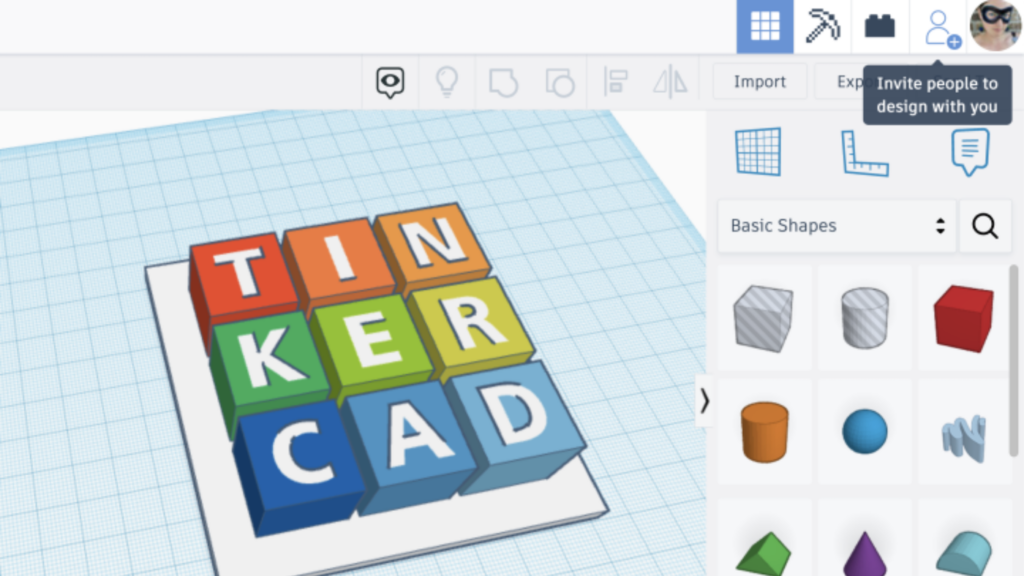
Now that you’ve been introduced to Tinkercad and the exciting world of online CAD modeling let’s explore the foundational elements of 3D design using this intuitive platform. Grasping these basics will enable you to create your models confidently and skillfully.
| Step | Description |
|---|---|
| Set up your Tinkercad account | Navigate to the website or download the app from the App Store for iPad users. This ensures to adhere to the children’s privacy statement during sign-up. |
| Familiarize yourself with the interface | The browser-based application runs smoothly on Safari and other web browsers. This makes it accessible on many devices including laptops and iPads. |
| Manipulate basic shapes | Tinkercad offers a variety of geometric forms you can drag, drop, resize, and combine; these are the building blocks of any 3D design. |
| Master the use of tools | Get comfortable with tools like group, align, and mirror which simplify complex adjustments and can help refine your designs quickly. |
| Practice navigation in 3D space | Use keyboard shortcuts or an Apple Pencil on an iPad Pro for precise control as you zoom in, rotate, and move through your virtual workspace. |
| Explore Code blocks for designing with code | For those inclined towards programming, Tinkercad features Code blocks, which allow kid-safe, certified creation of designs from scratch using simple coding principles. |
| Incorporate measurements for accuracy | Ensure each piece fits perfectly by using its measurement tool – essential when preparing designs for real-world applications or 3D printing. |
| Customize colors and materials | Bring life to your creations by applying colors and textures that make them visually appealing or represent their intended material in the final product. |
| Save progress regularly | Keep your work safe by frequently saving changes; passwords protect user accounts so no one else can alter your designs without permission. |
| Connect with hardware for interactive projects | Utilize Tinkercad’s ability to link with Arduino Uno or other microcontrollers to breathe functionality into your projects beyond static models. |
Tinkercad 3D Design Tutorial: Tips for Mastering Tinkercad
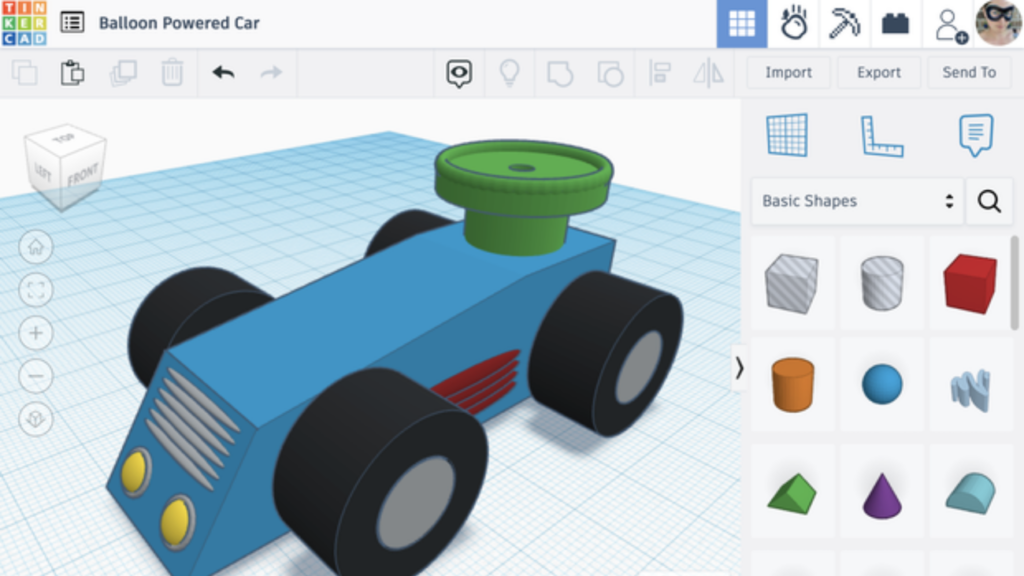
Tinkercad can handle far more than beginner shapes; it works well for a range of applications. With practice, you can sharpen your 3D modeling skills and build more detailed designs.
Learn Using Built-In Lessons
Use Tinkercad’s online lessons to understand what the tool can do and how it works. These guided tutorials build strong fundamentals for 3D modeling.
Work on Difficult Projects
Push yourself with complex projects that test different skills. Each new design you attempt makes your process more refined and practical.
Design Anywhere
The Tinkercad iPad or iOS app lets you design on the go. Its mobile optimization makes 3D modeling accessible wherever you are.
Explore Tinkercad Classrooms
Teachers can use Tinkercad Classroom to assign projects, track student progress, and set up interactive learning environments, making it a useful tool for education.
New Features in Store for You
Keep Tinkercad updated so you can access the latest tools and improvements as they’re released.
Data Privacy Matters
Understand and follow Tinkercad’s data policies, particularly when handling student accounts or sensitive information. Secure, ethical data practices matter here.
Collaborate and Connect
Share your designs and join community challenges to get feedback and exposure. Working with other creators exposes you to new styles and techniques while building teamwork skills.
Add External Files
Expand your options by importing external files such as STL, OBJ, and SVG. Combine these custom components with Tinkercad’s own shapes to create unique designs.
Learn Advanced Tutorials
Build on your skills with tutorials from advanced users in the Tinkercad community or videos on platforms like YouTube. These resources offer advanced tips and workflows that sharpen your modeling expertise and speed up your work on 3D slash objects.
Exploring the Applications of Tinkercad Across Various Fields
Tinkercad is an incredible platform that brings creativity and innovation to life. Its simplicity and powerful features make it a favorite among students, professionals, and hobbyists alike. This enables anyone to turn their ideas into reality.
Transforming Education with Tinkercad
Teachers are using Tinkercad to change the way students learn. Educators can easily assign projects, track progress, and provide feedback by integrating smoothly with Google Classroom, creating a simplified learning experience.
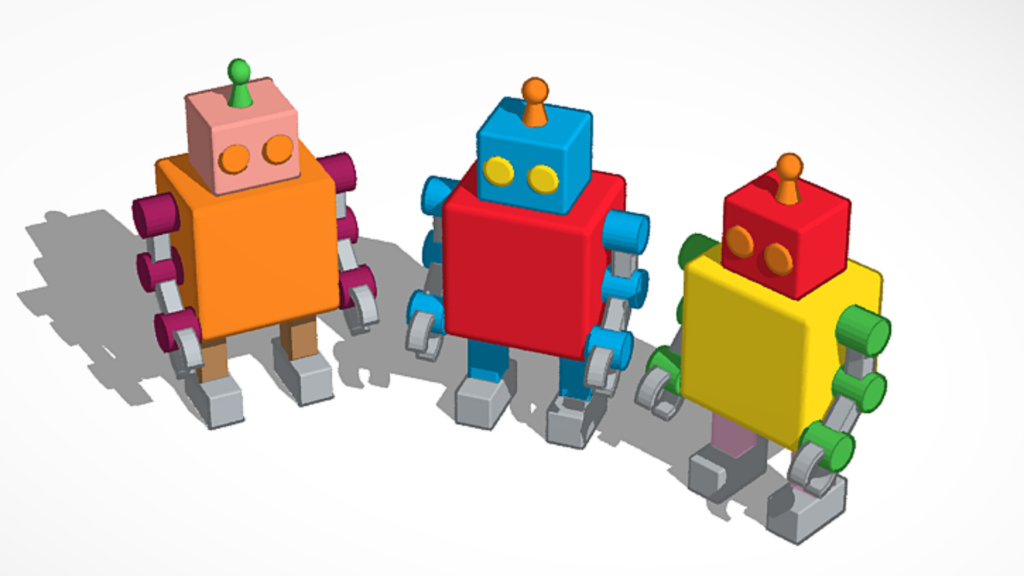
Students get hands-on experience with 3D modeling as they explore concepts like constructive solid geometry. They create detailed designs that can later be 3D printed, helping them develop problem-solving skills, creativity, and a strong foundation in STEM.
Enhancing Professional Applications
Tinkercad isn’t just for the classroom – professionals across industries are harnessing its potential:
- Engineers use it to prototype parts and visualize designs before manufacturing. This saves time and resources.
- Architects create virtual models of buildings to evaluate and refine their designs, even incorporating virtual reality for immersive presentations.
- Game Developers and Robotic Engineers rely on features like Codeblocks to animate designs and add interactive elements. This makes Tinkercad a versatile tool for simulations and innovation.
Unlocking Creativity for Hobbyists
For hobbyists, Tinkercad is a treasure trove of possibilities. It’s perfect for creating custom gifts, home-designed 3D decor, or adding personal touches to everyday items. The Codeblo platform lets users experiment with animations or interactive designs, bringing a new dimension to creative projects.
Bridging Imagination and Innovation
Tinkercad shines as a platform that transforms imagination into real-world designs. Whether you’re a student learning STEM concepts, developing professional prototyping ideas, or crafting something personal as a hobbyist, Tinkercad gives everyone to innovate, create, and bring their visions to life.
Tinkercad Pricing Table
Tinkercad’s free version is complete enough for most users. This offers powerful tools and features without cost. Custom licensing provides additional support and scalability for larger organizations or specialized needs.
| Plan | Cost | Features |
|---|---|---|
| Free Plan | $0 |
|
| Custom Licensing | Varies (Contact Autodesk) |
|
Top Alternatives to Tinkercad for Diverse 3D Design Needs
Alternatives to Tinkercad, platforms like Fusion 360, Blender, and SketchUp offer strong solutions for different needs. Fusion 360 excels in professional engineering and manufacturing tasks, Blender is ideal for artistic modeling and animation, and SketchUp specializes in architectural and spatial design.
These tools cater to various skill levels and industries. This provides strong features to take your 3D design projects to the next level.
Tinkercad vs. Fusion 360
Tinkercad is a straightforward platform tailored for beginners and hobbyists who want to explore 3D modeling. Its drag-and-drop interface and browser-based functionality make it highly accessible for quick prototyping or educational purposes.
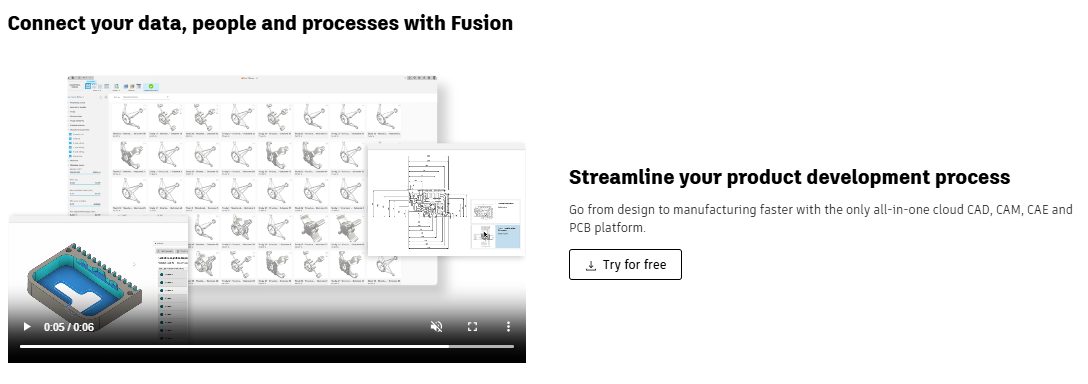
In contrast, Fusion 360 is designed for professionals needing advanced engineering, simulation, and manufacturing tools. With its complete CAD, CAM, and CAE capabilities, Fusion 360 suits complex and precise projects, although it requires a steeper learning curve.
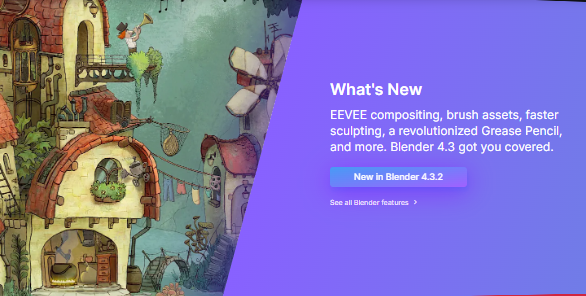
Tinkercad vs. Blender
While Tinkercad focuses on simplicity, making it an excellent choice for creating basic models and learning 3D design, Blender caters to more artistic and creative endeavors. Blender offers advanced sculpting, animation, and rendering tools, making it the go-to platform for creating intricate designs, game assets, or movie-quality animations.
However, Blender requires more time and effort to master than Tinkercad’s beginner-friendly interface.
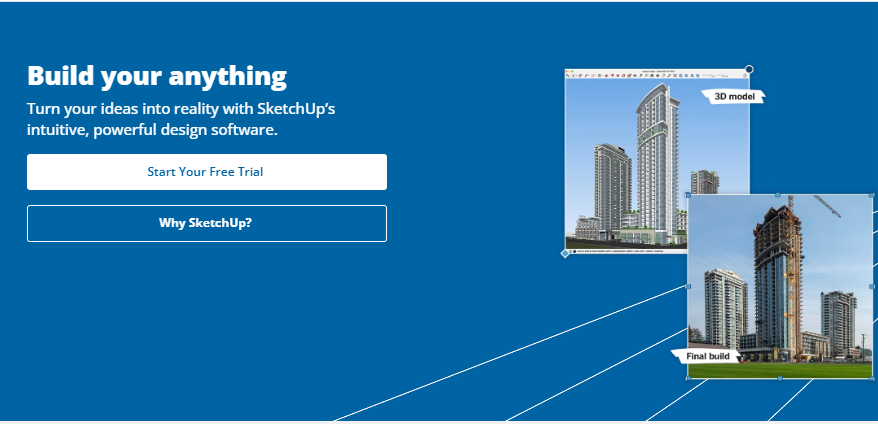
Tinkercad vs. SketchUp
Tinkercad excels at introducing users to 3D design, particularly for simple and educational projects. It’s perfect for creating objects for 3D printing or personal printing. SketchUp, on the other hand, is tailored for architects and interior designers.
Its specialized tools for building structures and its integration with VR/AR make it more suitable for professional-grade architectural modeling and presentations. SketchUp also offers a broader range of spatial planning and visualization tools, which Tinkercad lacks.
Comparison table for Tinkercad vs Fusion360 vs Blender vs SketchUp
| Feature | Tinkercad | Fusion 360 | Blender | SketchUp |
|---|---|---|---|---|
| Target Audience | Beginners, educators, hobbyists | Engineers and professionals | Artists, animators, 3D creators | Architects and interior designers |
| Ease of Use | Very beginner-friendly | Moderate learning curve with steepness for advanced tools | Moderate learning curve with steepness for advanced tools | Beginner-friendly with professional features |
| Key Features | Basic 3D modeling, circuit design, browser-based | CAD, CAM, CAE tools, cloud collaboration | Sculpting, rendering, animation | Architectural modeling and VR/AR integration |
| Platform | Browser-based | Desktop application | Desktop application | Browser and desktop |
| Cost | Free | Free for personal use, subscription for professionals | Free | Free version, Pro version requires subscription |
| Best For | Learning 3D design and quick prototypes | Advanced engineering and manufacturing | Animation, visual effects, and artistic modeling | Architectural and spatial design |
Tinkercad and 3D Printing: A Synergy for Creativity and Innovation
The combination of Tinkercad and 3D printing is a perfect match, unlocking unparalleled opportunities for creativity and innovation across various fields.
Tinkercad’s tools allow users to create intricate 3D models that smoothly transition into physical objects through 3D printing and enable individuals to bring their digital ideas to life, transforming how rapid prototyping, product development, and personal creative projects are approached.
Even beginners can easily design complex models using Tinkercad’s user interface. When paired with the precision and versatility of 3D printing, users can craft functional, detailed, and unique creations.
This collaboration builds an environment where ideas move swiftly from concept to reality. Designers, engineers, educators, hobbyists, and innovators can explore limitless possibilities. This makes Tinkercad and 3D printing an indispensable duo for anyone looking to innovate and create in the digital and physical worlds.
Also read CATIA in Product Development and Design
Conclusion: The Future of 3D Design with Tinkercad
Tinkercad serves both beginners and professionals. Newcomers can learn 3D design fundamentals without a steep learning curve, while experienced designers use it to prototype and iterate quickly.
The platform’s drag-and-drop interface removes common barriers to 3D modeling. What might take hours in professional CAD software can be accomplished in minutes, making it practical for hobbyists, educators, and small businesses who need fast design feedback.
Tinkercad also connects digital design to physical creation. You can export models for 3D printing, laser cutting, or CNC machining, turning screen-based sketches into tangible objects. This workflow has made it useful across education, product development, and maker communities.
(Image Credit: Tinkercad)
Tinkercad Frequently Asked Questions
What is Tinkercad, and why should I use it for 3D design?
Tinkercad is an easy-to-use, web-based computer-aided design (CAD) tool that gives you to create models online for various design projects, including those intended for 3D printing capabilities.
Can beginners learn online CAD modeling with Tinkercad?
Absolutely! With its beginner-friendly interface, it offers a smooth learning curve and provides the necessary tools to master online CAD modeling effectively.
How does Tinkercad support my journey into creating detailed 3D designs?
By offering a suite of intuitive features, TinkerCard equips you with the resources to translate your vision into detailed 3D designs ready for realization or sharing.
Can I print my designs from Tinkercad on a 3D printer?
Yes! The beauty of harnessing the power of technology like TinkerCad lies in bringing your creations from screen to physical form using compatible 3D printing options.
