
TL;DR Summary
Why This Blog Matters: 401(k) payroll integration is essential for modern businesses aiming to simplify retirement benefits, reduce errors, and ensure compliance. Manual contribution processes can lead to costly mistakes and regulatory risks. This guide helps employers understand how automation can support both HR efficiency and employee satisfaction.
What You’ll Learn Here: how 401(k) payroll integration works, what key features to look for (like real-time updates, compliance alerts, and self-service portals), and how top platforms like Gusto, ADP, QuickBooks Payroll, Paychex, and Rippling simplify retirement contributions. The guide also covers common challenges and step-by-step instructions for implementing a smooth integration process.
Who Should Read This: HR professionals, payroll managers, and small to mid-sized business owners who want to automate 401(k) contributions, reduce compliance risk, and improve employee trust in their benefits. Whether you’re upgrading systems or evaluating new providers, this guide is a resource for 401(k) payroll automation.
Providing a 401k plan is a strong way to support employees’ financial well-being, but handling contributions manually can be time-consuming and prone to errors. Managing retirement benefits efficiently is a key responsibility for businesses, and getting 401k payroll processing right matters, both for the employees relying on those contributions and for the HR teams responsible for them.
When payroll and 401k systems aren’t aligned, companies often face data discrepancies, delayed contributions, and compliance risks. Automating the connection between payroll and 401k systems helps businesses cut down on errors, improve efficiency, and make sure employees receive timely and accurate contributions while staying compliant.
A payroll system integrated with a 401k simplifies the steps involved in collecting deductions, improves accuracy, and cuts administrative overhead for employers. Employees can trust that their funds will be deducted and deposited correctly and on schedule, while employers stay compliant without relying on manual calculations that are easy to get wrong.
This guide covers why integrating payroll with 401k matters, how the integration actually works, and what a business needs to consider carefully when making the switch.
Why 401(k) Payroll Integration Matters for Businesses
Handling employee retirement contributions can be tricky, especially when payroll and retirement plans are managed separately by different teams or systems. Keeping track of deductions, employer matches, and compliance requirements takes a lot of time and attention.
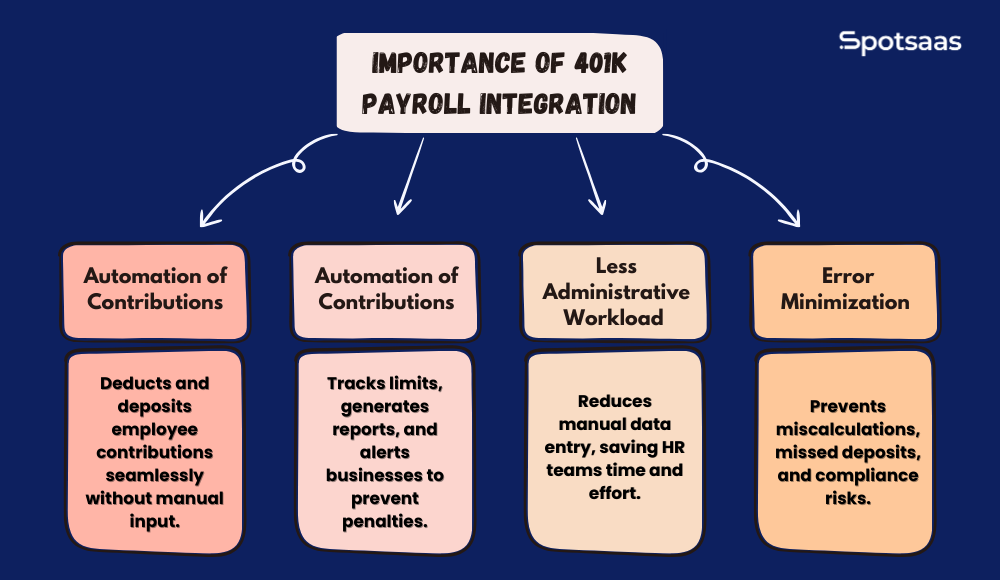
401k payroll integration handles these tasks automatically, with minimal manual intervention. That, in turn, means employees receive precisely what they expect on each paycheck while employers stay compliant with the relevant regulations set by federal agencies.
Automating 401(k) Contributions Through Payroll Integration
This is arguably the most useful part of integrating payroll with a 401k plan. Employee deduction and employer match contributions are taken directly through payroll, so there’s no need for separate manual transfers or adjustments.
As soon as an employee sets a contribution percentage, the system automatically calculates and deducts the amount from each paycheck and deposits it into their retirement account. The chance of errors from delays or forgotten transactions, which is common with manual processing, is almost eliminated once the two systems are talking to each other.
Ensuring 401(k) Compliance Through Integrated Payroll Systems
Meeting the obligations set by agencies such as the IRS and the Department of Labor is critical for every business. Delays in processing contributions or exceeding contribution limits can trigger penalties.
An integrated payroll and 401k system helps a business stay compliant by tracking contributions, monitoring limits, and generating the necessary reports for auditors and regulators. Many of these systems also include built-in alerts that notify employers about upcoming filing deadlines or new compliance issues before they become a problem.
Reducing HR Workload with 401(k) Payroll Automation
Without integration, HR teams or payroll administrators enter contribution amounts by hand, then double-check them against records and follow up on deposits. This is labor-intensive and leaves more room for mistakes.
With an integrated system, the payroll software communicates directly with the retirement plan provider, removing the need for redundant data entry and cutting down on administrative work across the board. That frees up time for HR and finance teams to focus on other priorities instead of chasing down deposit records.
Preventing Errors in Retirement Contributions via Payroll Integration
Mistakes in retirement contributions can lead to incorrect paycheck deductions, misallocated funds, or compliance issues down the line. Manual processes carry a higher chance of errors that can be difficult and time-consuming to fix once they’ve already reached an employee’s account.
When payroll and 401k plans are connected, contribution amounts are calculated and processed automatically, which removes most of the risk of miscalculations or missed deposits.
How 401(k) Payroll Integration Works: Key Processes Explained
A well-connected payroll and 401k setup allows employee and employer matching contributions to be processed correctly without manual effort. When the two systems are linked, data flows automatically between payroll and the retirement plan on every pay cycle, greatly reducing administrative burden and errors.
This capability improves accuracy, supports regulatory compliance, and makes it easier for employees to track their contributions with confidence.
Real-Time Payroll and 401(k) Data Synchronization Explained
Payroll software and 401k providers pass critical employee data back and forth in real time. Each change, whether an employee adjusts their contribution percentage, enrolls in the plan, or gets a salary update, is reflected automatically without manual intervention.
This synchronization keeps payroll records and retirement accounts consistent at all times, which reduces the risk of discrepancies that could violate compliance rules or lead to fund misallocation between accounts.
Real-Time Updates for 401(k) Contribution Adjustments
Salaries, bonuses, and deductions change over time, and retirement contributions need to reflect those changes accurately. Payroll integration makes sure contribution amounts update automatically whenever an employee gets a pay raise, changes their contribution rate, or qualifies for an employer match.
This keeps contributions from being delayed or miscalculated, so employees’ retirement savings grow as they should over time. Real-time updates also help make sure deposits reach the employee’s 401k account on time, every pay period.
Simplifying 401(k) Compliance with Automated Payroll Reporting
Compliance matters a great deal, given the regulations on contribution limits and remittance deadlines set by the IRS and Department of Labor. Payroll integration simplifies this by tracking contributions, generating audit-ready documentation, and flagging issues for timely correction before they turn into penalties.
It alerts HR or payroll teams when an employee is nearing their contribution limit. This prevents over-contributions. This automation reduces workload and helps keep the business compliant.
Key Features of 401k Payroll Integration for Efficient Retirement Management
Integrating payroll with a 401k plan simplifies contributions, supports compliance, and reduces administrative workload for HR and finance teams alike. Here are the essential features that make 401k payroll integration efficient and effective in practice.
| Feature | Description |
|---|---|
| Smooth Transfer of Data | Automated syncing ensures payroll deductions and employer contributions update without manual input. |
| Adjustable Options | Employers can set contribution matching rules, modify vesting schedules, and customize eligibility criteria. |
| Compliance Tools with Alerts | Notifies HR and payroll teams about IRS limits, remittance deadlines, and compliance requirements. |
| Employee Self-Service Portal | Employees can manage contributions, track deposits, and view account balances online. |
401(k) Payroll Integration Challenges and How to Solve Them
Overcoming Payroll and 401(k) System Incompatibilities
Not every payroll system integrates with every 401k plan provider, which can lead to a lot of manual data movement and extra administrative work for HR staff. Paying attention to open API integration capabilities when choosing payroll software makes data transfers much smoother down the road.
Verifying that your provider is compatible ahead of time helps avoid disruption to contribution processing later.
How to Secure Employee Data During 401(k) Payroll Integration
Because employee financial information is sensitive, security has to come first. Without the right safeguards, this data can be exposed to a breach or unauthorized access.
Using encryption, multi-factor authentication, and secure data transmission protocols gives payroll and retirement plan data strong protection against cyber attacks and unauthorized access attempts.
Avoiding Errors in 401(k) Contributions with Automation
Miscalculations in employee contributions or employer matches can lead to excessive deductions, missing deposits, or compliance issues.
Real-time tracking and audit features help automate contribution monitoring. This makes sure payroll deductions stay within plan rules and catching mistakes before they reach employees’ retirement accounts.
Closing Compliance Gaps in 401(k) Payroll Processing
Employers must follow IRS rules on contribution limits and remittance deadlines, or risk penalties down the line. Missing a deadline or failing to update a contribution limit can turn into an expensive compliance violation that’s hard to unwind.
Using a payroll provider that tracks compliance through built-in features and automated notifications helps keep a business on track with its obligations to regulators.
Step-by-Step Guide to Integrating Payroll with 401(k) Systems
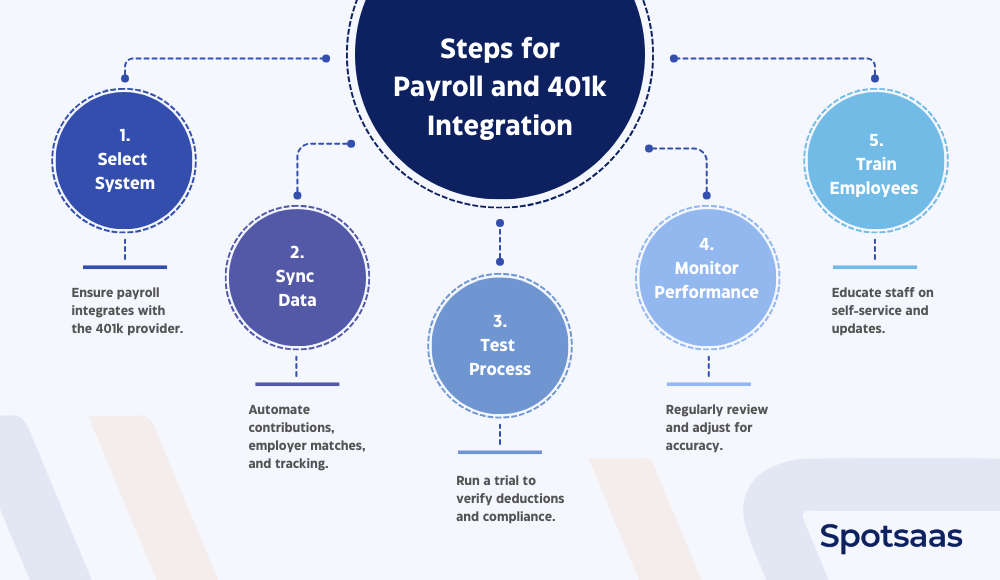
Choosing Compatible Payroll and 401(k) Providers for Smooth Integration
At this step, confirm that your payroll service provider supports direct integration with the 401k provider you choose. That ensures automation runs smoothly, transferring data from one system to another without manual input at any stage of the process.
If that’s not the case, look for payroll products with open API capabilities to simplify the connection.
Setting Up Payroll Syncing with Your 401(k) Plan
After selecting a suitable provider, set up data synchronization so that payroll and the 401k plan can communicate with each other. This automates updates for employee contributions, employer matches, and compliance tracking.
Setting deductions to be taken out automatically avoids manual calculations and lowers the odds of errors.
Testing Payroll and 401(k) Integration Before Full Rollout
Before rolling out the whole plan, run a test on a payroll cycle to confirm that deductions, employer contributions, and compliance requirements are all processed correctly. This helps catch discrepancies early, so contributions get reflected on employee retirement accounts accurately.
How to Monitor and Maintain 401(k) Payroll Integration
Once implemented, ongoing monitoring is still needed to keep things running correctly month after month. Run periodic assessments of integration performance, audit contribution records, and fix any bottlenecks that come up. Adjust the setup as needed to cover salary changes, contribution rate updates, or new compliance requirements.
Training Teams for 401(k) and Payroll System Usage
Training staff on how the integrated system works helps ensure a smooth transition. This includes showing them how to navigate the self-service portal to make contribution changes, check balances, and access compliance-related notifications.
Clear communication with employees matters here, since it lets them manage their retirement accounts with less back-and-forth with HR.
Top Payroll Software That Supports 401(k) Integration
Choosing the right payroll software with built-in 401k integration can simplify contributions, reduce errors, and support compliance. Here are some of the top payroll solutions that integrate directly with 401k plans.
QuickBooks Payroll with 401(k) Integration: Features & Pricing
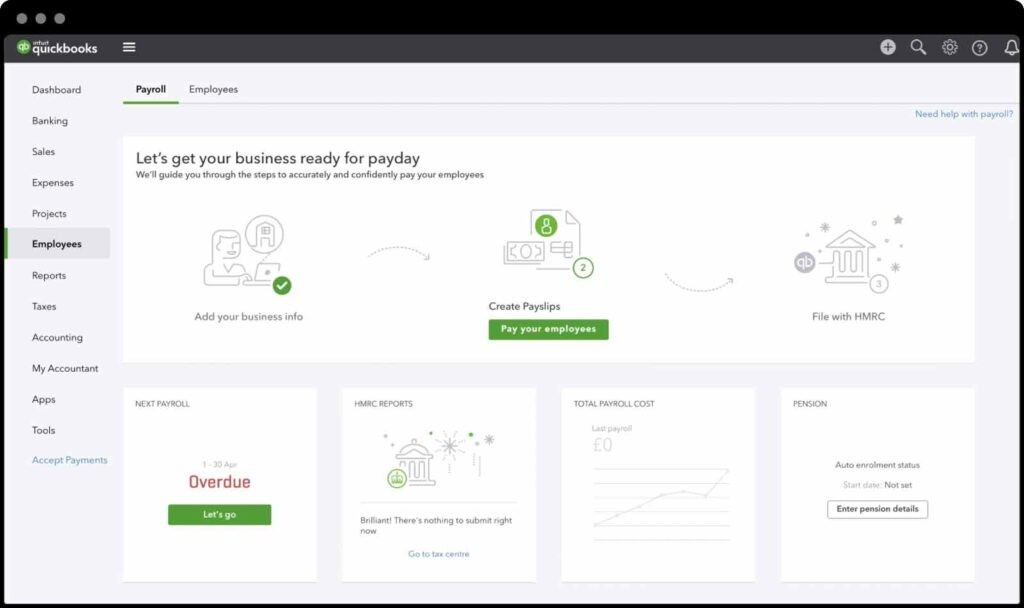
QuickBooks Payroll simplifies payroll processing while connecting directly with 401k plans. It automates employee deductions, keeps employer contributions accurate, and syncs with QuickBooks accounting for simplified financial management.
Key Features of QuickBooks Payroll
| Feature | Description |
|---|---|
| Automated 401k Deductions | Ensures timely and accurate retirement contributions. |
| QuickBooks Integration | Syncs payroll and retirement data with accounting software. |
| Compliance Tracking | Monitors contribution limits and generates reports for audits. |
| Tax Automation | Calculates and files payroll taxes automatically. |
| Employee Self-Service | Allows employees to adjust contributions and access pay stubs. |
QuickBooks Payroll Pricing
Plans start at $45/month + $6 per employee. Custom pricing for additional features.
QuickBooks Payroll Reviews and Ratings
- G2: Rated 4.3/5 for its ease of use and smooth QuickBooks integration.
- Capterra: Rated 4.4/5, appreciated for automation but noted for limited HR features.
QuickBooks Payroll Pros and Cons
| Pros | Cons |
|---|---|
| Easy integration with QuickBooks accounting software. | Limited customization for complex payroll needs. |
| Automates tax filings and compliance tracking. | Customer support can be slow during peak hours. |
Gusto Payroll for Small Businesses with Built-In 401(k) Integration
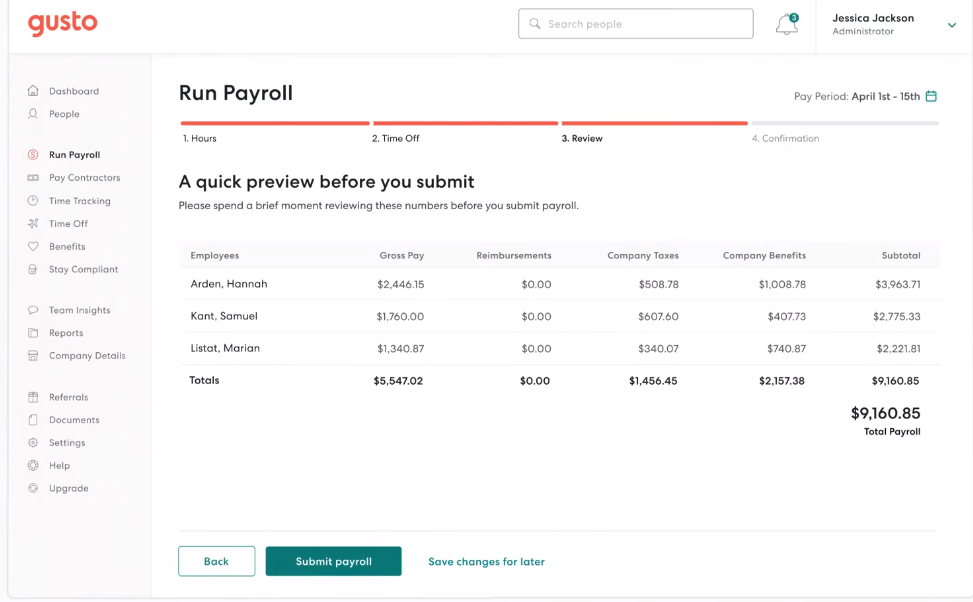
Gusto offers an intuitive payroll system with built-in 401k integration. This makes retirement contributions straightforward for businesses. It automates deductions, provides compliance safeguards, and includes HR tools for benefits management.
Key Features of Gusto
| Feature | Description |
|---|---|
| 401k Contribution Automation | Deducts and deposits employee contributions on schedule. |
| Employee Benefits Management | Handles retirement plans, health insurance, and more. |
| Compliance Alerts | Notifies HR of IRS contribution limits and deadlines. |
| Tax Filing Automation | Processes payroll taxes and year-end forms. |
| User-Friendly Dashboard | Simplifies payroll and benefits tracking for employees. |
Gusto Pricing
Plans start at $49/month + $6 per employee.
Gusto Reviews and Ratings
- G2: Rated 4.5/5 for ease of use and strong HR features.
- Capterra: Rated 4.6/5, praised for intuitive design but noted for limited customization.
Gusto Pros and Cons
| Pros | Cons |
|---|---|
| Easy setup with a easy-to-use interface. | Limited scalability for large enterprises. |
| Complete benefits and HR features. | Advanced reporting requires higher-tier plans. |
ADP Payroll and 401(k) Integration for Scalable Businesses
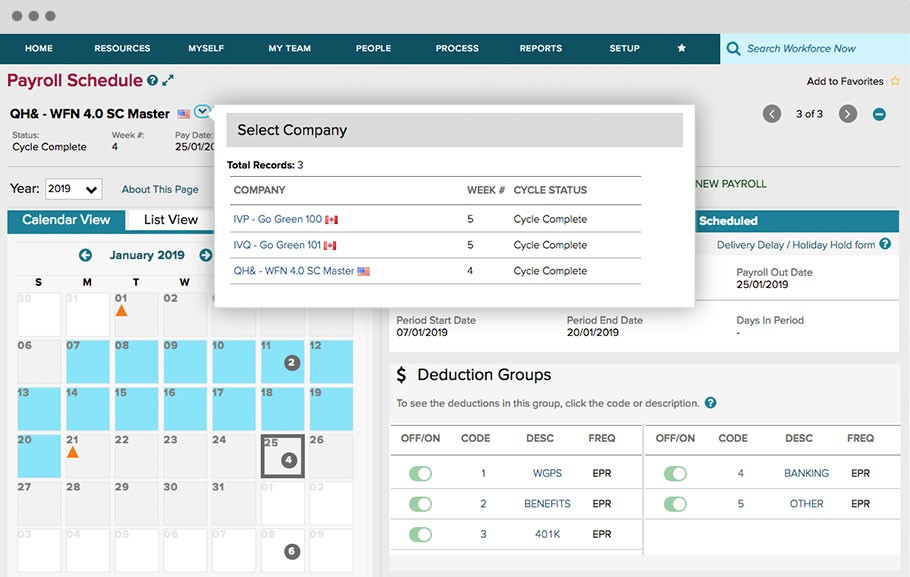
ADP is a full-featured payroll solution with direct 401k integration, suited to businesses of all sizes. It automates deductions, tracks compliance, and offers extensive HR and benefits management tools.
Key Features of ADP
| Feature | Description |
|---|---|
| Automated Payroll & 401k Integration | Syncs contributions and payroll deductions in real-time. |
| Compliance Monitoring | Tracks federal and state retirement plan regulations. |
| Scalability | Supports businesses of all sizes with custom solutions. |
| Advanced Reporting | Generates in-depth financial and compliance reports. |
| HR & Benefits Suite | Includes onboarding, insurance, and retirement plans. |
ADP Pricing
Custom pricing based on business size and features.
ADP Reviews and Ratings
- G2: Rated 4.3/5, valued for reliability but noted for pricing.
- Capterra: Rated 4.4/5, appreciated for scalability but criticized for customer support delays.
ADP Pros and Cons
| Pros | Cons |
|---|---|
| Scalable for businesses of all sizes. | Higher pricing compared to other providers. |
| Strong compliance tracking and reporting. | Can be complex for small businesses. |
Paychex Payroll + 401(k): Benefits, Pricing, and Integration Support
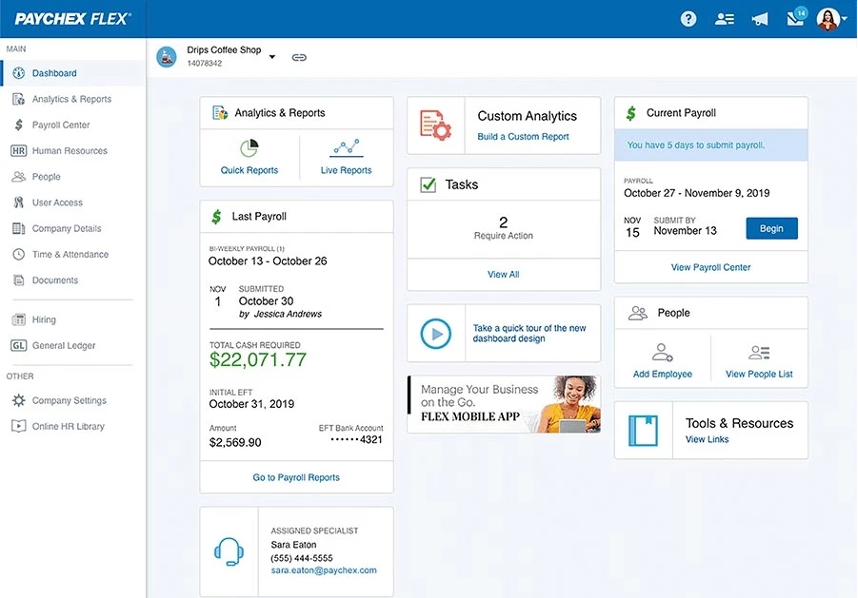
Paychex simplifies payroll and retirement benefits management with automated 401k integration. It provides compliance support, tax automation, and flexible business contribution options.
Combining 401k plans with payroll processing can simplify contributions, reduce errors, and improve compliance for businesses.
Key Features of Paychex
| Feature | Description |
|---|---|
| Payroll & Retirement Plan Syncing | Automates deductions and employer contributions. |
| IRS & DOL Compliance Tools | Helps businesses meet regulatory requirements. |
| Customizable Contribution Matching | Supports employer-defined matching rules. |
| Employee Benefits Management | Integrates payroll with retirement, health, and insurance benefits. |
| Dedicated Support | Provides expert assistance for payroll and benefits setup. |
Paychex Pricing
Custom pricing based on business needs.
Paychex Reviews and Ratings
- G2: Rated 4.2/5, praised for payroll accuracy but noted for complex setup.
- Capterra: Rated 4.3/5, valued for benefits management but criticized for pricing transparency.
Paychex Pros and Cons
| Pros | Cons |
|---|---|
| Strong compliance and reporting tools. | The pricing structure can be unclear. |
| Offers dedicated support for payroll and benefits. | Some users find the interface outdated. |
Rippling for 401(k) Payroll Integration: Modern Automation Tools
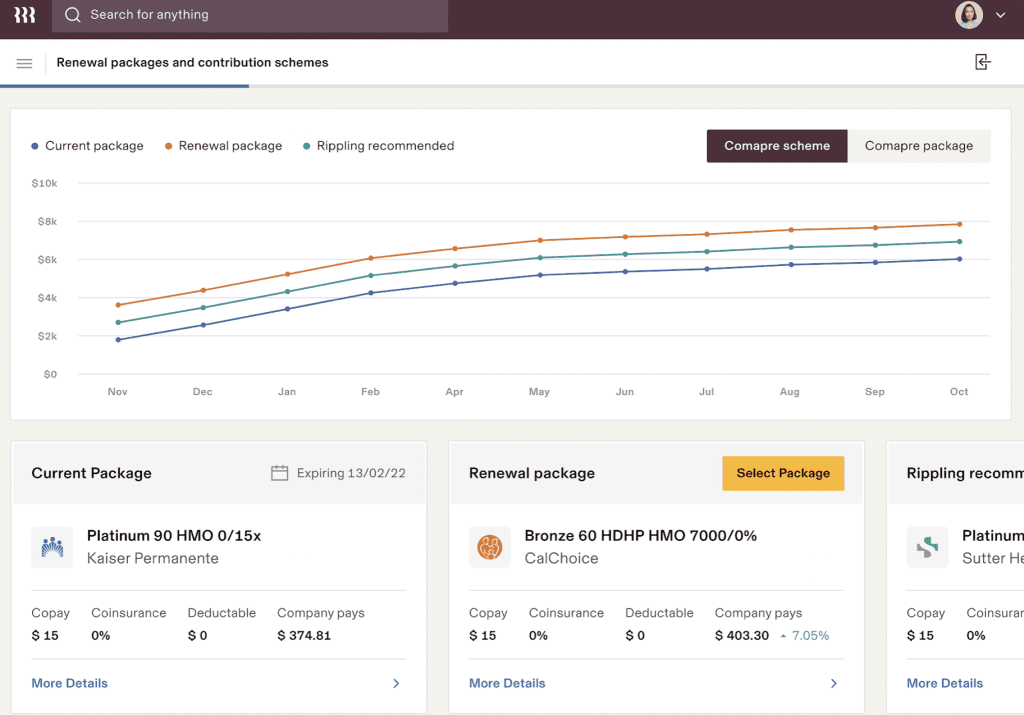
Rippling is a modern payroll and HR platform that connects directly with 401k providers. It automates payroll deductions, monitors compliance, and offers a scalable solution for growing businesses.
Key Features of Rippling
| Feature | Description |
|---|---|
| 401k & Payroll Automation | Deducts contributions and processes payments smoothly. |
| Customizable Payroll Settings | Allows businesses to set employer match rules and vesting schedules. |
| Scalable for Growing Teams | Adapts to businesses of all sizes with flexible configurations. |
| Employee Self-Service Portal | Enables employees to manage retirement contributions easily. |
| HR & Benefits Integration | Combines payroll, benefits, and compliance tracking in one platform. |
Rippling Pricing
Starts at $8 per employee per month. Custom pricing for advanced features.
Rippling Reviews and Ratings
- G2: Rated 4.7/5, praised for automation and scalability.
- Capterra: Rated 4.8/5, appreciated for ease of use but noted for initial setup complexity.
Rippling Pros and Cons
| Pros | Cons |
|---|---|
| Fully automated payroll and benefits integration. | Setup can take time for complex configurations. |
| Scales easily with growing businesses. | Limited phone support, relies on chat-based assistance. |
These payroll solutions help businesses automate 401k contributions, reduce compliance risks, and simplify employee benefits management. Choosing the right provider depends on company size, integration needs, and desired features.
Conclusion: Why 401(k) Payroll Integration Is Critical for Businesses
Integrating payroll with a 401k plan simplifies contributions, reduces errors, and helps ensure compliance with IRS regulations. Automating these processes cuts manual workload, improves accuracy, and gives employees timely deposits into their retirement savings.
Businesses benefit from improved efficiency, lower administrative costs, and more reliable compliance tracking across the board. By choosing payroll software with built-in 401k integration, companies can simplify benefits management while focusing their attention on growth.
Adopting automation improves financial accuracy and makes for a much smoother, less stressful experience for both employers and employees alike.
FAQs About 401(k) Payroll Integration for Businesses
What is 401k payroll integration?
401k payroll integration automates retirement contributions by syncing payroll and 401k systems for accuracy and compliance.
Why is 401k payroll integration important?
It reduces manual errors, ensures timely deposits, and simplifies compliance with IRS regulations.
How does 401k payroll integration work?
Payroll software syncs employee deductions and employer contributions with the 401k provider, automating calculations and reporting.
What are the benefits of integrating 401k with payroll?
It saves time, minimizes errors, improves compliance, and enhances employee trust in retirement savings.
Which payroll software supports 401k integration?
Popular options include QuickBooks Payroll, Gusto, ADP, Paychex, and Rippling.
