

Virtual event platform is a set of tools that help you organize and host online events, such as webinars, conferences, and trade shows.
In a world where face-to-face events are few and far between, virtual events have become the new normal. But with so many platform options on the market, it can be tough to know where to start.
We’ve done the legwork and narrowed down the top five virtual event platforms that will help make your next event a success by streamlining event management. Here’s what to know about each one — features, pricing, and where each platform tends to shine.
Top 5 Virtual Events Platform
Here is a list of top virtual event solutions that let you host something close to an in-person event, even when it’s fully virtual.
- Brella
- Zuddl
- Run The World
- Lets Get Digital
- Virbela
What is meant by virtual events, with examples
A virtual event is any event or gathering that happens online instead of in person. That covers a wide range of formats, including webinars, virtual conferences, trade exhibits, networking opportunities, summits, and product launches.
For example:
- A webinar with a live chat feature
- A virtual conference
- A virtual trade show
- A virtual networking event
- A virtual product launch event
Online events are growing in popularity because of the convenience, adaptability, and global reach they offer. Compared to in-person events, they also tend to save money and reduce environmental impact.
Virtual event platform & their common features
Virtual event tools are software and platforms used to organize and host virtual events. They typically include a range of features that help make the event interactive, engaging, and successful.
Some common features of virtual event tools include:
- Video conferencing
- Live chat
- Virtual exhibitor booths
- Interactive polls and Q&A
- On-demand content
- Event analytics and tracking
- Virtual reality
- Networking
- Ticketing & registration
- Email marketing
These are just some of the common features that digital event tools typically offer, and the list can vary depending on the software you choose.
Best virtual event platforms in 2025- Top 5
Brella
Built on five years of virtual event experience, Brella is used by major conferences and exhibitions to power their events with relevant content, strong networking tools, and revenue-generating opportunities for exhibitors and sponsors.
Event organizers can document and analyze meetings, hot topics, and buyer intent to give exhibitors, sponsors, and partners a clear, measurable return on investment, rather than a vague sense that the event “went well.”
Brella’s mission is to bring attendees together globally for memorable, relevant, and engaging meetings.
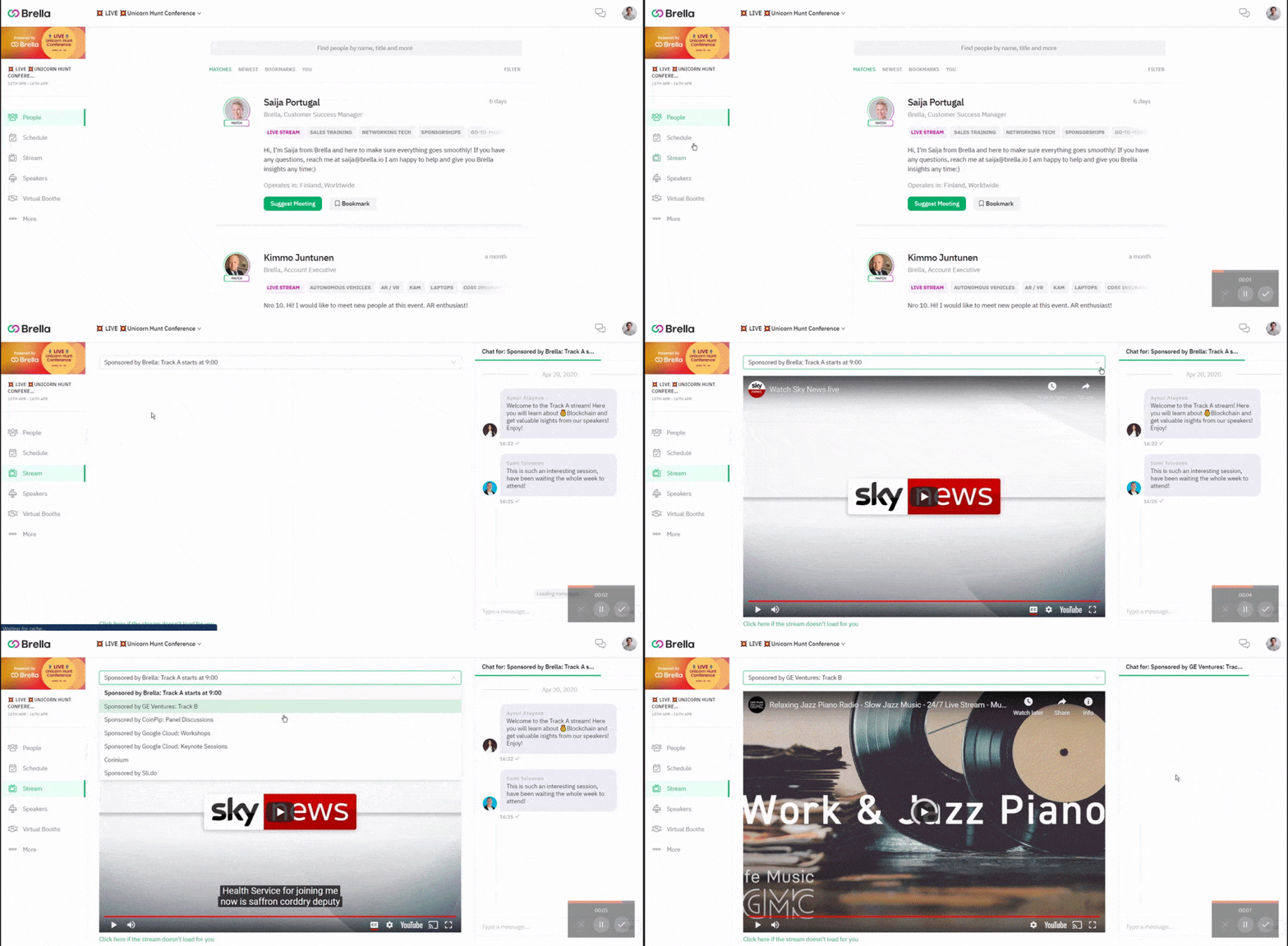
Brella Features
- Multiple Events- Conferences, Meetings
- Real-time Chat, Surveys, Virtual Lobby, & Lead Retrieval
- Social Media Integration
- Customizable Branding
- Attendee & Sponsorship Management
Brella Pricing
Brella’s pricing is quotation-based. Potential users can contact the sales team for a customized pricing policy based on their business needs.
Some common features offered are ticketing, analytics, and integrations.
For detailed pricing, visit the Brella Pricing page.
Brella Pros & Cons
| Pros | Cons |
|---|---|
| Receptive web browser interface | Lacks intuition |
| Seamless integration | Restrictive functionality |
| Easy to set up entire event | Lags some customizable features |
Spotsaas has rated Brella 9.3 out of 10. Check out the full review here.
Zuddl
Zuddl is a platform for virtual, hybrid, and large-scale events that helps you organize immersive events, aiming for a strong experience for organizers, presenters, attendees, and sponsors alike.
Zuddl’s self-serve platform is built to give event planners a stress-free experience by letting them customize the look and feel of their event exactly how they want it. There are booths, rooms, a stage, and a lobby to work with, and you can manage the whole event from a single main dashboard instead of juggling several separate tools during the live event.
It offers ready-to-use, customizable design templates that make it simple to boost brand value and visibility. You can adjust any aspect of a stage, booth, and so on using the more than a hundred templates available.
Zuddl is trusted by B2B SaaS companies like Stack Commerce, Rocket Lane, ServiceNow, United Nations, NAMIC, HBA, NASSCOM, Google, Microsoft, and Kellogg’s, among others, to help them unify their event stack.
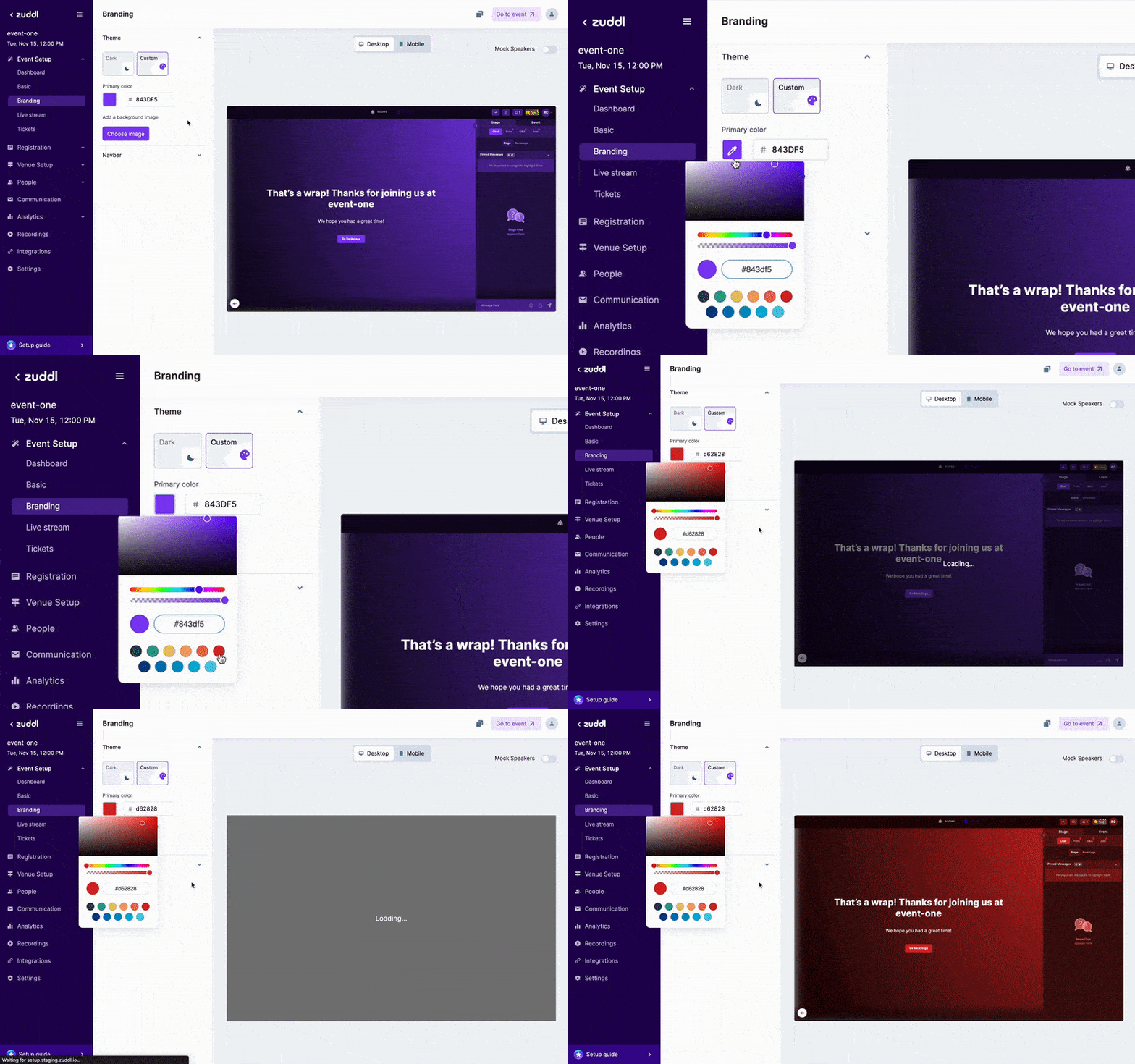
Zuddl Features
- Registration- event creation & user registration process
- Event Operations- exhibition management
- Event Configuration-event marketing, speaker access and reporting
- Virtual Experience- lobby, built-In webcasting
- Engagement- interactive content, 1:1 networking, exhibitors
Zuddl Pricing
Zuddl offers a free trial so organizers can host their first webinar for free. Beyond the free trial, the platform offers 2 major paid plans, plus a customized plan the sales team can help with.
- Webinar plan starts at $500/month for 1000 Attendees & 3 Organizers.
With features like:
- Single stage (up to 2 hours)
- Custom branding
- Built-in studio production
- Embed 3rd Party Apps
- Breakout rooms
- Virtual plan starts at $1250/month for 1500 Attendees & 10 Organizers
With features like:
- Multi-stage (up to 72 hours)
- Public and private Rooms
- Gamification & leaderboards
- Advanced analytics
- Slack & Salesforce integration
For detailed pricing, visit the Zuddl pricing page.
Zuddl Pros & Cons
| Pros | Cons |
|---|---|
| Simple UI | Lags virtual background feature |
| Active customer support | Buggy activation process |
| Advanced magic links feature | Lag advanced activity-based functionalities |
Spotsaas has rated Zuddl 9.3 out of 10. Check out the full review here.
Run The World
Run The World is a virtual event management platform built for engaging online activities that foster real connections and a sense of community. Whether you want to hold a big conference, a webinar, or a casual gathering, Run The World is built to make event planning interesting and fun for attendees. Tools like Cocktail Party Speed Networking, Round Tables, and Grab The Mic connect attendees and presenters and make the material interactive, rather than leaving people to sit passively through a livestream.
The platform covers most of what you need across the event lifecycle: ticketing, event registration, hosting, payment, emails, recordings, community, and more, which cuts down on the number of separate tools you’d otherwise need to stitch together.
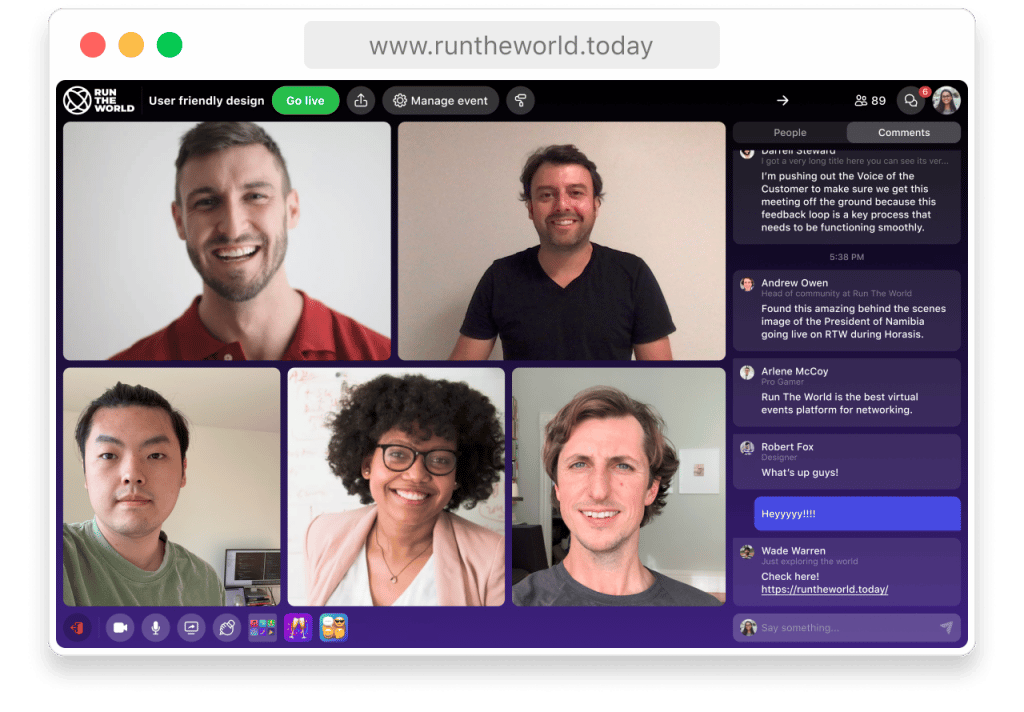
Run The World Features:
- Multiple Events, Virtual Lobby, Real-time Chat, Surveys
- Social Media Integration
- Customizable Branding
- Badge, Attendee & Sponsorship Management
- Virtual Meetings, Conferences (Seminars)
- Lead Retrieval
Run The World Pricing
Run The World offers 3 plans for users.
- Free Trial, which includes up to 50 free attendees, unlimited paid ticket registrations, 1 session per event, speed networking up to 3 rounds, and unlimited number and length of events.
- The Pro plan starts at $79 per month and offers:
- Up to 500 free registrations
- Paid ticket registrations: Unlimited
- Up to 3 sessions per event
- Cocktail Party, Unlimited
- Number and length of events: Unlimited
3. The Business plan, priced by the sales team based on your requirements, offers:
- Customized number of free and paid registrations
- Starting from 20 sessions per event
- Cocktail Party, Unlimited
- Number and length of events: Unlimited
For detailed pricing, visit the Run The World pricing page.
Run The World Pros & Cons
| Pros | Cons |
|---|---|
| Easy to use interface | Customized branding for higher price |
| Interesting features like group selfie, polling and cocktail hour | Lags full HD Video streaming feature |
| Good streaming quality | Buggy android app |
Spotsaas has rated Run The World 9.3 out of 10. Check out the full review here.
Lets Get Digital
Let’s Get Digital is an all-in-one virtual event platform for online, physical, and hybrid events that aims to give each user a genuinely engaging experience. It’s an online venue focused on delivering a strong event experience and helping you produce events people remember for a long time.
The company was founded in 2017 with a smartphone app built to support networking and data creation at live events. It launched its online platform, focused on running virtual events that closely simulate in-person ones, in early 2020, right as demand for virtual event tools was starting to spike. With more than 550,000 users around the world, it has powered over 1,150 events in 2021 alone.
Let’s Get Digital lets you build virtual spaces tailored to different kinds of events, going beyond your basic event objectives with a range of networking options, interaction opportunities, and the ability to customize how the platform looks and feels for your specific audience.
With Let’s Get Digital, you can grow visitor numbers, build brand recognition, and improve the return on investment for sponsors and exhibitors.
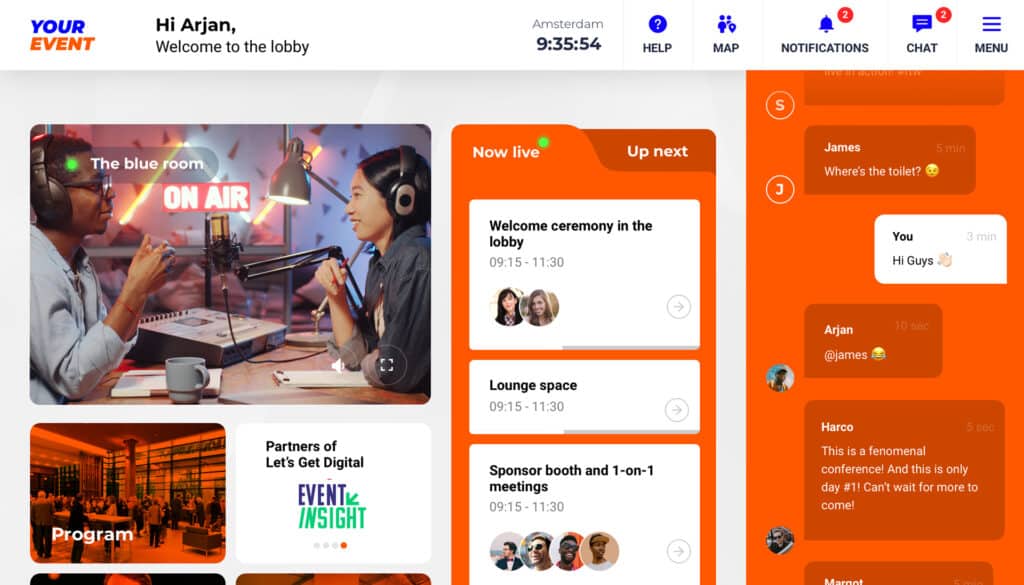
Lets Get Digital Features
- Analytics
- API
- Chat
- Contact Management
- Contact Sharing
- Dashboard Data Export, Data Import, Data Visualization
- Email integration
Lets Get Digital Pricing
The platform has three pricing plans.
- The Core plan starts at €290/month and offers features like:
- General: Onboarding, support tools, service & support
- Event days: 2 days (48 hours)
- Online users included: 500
- Set-up meeting: 1 x 1.5 hour for the first event; check-up meeting: max. 4 x 30 minutes per event
2. The Advanced plan starts at €1,150/month and includes everything in the Core plan plus:
- Advertisements
- Event days: 3 days (72 hours)
- Online users included: 1,000
- Event data, feedback tool, integrations
- Check-up meeting: max. 6 x 30 minutes per event
3. The Extensive plan starts at €2,250/month and includes everything in the Advanced plan plus:
- Advanced after care
- Event days: 5 days (120 hours)
- Set-up meeting: 1 x 1.5 hour for the first event
- Check-up meeting: max. 8 x 30 minutes per event
- Training: 1 x 30 min. speaker training + 1 x 60 min. technical training
For detailed pricing, visit the Lets Get Digital pricing page.
Lets Get Digital Pros & Cons
| Pros | Cons |
|---|---|
| Quality customer support team | Lags quality translation & subtitling tool for multilingual audiences |
| Easy to use & understand | Buggy tags & templates |
| Intuitive UI | Mobile application lags certain features |
Spotsaas has rated Let’s Get Digital 9.1 out of 10. Check out the full review here.
Virbela
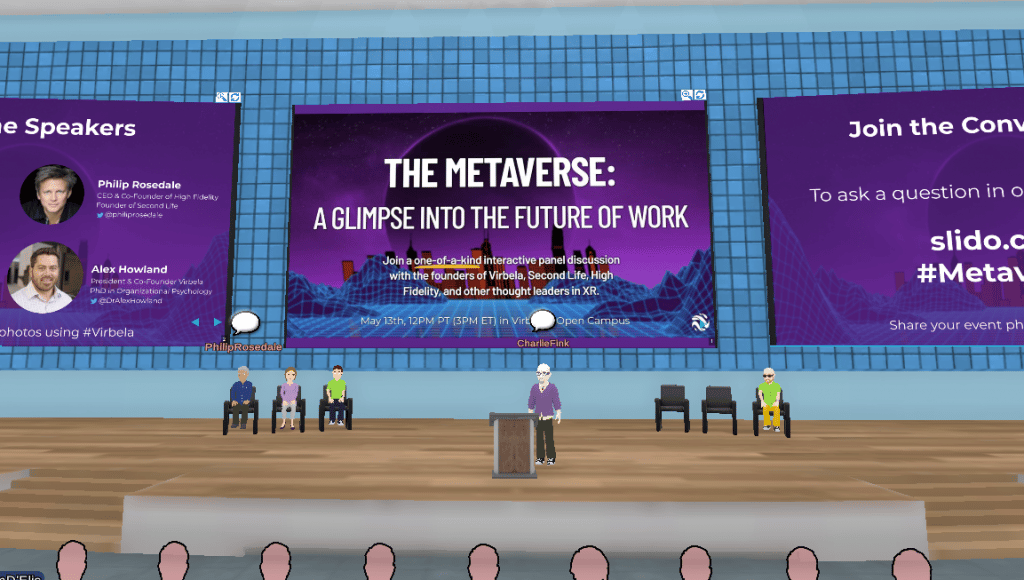
Virbela builds immersive virtual environments for online learning, events, and remote work. Founded in 2012 and led by a behavioral psychology background, Virbela’s goal is to help businesses and individuals thrive in a future built around remote work. It brings business and in-person events to life online, using immersive 3D settings that are highly social and collaborative to keep remote teams more engaged and productive than they’d be on a standard video call.
Virbela brings people together to work, learn, meet, and train in immersive virtual worlds — worth a look if you’re ready to host your next event there.
Virbela Features
- Surveys
- Badge Management
- Conferences (Seminars)
- Lead Retrieval
- Meetings
- Sponsorship Management
- Attendee Management
- Customizable Branding
- Real-time Chat
- Virtual Lobby
- Multiple Events
Virbela Pricing
Virbela offers a free trial, plus 3 paid plans:
- Team Suite starts at $100 per month for teams of 10.
- Private Campus starts at $4000 per month for 100 people.
- The third plan is quotation-based and can scale to your requirements.
For detailed pricing, visit the Virbela pricing page.
Spotsaas has rated Virbela 9.0 out of 10. Check out the full review here.
Conclusion:
Overview of the top 5 virtual event platforms:
| Virtual Event Platform Name | SpotScore | Free Trial | Pricing |
|---|---|---|---|
| Brella | 9.3 | No | Quotation-based |
| Zuddl | 9.3 | Yes | $500-$1250 Per Month |
| Run The World | 9.3 | Yes | Starts at $79 |
| Lets Get Digital | 9.1 | Yes | Starts at €290/month |
| Virbela | 9.0 | Yes | Starts at $100 per month |
Virtual events have become a core part of how modern business gets done. The right virtual event software helps you plan and host events that are participatory and genuinely interesting, not just a webinar link sitting unopened in someone’s inbox.
The five platforms covered in this article each bring a different mix of features that can help you give attendees a strong virtual event experience, from Brella’s networking focus to Virbela’s immersive 3D environments.
Between them, these options give you what you need to run a webinar, conference, or trade fair, whatever type of event you’re planning.
There’s a lot of room to get creative with virtual events, and the right software lets you build something tailored to your own goals and audience — whether that’s a small webinar or a multi-day virtual conference with sponsors and exhibitors. Ready to host a virtual event? Now you know where to start.
Want to learn more about virtual events and their benefits for your business? Read this detailed guide from the Spotsaas team:
Virtual Event Platform For Proven Coordination: Detailed Guide (2025)
Are there any free virtual event platforms?
Yes, platforms like Run The World, Lets Get Digital, and Virbela offer free trials to first-time users.
Can virtual event platforms help organize hybrid events?
Yes, most virtual event platforms can help with hybrid event planning too.
Do virtual event platforms offer integrations?
Yes, virtual event platforms can easily integrate with other SaaS tools.
Read More
Virtual Event Platform For Proven Coordination: Detailed Guide (2025)
Resource Management Software: A detailed guide on how to use
