
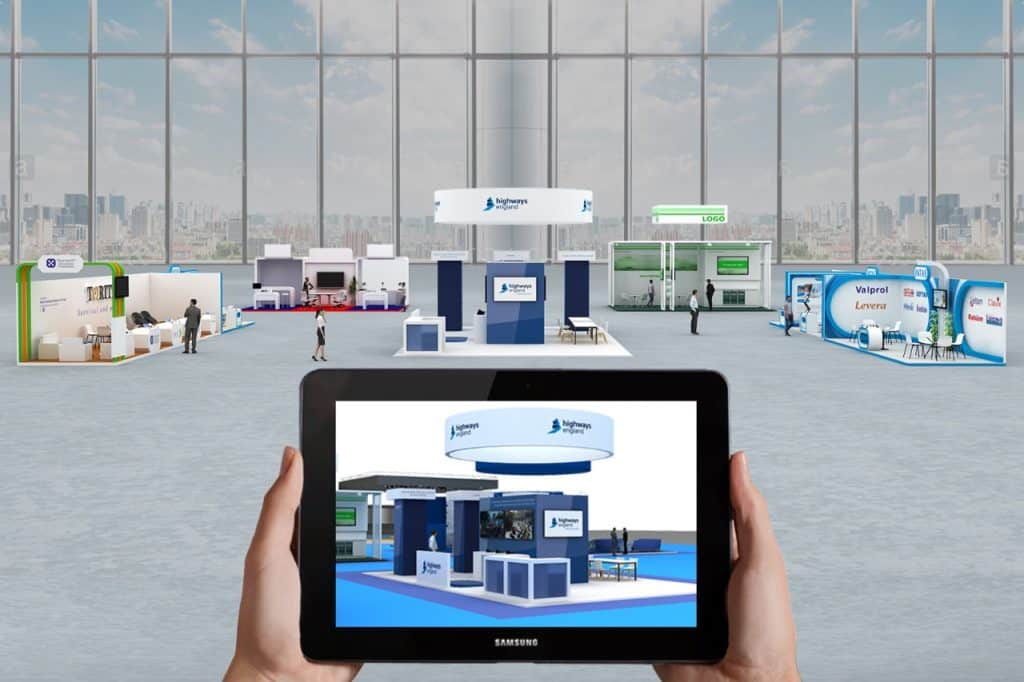
Welcome to the virtual world! Are you tired of attending in-person events and ready to join the online revolution?
Well, you’re in luck!
Virtual event tools have made it possible for you to attend and host events from the comfort of your own home (or wherever you may be).
No more worrying about traffic, parking, or finding the perfect outfit – just grab your computer and get ready to virtually mingle. This guide walks through what virtual event software actually does, the different types of events you can run on it, and how a few of the leading platforms compare. Whether you’re planning a single webinar or a recurring conference series, the basics below should give you enough to start comparing tools with confidence.
Let’s get into it.
What is a virtual event platform?
Software that enables you to host (event management) and attend events online is known as a virtual event platform. These activities can include conferences, webinars, workshops, trade exhibitions, and more, and they can be live or recorded.
Software designed for virtual events frequently includes functions like virtual meetings, video conferencing, screen sharing, recording, chat, and interactive features like polls and Q&A sessions. Other features on some platforms include customisable event branding, networking possibilities, and virtual booths.
Virtual event tools can be used on a computer or mobile device through a web browser or a dedicated application. Numerous virtual event tools also connect with other programs and systems, including CRMs, marketing automation programs, and calendar apps, for event management.

Types of virtual events that can be hosted using virtual events platform
A variety of online events can be held using a virtual event platform. Using event technology, organizers can manage the whole event lifecycle. Some types of events that can be hosted using such tools are:
- Webinars: A webinar is an online seminar that can be streamed live or recorded, usually focusing on a single subject. Webinars can be held live or on demand and can be used for marketing, teaching, or training.
- Conferences: A conference is a large physical or virtual gathering of people who share a common hobby or line of work. Virtual conferences can have keynote addresses, breakout sessions, panels, and networking opportunities. They can also be live or pre-recorded.
- Workshops: A workshop is an interactive, hands-on session that focuses on a particular subject or skill. Virtual workshops might contain interactive components, exercises, and live or recorded demos.
- Trade shows: A trade show is a large, physical or online event that gathers companies and organisations from a specific industry to display their goods or services. Virtual trade exhibitions may have online exhibits, demonstrations, networking events, and other interactive components.
- Job fairs: A job fair is a gathering place for job seekers and businesses to talk about available positions. Virtual booths, resume critiques, and networking opportunities can all be found at online job fairs.
- Networking events: Networking events are social gatherings where people can connect and meet, usually for work-related or commercial reasons. Live or recorded presentations, conversations, and interactive features like polls and Q&A sessions can all be found at virtual networking events.
- Social gatherings: You can host virtual happy hours, gaming nights, and other informal activities using a virtual event platform.
Virtual event platforms, overall, offer a practical way to host a variety of events online, whether fully virtual or hybrid, without depending on physical location. That flexibility is a big part of why they’ve become standard for teams that need to reach an audience spread across different cities or countries.
Features of virtual event platform
Software for virtual events typically covers a set of core capabilities for event organizers and attendees alike, and lets users run virtual and hybrid events without much friction. Typical features for event management software include:
| Feature | Detail |
|---|---|
| Video conferencing | You can host live or previously recorded events with voice and video using video conferencing. |
| Screen sharing | During a live event, you can share your screen or particular applications with guests using screen sharing. |
| Recording | This enables you to capture events for on-demand playback for attendees. |
| Interactive features | During a live event, attendees can communicate with the host and other attendees via chat. |
| Polls and Q&A | During a live event, attendees can take part in polls and ask questions using these interactive elements. |
| Virtual booths | On some virtual event platforms, you can create a virtual booth that you can customise to display your goods or services at a job fair or trade exhibition. |
Networking possibilities | To facilitate interactions between attendees, several virtual event systems provide networking possibilities like discussion groups or matchmaking algorithms. |
| Branding that can be changed | A few virtual event platforms let you change the appearance and feel of your event, including the website, email invitations, and other marketing materials. |
| Integration with other platforms and products | A few virtual event systems include integrations with additional platforms and tools, including CRMs, marketing automation programmes, and calendar apps. |
Best virtual event platforms- including features, pricing, and pros and cons
Bevy
Bevy is an all-in-one virtual event platform that helps hosts create, manage, and promote their events.
Bevy can arrange live webinars, panels, and roundtable discussions, and it can also host networking events. It gives event planners tools to design custom registration forms, send out invitations and reminders, and monitor attendance.
To make it simple to arrange events and manage your schedule, Bevy connects with a number of other programmes and platforms, including Zoom and Google Calendar.
With Bevy:
1- Turn your brand champions into community organizers
2- Create global-scale reach with local impact
3- Make data-driven decisions
4- Become part of a community
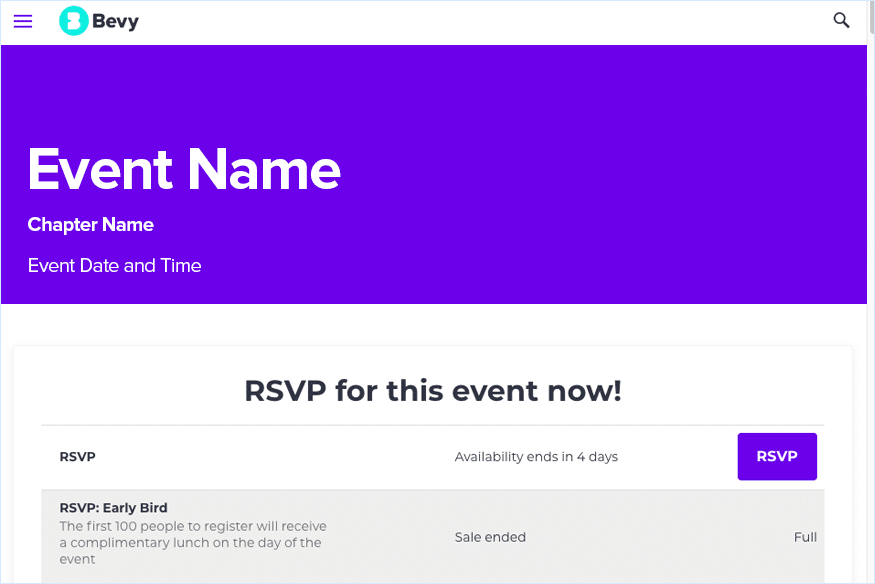
Features Of Bevy
- Surveys & Virtual Lobby
- Sponsorship & Attendee Management
- Customizable Branding
- Social Media Integration
- Real-time Chat
Bevys’ Pricing
The pricing policy of Bevy is quotation based. Find out more at Spotsaas
Pros & Cons Of Bevy
| Pros 👍 | Cons 👎 |
|---|---|
| Easy on-boarding | Expensive solution |
| Responsive customer support | Slow processing |
| More control to organisers | Lacks detailed analytics |
Spotsaas has rated 9.8 out of 10 for Bevy. Explore the product Here.
Glisser
Glisser is a virtual event platform built for interactive online events. It gives event planners tools to build custom registration forms, send out invitations and reminders, and keep track of attendance, plus the ability to run live webinars, virtual conferences, and training sessions.
With Glisser, you can also add interactive elements to your events, using its features to run polls, take questions, and get real-time feedback from participants. Glisser also connects with a number of other programmes and platforms, including Zoom and Google Calendar.
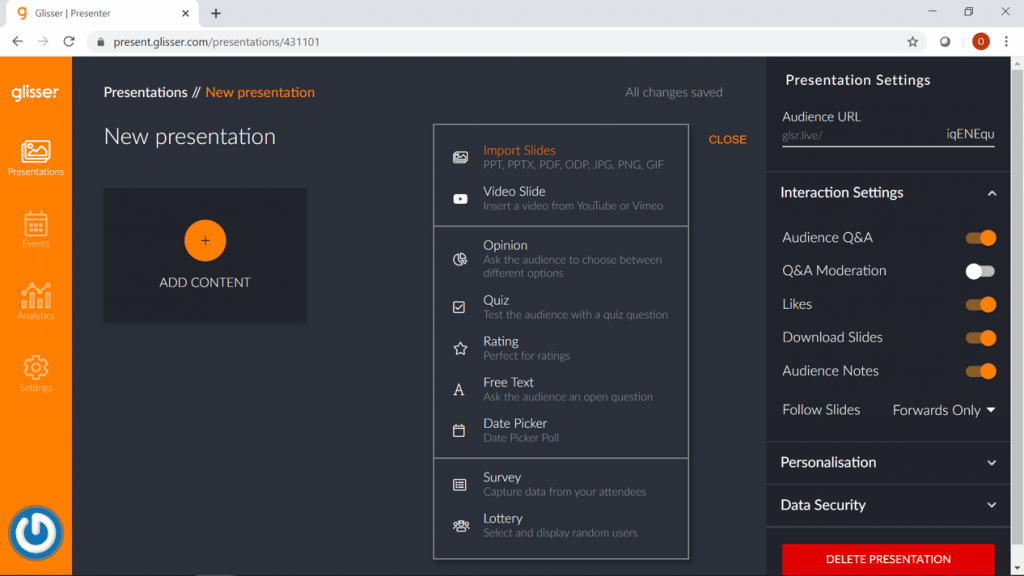
Features Of Glisser
- Customizable Branding
- Social Media Integration
- Real-time Chat
- Virtual Lobby
- Multiple Events
Glissers’ Pricing
The pricing policy of Glisser is quotation based. Find out more at Spotsaas.
Pros & Cons Of Glisser
| Pros 👍 | Cons 👎 |
|---|---|
| Best predictive data analytics | Requires intensive training for using advanced tools |
| Easy lead generation and management | Lacks email push notification |
| Advanced content management capability | No mobile application |
Spotsaas has rated 9.4 out of 10 for Glisser. Explore the product Here.
Best practices for using top virtual event platform
The following are a few best practices for hosting webinars, conferences, workshops, or other events using a virtual event platform:
- Plan in advance: Give yourself ample time to organise and get ready for your event. Making a schedule, inviting speakers and participants, and setting up any required technology are all examples of this.
- Test your technology: Before your event, make sure to test the technology you’ll be using, including your virtual event platform and any other equipment.
- Event promotion: Use email, social media, and other marketing tools to spread the word about your event and get people to come.
- Get your audience involved: To keep your audience interested during your event, use interactive elements such as polls, Q&A sessions, and live chat.
- Follow up with attendees: After your event, make sure to follow up with attendees to thank them for their participation and gather any feedback they may have.
- Analyze and improve: Use data and feedback from your event to work out what worked well and what could be improved for future events.
Conclusion
Virtual events have become increasingly popular in recent years, thanks in part to advances in virtual event platforms. These tools let organizations host events online, providing a convenient and cost-effective alternative to in-person events.
There are many different virtual event management platform options to choose from, each with its own set of features and capabilities. Some popular choices include Zoom, Webex, and GoToWebinar, which offer a range of features such as video conferencing, screen sharing, and recording capabilities. The right pick usually comes down to the size and format of your events, and whether you need extras like virtual booths and networking tools or just a reliable way to run a webinar.
Virtual event platforms give you a convenient, cost-effective way to host events online, from event registration through event marketing. There are plenty of options to choose from, depending on your specific needs and budget.
Whether you’re hosting a small webinar or a large conference, there’s a virtual event platform built for it.
If you want to find out the top SaaS in this category, read this detailed blog by team Spotsaas:
FAQs
How do you make a virtual event interactive?
To make virtual events interactive, engage the audience through quizzes, encourage voting, increase interactions in the chat box, and enable networking.
How do I create a virtual event?
Start by building an activity map, decide date and time, find a virtual event platform, promote your event, prepare for technical errors, do a test run, brief the attendees about the event, engage the audience, and collect feedback.
Are virtual event tools helpful?
Yes, virtual event tools are very helpful for planning and managing events. They help both organizers and attendees run the end-to-end event cycle smoothly and get the most out of virtual events.
How do I find the right virtual event tool?
The right virtual event tool depends on your requirements. The number of events you plan to hold, the promotion those events need, and the number of attendees joining can help you decide which tool fits best.
Read More:
Payment Processing Software: A Detailed Guide For Merchants In 2025
Introduction to IAM- Identity and Access Management Tools: A Comprehensive Guide (2025)
